How to select a device in PyTorch
Machine learning workloads often move between developer laptops, hosted notebooks, and accelerator servers. A portable PyTorch entry point should choose from the backends the active build can initialize instead of assuming every host exposes the same hardware.
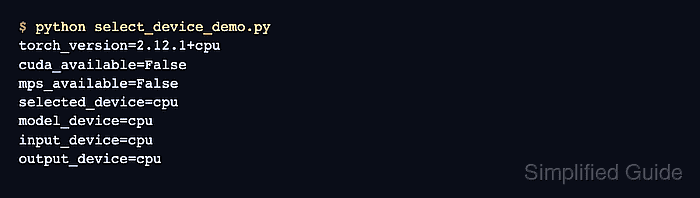
The torch.accelerator.current_accelerator() API represents the accelerator compiled into the active PyTorch build, including CUDA or ROCm, MPS, XPU, and other registered backends. Its runtime availability check returns no device when that accelerator cannot initialize, allowing CPU to remain the fallback.
A torch.device object names an allocation target but does not move existing data by itself. Model parameters, input tensors, and output tensors must resolve to the same device type before the forward pass can succeed.
Related: How to enable CUDA in PyTorch
Related: How to enable MPS in PyTorch
Related: How to enable ROCm in PyTorch
Steps to select a PyTorch device:
- Create device_select.py with a runtime accelerator check and CPU fallback.
- device_select.py
import torch


accelerator = torch.accelerator.current_accelerator(check_available=True)
device = accelerator or torch.device("cpu")
The check_available=True argument includes a runtime hardware and driver check. This check can initialize accelerator state before fork-based multiprocessing starts.
- Append a model allocated on the selected device to device_select.py.
model = torch.nn.Linear(3, 2).to(device)
- Append an input tensor allocated on the selected device to device_select.py.
inputs = torch.ones(4, 3, device=device)
- Append a forward pass to device_select.py.
with torch.no_grad():
    outputs = model(inputs)
- Append a fail-capable device alignment guard to device_select.py.
device_types = {
    next(model.parameters()).device.type,
    inputs.device.type,
    outputs.device.type,
}
if device_types != {device.type}:
    raise RuntimeError(f"Device mismatch: {sorted(device_types)}")
- Append the selected model, input, and output device report to device_select.py.
print(f"selected_device={device.type}")
print(f"model_device={next(model.parameters()).device.type}")
print(f"input_device={inputs.device.type}")
print(f"output_device={outputs.device.type}")
- Run the completed device selection script from its project directory.
$ python device_select.py
selected_device=cpu
model_device=cpu
input_device=cpu
output_device=cpu
A CPU-only build prints cpu on every line. An accelerator build reports its registered device type, such as cuda, mps, or xpu.