How to upgrade pip
Upgrading pip refreshes the package installer inside one Python environment before an older bundled copy starts mishandling newer packaging metadata, resolver behavior, or package index responses.
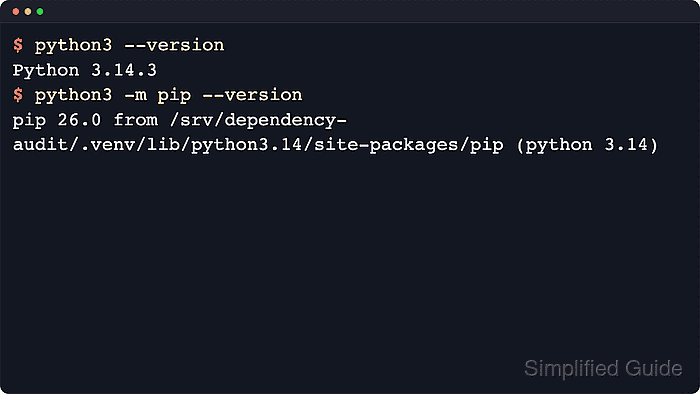
Run the upgrade through the interpreter that owns the target environment. Using python -m pip keeps the change attached to that interpreter or active virtual environment instead of whichever pip executable appears first in PATH, and python -m pip --version prints the site-packages path that will change.
Distro-managed Python installations on Debian, Ubuntu, Fedora, and related systems may be marked EXTERNALLY-MANAGED, which blocks global pip changes outside a virtual environment. The commands below use an existing project virtual environment in a POSIX shell; replace python with python3, py, or an absolute interpreter path when that is how the target Python is launched locally.
Steps to upgrade pip itself:
- Activate the environment that should receive the pip upgrade.
$ cd /srv/dependency-audit
$ . .venv/bin/activate

$ python --version
Python 3.14.4
If the target is not an activated virtual environment, run the same checks with the absolute interpreter path, such as .venv/bin/python -m pip or /usr/local/bin/python3.14 -m pip.
Related: How to check Python version
Related: How to create a virtual environment in Python - Confirm which pip instance will be modified.
$ python -m pip --version
pip 25.1.1 from /srv/dependency-audit/.venv/lib/python3.14/site-packages/pip (python 3.14)
The path in the pip --version output shows which Python installation or virtual environment owns the installed pip package.
If python -m pip --version fails because pip is missing, bootstrap the bundled copy first with python -m ensurepip --upgrade or install the packaged pip build for the current operating system. Some distro packages intentionally omit ensurepip and expect the operating system package manager to provide pip instead.
- Upgrade pip through that interpreter.
$ python -m pip install --upgrade pip
Requirement already satisfied: pip in ./.venv/lib/python3.14/site-packages (25.1.1)
Collecting pip
  Downloading pip-26.1.2-py3-none-any.whl.metadata (4.6 kB)
Downloading pip-26.1.2-py3-none-any.whl (1.8 MB)
##### snipped
Installing collected packages: pip
  Attempting uninstall: pip
    Found existing installation: pip 25.1.1
    Uninstalling pip-25.1.1:
      Successfully uninstalled pip-25.1.1
Successfully installed pip-26.1.2
Upgrading pip contacts the configured package index, so proxy, certificate, and custom index settings can affect this step.
If this command fails with error: externally-managed-environment, do not use --break-system-packages just to modify a distro-owned interpreter. Upgrade pip inside a project virtual environment instead, or update the packaged Python tooling through the operating system package manager.
Related: How to configure a proxy for pip
Related: How to configure a pip index URL - Verify that the new pip version is active in the same interpreter context.
$ python -m pip --version
pip 26.1.2 from /srv/dependency-audit/.venv/lib/python3.14/site-packages/pip (python 3.14)
The version number should increase while the path still points to the environment checked before the upgrade.