Checking the active Python version confirms which interpreter will run scripts, satisfy package constraints, and build virtual environments. That matters before upgrading dependencies, debugging compatibility problems, or verifying that a terminal session is using the runtime a project expects.
Version checks are tied to the specific command the shell resolves, not just to whatever runtimes happen to be installed on the host. The -V and –version forms print the interpreter version number, -VV expands the result with build details, and sys.version_info plus sys.executable expose structured fields when automation or troubleshooting needs more than a banner string.
Virtual environments, shell shims, and per-user path changes can all redirect python, python3, or py to different runtimes. Current Unix-like guidance still allows systems to omit the unversioned python command, while current Windows installs commonly expose both python and py through the Python Install Manager. Windows also includes python3 for POSIX compatibility, but it is not the preferred entry point there, so the correct check is the one that matches the command used in that session.
Steps to check Python version:
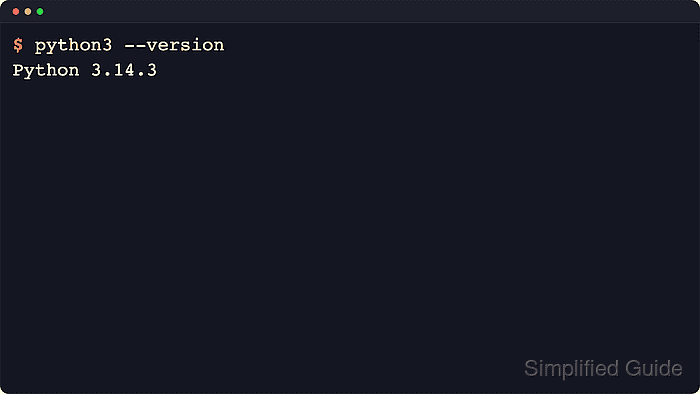
- Run python3 –version when the interpreter is installed as python3, which is common on current Linux and macOS systems.
$ python3 --version
Python 3.14.4
If python3 works but python does not, the host is following the common Unix-style convention of exposing only the versioned command. If neither command works, confirm that the interpreter is installed and that its binary directory is on PATH.
- Run python –version when the current shell already resolves python to the active interpreter.
$ python --version
Python 3.14.4
On current Windows installs, python usually starts the default runtime selected by Python Install Manager.
- Run py –version on Windows when checking the default runtime exposed by the current Python Install Manager configuration.
C:\Users\analyst> py --version
Python 3.14.4
Use py list –one to see which runtime tag is currently the default, or py -V:3.14 –version to query one specific installed runtime.
- Print the full build banner with -VV when compiler, build date, or packaging details matter.
$ python3 -VV
Python 3.14.4 (main, Apr  8 2026, 04:02:31) [GCC 15.2.0]
-VV is the detailed form of the normal version check and returns build metadata in addition to the version number.
- Query sys.version_info when scripts or support runbooks need structured major, minor, and micro fields.
$ python3 -c "import sys; print(sys.version_info)"
sys.version_info(major=3, minor=14, micro=4, releaselevel='final', serial=0)
Use the same interpreter command that matched earlier, such as python3 -c …, python -c …, or py -c …, so the reported fields come from the same runtime.
- Print sys.executable when a virtual environment, shell alias, or user-local shim may be changing which interpreter responds.
$ python3 -c "import sys; print(sys.executable)"
/usr/bin/python3
The reported path identifies the exact binary behind the version output. A path under /usr/bin usually indicates a distribution-managed interpreter, /usr/local/opt or /opt/homebrew/opt usually indicates a package-managed macOS install, and a path inside a project .venv directory points to a virtual environment.

Mohd Shakir Zakaria is a cloud architect with deep roots in software development and open-source advocacy. Certified in AWS, Red Hat, VMware, ITIL, and Linux, he specializes in designing and managing robust cloud and on-premises infrastructures.


