Pointing pip at the correct package index keeps installs, downloads, and metadata lookups aligned with the repository approved for a workstation, build runner, or restricted network. That matters when packages must come from an internal mirror, an artifact registry, or a curated cache instead of whichever index the interpreter would otherwise reach.
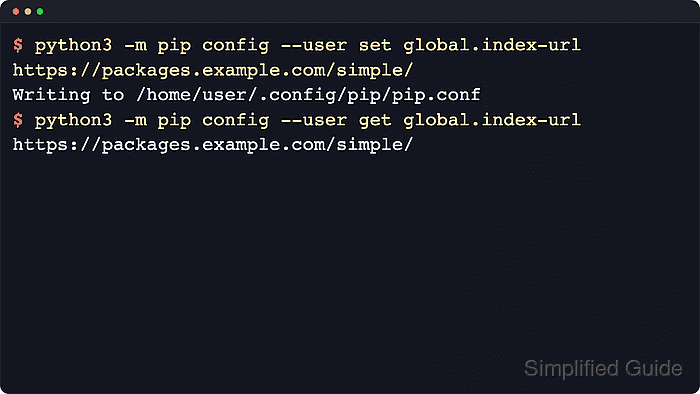
The persistent package source is controlled by the global.index-url setting in pip's INI-style configuration files, while the one-off command-line form is –index-url. The python3 -m pip config workflow can inspect the files pip loads, write the setting at the right scope, and show whether a virtual-environment file or environment variable is taking precedence.
A per-user configuration is usually the safest default because it changes one account instead of every interpreter on the system. On Linux the user file is normally ~/.config/pip/pip.conf, on macOS it may be ~/Library/Application Support/pip/pip.conf, and on Windows the equivalent file is C:\Users\<username>\AppData\Roaming\pip\pip.ini with py -m pip as the usual interpreter-bound command. pip also warns that using –extra-index-url for private packages is unsafe because dependency-confusion attacks can cause a package from another index to win resolution.
Steps to configure a pip index URL:
- Inspect the configuration files that pip can read before writing a new package source.
$ python3 -m pip config debug
env_var:
env:
global:
  /etc/xdg/pip/pip.conf, exists: False
  /etc/pip.conf, exists: False
site:
  /srv/venvs/reporting-api/pip.conf, exists: False
user:
  /home/<username>/.pip/pip.conf, exists: False
  /home/<username>/.config/pip/pip.conf, exists: False
The debug output shows which user and virtual-environment files are available so the new value is written at the intended scope instead of whichever file pip would pick implicitly.
On macOS, the current user file may appear as ~/Library/Application Support/pip/pip.conf when that directory exists.
- Write the primary index URL to the intended configuration file.
$ python3 -m pip config --user set global.index-url https://packages.example.com/simple/
Writing to /home/<username>/.config/pip/pip.conf
Use the repository's PEP 503 Simple API endpoint here; many private mirrors and artifact registries expose it under a longer API path that still ends in /simple/. If the URL was copied from a ticket or contains credentials or query text, inspect the scheme, host, path, and masked sensitive values before saving it.
Replace --user with --site inside an active virtual environment when only that environment should use the alternate repository, or --global when intentionally setting a system-wide default.
Related: How to create a virtual environment in Python
Tool: URL Parser - Read the stored value back from the same scope to confirm that pip saved the expected URL.
$ python3 -m pip config --user get global.index-url
https://packages.example.com/simple/
Using the same file option for both set and get avoids reading a different scope while a virtual environment is active.
- List the active configuration and check whether a higher-precedence override is masking the stored index URL.
$ python3 -m pip config list
global.index-url='https://packages.example.com/simple/'

$ PIP_INDEX_URL=https://build-cache.example.com/simple/ python3 -m pip config list
:env:.index-url='https://build-cache.example.com/simple/'
global.index-url='https://packages.example.com/simple/'
Command-line –index-url overrides both configuration files and PIP_INDEX_URL.
If PIP_CONFIG_FILE names an existing file, pip loads that file last and does not load the normal user configuration file.
- Query a package that the configured repository is expected to serve after replacing the example URL with the real repository endpoint.
$ python3 -m pip index versions analytics-client
analytics-client (2026.3.5)
Available versions: 2026.3.5, 2026.3.4, 2026.2.9
pip index versions checks package metadata without installing the package, so a successful response confirms that the stored index URL is reachable and serving the expected Simple API data.
If the request fails against a private HTTPS repository, configure the required credentials or trusted CA bundle before retrying.

Mohd Shakir Zakaria is a cloud architect with deep roots in software development and open-source advocacy. Certified in AWS, Red Hat, VMware, ITIL, and Linux, he specializes in designing and managing robust cloud and on-premises infrastructures.


