How to install pip on Ubuntu
Installing pip on Ubuntu makes it possible to install Python packages from PyPI when a module, tool, or helper script is not available as a normal apt package. That is the usual starting point for project dependencies, Python-based automation, and utilities that need a packaging workflow outside Ubuntu's base repositories.
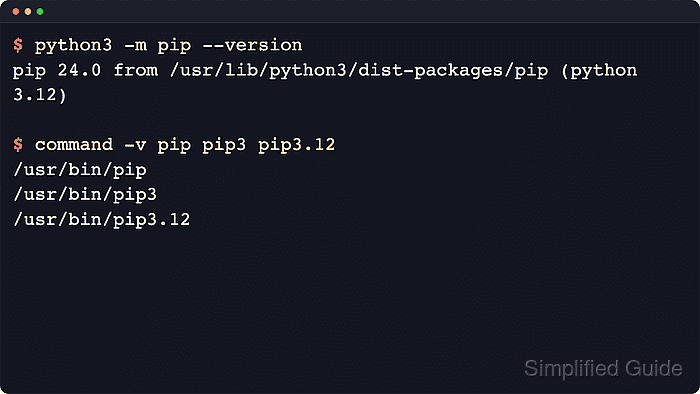
On current Ubuntu releases, the system installer for pip comes from the python3-pip package. That package adds the wrapper commands for the distro-managed Python 3 interpreter, while python3 -m pip remains the clearest way to bind package operations to the exact interpreter that will run them.
Installing pip does not make interpreter-wide pip install the default safe path on modern Ubuntu. The distro marks its system Python environment as externally managed, so project dependencies should normally go into a virtual environment, and minimal hosts may still need python3-venv if the next task is isolated package installs.
Related: How to install Python 3 on Ubuntu or Debian
Related: How to check Python version
Steps to install pip on Ubuntu:
- Refresh the apt package index before resolving the pip package.
$ sudo apt update
Get:1 http://archive.ubuntu.com/ubuntu resolute InRelease [136 kB]
Get:2 http://security.ubuntu.com/ubuntu resolute-security InRelease [137 kB]
Get:3 http://archive.ubuntu.com/ubuntu resolute-updates InRelease [137 kB]
Get:4 http://archive.ubuntu.com/ubuntu resolute-backports InRelease [136 kB]
##### snipped #####
Reading package lists...
- Install the distro-managed pip package for Python 3.
$ sudo apt install --yes python3-pip
Reading package lists...
Building dependency tree...
Reading state information...
Solving dependencies...
Installing:
  python3-pip

Installing dependencies:
  adduser                     libc6-dev               python3
##### snipped #####
  python3-dev                 python3-packaging       python3-wheel
Summary:
  Upgrading: 0, Installing: 116, Removing: 0, Not Upgrading: 3
##### snipped #####
Setting up python3-pip (25.1.1+dfsg-1ubuntu2) ...
The required package name stays python3-pip on current Ubuntu releases.
On minimal images, apt may also pull the base Python 3 runtime, python3-wheel, python3-dev, and build helpers such as build-essential the first time Python packaging support is installed.
- Verify that the packaged installer is available through the system interpreter and wrapper commands.
$ python3 -m pip --version
pip 25.1.1 from /usr/lib/python3/dist-packages/pip (python 3.14)

$ command -v pip pip3
/usr/bin/pip
/usr/bin/pip3
Use python3 -m pip when possible so package operations stay tied to the intended interpreter, especially on hosts with more than one Python installation.
- Display the top of the pip help output to confirm the command set is ready for use.
$ python3 -m pip --help

Usage:
  /usr/bin/python3 -m pip <command> [options]

Commands:
  install                     Install packages.
  lock                        Generate a lock file.
  download                    Download packages.
  uninstall                   Uninstall packages.
  freeze                      Output installed packages in requirements format.
  inspect                     Inspect the python environment.
  list                        List installed packages.
  show                        Show information about installed packages.
  check                       Verify installed packages have compatible dependencies.
  config                      Manage local and global configuration.
If a later python3 -m pip install <package> returns externally-managed-environment, install the package from apt when a distro package exists or create a virtual environment instead of forcing a global install into Ubuntu's system Python. If virtual environment creation is unavailable on a minimal host, install the matching python3-venv package or the broader python3-full package named in Ubuntu's error message first.