Installing the distribution-managed Python 3 runtime on Ubuntu or Debian gives shell scripts, automation jobs, and local tools an interpreter that follows the operating system update channel. The package-manager path avoids replacing the system interpreter with a source build, version manager, or copied binary that later distribution tools may not expect.
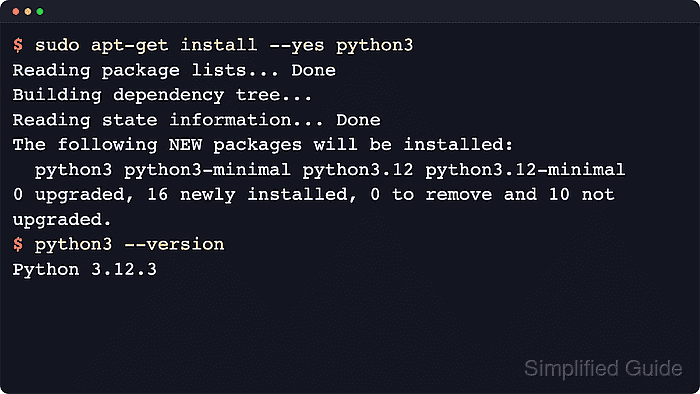
Both distributions expose the base runtime through the python3 package. That dependency package follows the release's default minor version and installs the packaged binary under /usr/bin/python3, while add-on modules such as venv and pip stay in separate packages.
Install only python3 when the host just needs to run Python scripts. Add python3-venv when projects need isolated environments, add python3-pip when the host needs the distribution-packaged pip command, and install python-is-python3 only for scripts that specifically call python instead of python3.
Steps to install Python 3 on Ubuntu or Debian:
- Open a terminal with sudo privileges.
- Refresh the local apt package index before resolving the interpreter package.
$ sudo apt-get update
Get:1 http://archive.ubuntu.com/ubuntu resolute InRelease [136 kB]
##### snipped #####
Reading package lists...
Repository lines, transfer totals, and mirror names vary by distribution release and architecture. The important result is that apt finishes reading the package lists without an error.
- Install the default distribution-managed Python 3 package.
$ sudo apt-get install --yes python3
Reading package lists...
Building dependency tree...
Reading state information...
The following NEW packages will be installed:
  ca-certificates libexpat1 libffi8 libpython3-stdlib libpython3.14-minimal
  libpython3.14-stdlib libreadline8t64 libsqlite3-0 media-types netbase
  openssl python3 python3-minimal python3.14 python3.14-minimal
  readline-common tzdata
##### snipped #####
Setting up python3 (3.14.3-0ubuntu2) ...
The python3 package stays as the default interpreter package on current Ubuntu and Debian releases, but the minor version follows the operating-system release. The verified package path returned Python 3.14 on Ubuntu 26.04 LTS and Python 3.13 on current Debian stable.
- Confirm that the interpreter is installed and that the shell resolves the packaged binary from /usr/bin.
$ python3 --version
Python 3.14.4
$ command -v python3
/usr/bin/python3
The exact version string depends on the operating-system release and enabled repositories, but the packaged interpreter path normally resolves to /usr/bin/python3.
Related: How to check Python version
- Install the optional venv and pip packages only when this host also needs isolated environments or distribution-managed pip.
$ sudo apt-get install --yes python3-venv python3-pip
Reading package lists...
Building dependency tree...
Reading state information...
The following NEW packages will be installed:
  adduser binutils binutils-aarch64-linux-gnu binutils-common build-essential
  bzip2 cpp cpp-15 cpp-15-aarch64-linux-gnu cpp-aarch64-linux-gnu
##### snipped #####
  python3-packaging python3-pip python3-pip-whl python3-setuptools-whl
  python3-venv python3-wheel python3.14-dev python3.14-venv
##### snipped #####
Setting up python3-venv (3.14.3-0ubuntu2) ...
Setting up python3-pip (25.1.1+dfsg-1ubuntu2) ...
apt may install recommended build tools and development headers with python3-pip, depending on the distribution release and repository policy. Use python3-venv without python3-pip when the host only needs to create virtual environments.
Related: How to create a virtual environment in Python
Related: How to install pip on Ubuntu - Check whether the unversioned python command exists before using copied snippets or legacy scripts that expect it.
$ python --version
python: command not found
The exact shell error text varies, but installing only python3 still leaves python absent on the verified Ubuntu 26.04 LTS and Debian stable containers. Install python-is-python3 only when a third-party tool specifically expects the unversioned command.

Mohd Shakir Zakaria is a cloud architect with deep roots in software development and open-source advocacy. Certified in AWS, Red Hat, VMware, ITIL, and Linux, he specializes in designing and managing robust cloud and on-premises infrastructures.


