How to configure file service discovery in Prometheus
File service discovery lets Prometheus read scrape targets from separate JSON or YAML files instead of hard-coding every target directly in /etc/prometheus/prometheus.yml. It fits environments where an inventory script, configuration-management run, or operator-maintained target list should update scrape targets without rewriting the main Prometheus configuration.
Prometheus still needs one scrape job in the active configuration file that points file_sd_configs at one or more target-file globs. The target files contain static config groups with targets and labels, and Prometheus watches those files plus their parent directory while also re-reading them at the configured fallback interval.
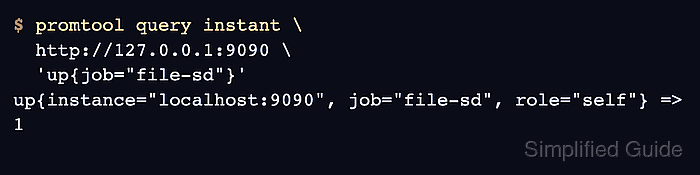
Using the Prometheus server itself as the first target keeps the proof local because the file entry should appear under the file-sd job and the up query should return 1. Replace localhost:9090 with real exporter endpoints after confirming the Prometheus host can reach those addresses.
Related: How to reload Prometheus configuration
Related: How to check Prometheus targets
Steps to configure Prometheus file service discovery:
- Create a directory for file-discovery target files.
$ sudo install -d -m 0755 \
  /etc/prometheus/sd
- Create the first target file at /etc/prometheus/sd/prometheus.yml.
- targets:
    - localhost:9090
  labels:
    role: self
Prometheus accepts target files ending in .json, .yml, or .yaml. Keep this directory limited to service-discovery files because Prometheus watches the parent directory for matching changes.
- Open the active Prometheus configuration file.
Use the path from the running service or container --config.file flag when your deployment does not use /etc/prometheus/prometheus.yml.
- Add a scrape job that reads the target-file glob.
scrape_configs:
  - job_name: file-sd
    file_sd_configs:
      - files:
          - /etc/prometheus/sd/*.yml
        refresh_interval: 30s
Keep existing global, rule_files, alerting, remote_write, and other scrape_configs entries in the same file. The refresh_interval is a fallback re-read interval; normal file changes are detected through filesystem watches.
- Check the Prometheus configuration.
$ promtool check config \
  /etc/prometheus/prometheus.yml
Checking /etc/prometheus/prometheus.yml
 SUCCESS: /etc/prometheus/prometheus.yml is valid prometheus config file syntax
Related: How to test Prometheus configuration
- Reload Prometheus so it reads the new file-discovery job.
$ curl \
  --request POST \
  --include \
  http://127.0.0.1:9090/-/reload
HTTP/1.1 200 OK
Content-Length: 0
The HTTP lifecycle endpoint works only when Prometheus starts with --web.enable-lifecycle. Use SIGHUP or the local service manager when the endpoint returns Lifecycle APIs are not enabled.
- Query the discovered target from Prometheus.
$ promtool query instant \
  http://127.0.0.1:9090 \
  'up{job="file-sd"}'
up{instance="localhost:9090", job="file-sd", role="self"} => 1
Value 1 means Prometheus discovered and scraped the target. Value 0 means the file entry exists but the latest scrape failed, usually because the exporter address, port, route, or metrics endpoint is unreachable from the Prometheus server.
Related: How to check Prometheus targets