How to test Prometheus alert delivery through Alertmanager and Grafana
Testing Prometheus alert delivery through Alertmanager and Grafana confirms that a firing rule leaves Prometheus, arrives at Alertmanager, and remains visible through Grafana's Alertmanager data source. Alert delivery validation is useful after changing rule files, Alertmanager targets, routing labels, or Grafana data-source provisioning.
A temporary alert that always fires lets the Prometheus HTTP API, Alertmanager API v2, and Grafana data-source proxy show the same alert name at each layer. Give the alert a unique name and label so every check can filter it without mixing it with production alerts.
Use staging or a maintenance window if the matched route sends real notifications. Point the test labels at a non-paging receiver when possible, and remove the temporary rule as soon as Grafana returns the active alert through the Alertmanager data source.
Steps to test Prometheus alert delivery through Alertmanager and Grafana:
- Confirm Prometheus has an active Alertmanager target.
$ curl -sS http://prometheus.example.org:9090/api/v1/alertmanagers
{"status":"success","data":{"activeAlertmanagers":[{"url":"http://alertmanager.example.org:9093/api/v2/alerts"}],"droppedAlertmanagers":[]}}
The activeAlertmanagers list must include the Alertmanager endpoint that Grafana also uses. An empty list means Prometheus has no delivery target.
Related: How to connect Prometheus to Alertmanager - Create a temporary alert rule that always fires.
# /etc/prometheus/rules/delivery-test.yml
groups:
  - name: delivery-test
    rules:
      - alert: AlertDeliveryTest
        expr: vector(1)
        for: 0s
        labels:
          severity: test
          route: alertmanager-grafana
        annotations:
          summary: Controlled alert delivery test
          description: Temporary alert used to prove Prometheus, Alertmanager, and Grafana visibility.
If the matched route sends real notifications, use labels that match a test receiver or run the check in staging. The alert remains active until the rule is removed or changed.
- Confirm the active Prometheus configuration loads the test rule path.
rule_files:
  - /etc/prometheus/rules/*.yml
Keep the existing scrape_configs and alerting sections in the file. The rule_files entry can point directly to the test file or to a glob that matches the rules directory.
Related: How to load a Prometheus rule file - Validate the Prometheus configuration and rule file.
$ promtool check config /etc/prometheus/prometheus.yml
Checking /etc/prometheus/prometheus.yml
  SUCCESS: 1 rule files found
 SUCCESS: /etc/prometheus/prometheus.yml is valid prometheus config file syntax

Checking /etc/prometheus/rules/delivery-test.yml
  SUCCESS: 1 rules found
Related: How to test Prometheus configuration
Related: How to test Prometheus rule files - Reload Prometheus so it reads the temporary rule.
$ curl -sS --request POST http://prometheus.example.org:9090/-/reload
The HTTP reload endpoint requires Prometheus to run with --web.enable-lifecycle. If that flag is disabled, reload with SIGHUP or the service manager used on the host.
Related: How to reload Prometheus configuration - Check that Prometheus is firing the test alert.
$ curl -sS http://prometheus.example.org:9090/api/v1/alerts
{"status":"success","data":{"alerts":[{"labels":{"alertname":"AlertDeliveryTest","route":"alertmanager-grafana","severity":"test"},"annotations":{"description":"Temporary alert used to prove Prometheus, Alertmanager, and Grafana visibility.","summary":"Controlled alert delivery test"},"state":"firing","activeAt":"2026-06-20T10:18:08.457266295Z","value":"1e+00"}]}}
The state value should be firing before checking Alertmanager. A pending alert has not crossed the rule's for duration yet.
- Wait for Prometheus to send the notification batch.
A firing rule can appear in Prometheus before the first notification batch is visible in Alertmanager. Wait about one minute before the first Alertmanager check.
- Query Alertmanager for the active test alert.
$ curl -sS --get http://alertmanager.example.org:9093/api/v2/alerts \
  --data-urlencode 'filter=alertname="AlertDeliveryTest"'
[{"labels":{"alertname":"AlertDeliveryTest","route":"alertmanager-grafana","severity":"test"},"status":{"state":"active"},"receivers":[{"name":"delivery-test"}]}]
The response should show state as active and list the receiver that the route selected.
- Confirm Grafana has the Prometheus Alertmanager data source.
$ curl -sS --header "Authorization: Bearer $GRAFANA_TOKEN" \
  https://grafana.example.org/api/datasources/uid/alertmanager
{"uid":"alertmanager","name":"Alertmanager","type":"alertmanager","url":"http://alertmanager.example.org:9093","jsonData":{"handleGrafanaManagedAlerts":false,"implementation":"prometheus"}}
Use the Alertmanager data source UID from your Grafana instance. For a Prometheus Alertmanager endpoint, implementation should be prometheus.
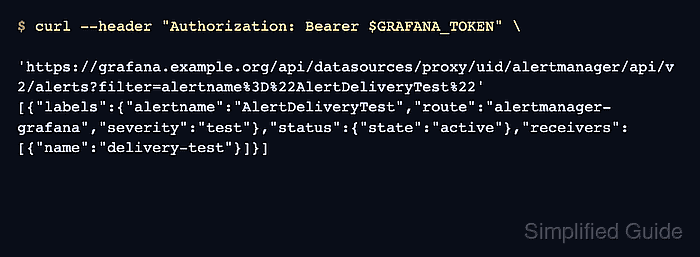
- Query the Alertmanager alert through Grafana.
$ curl -sS --header "Authorization: Bearer $GRAFANA_TOKEN" \
  'https://grafana.example.org/api/datasources/proxy/uid/alertmanager/api/v2/alerts?filter=alertname%3D%22AlertDeliveryTest%22'
[{"labels":{"alertname":"AlertDeliveryTest","route":"alertmanager-grafana","severity":"test"},"status":{"state":"active"},"receivers":[{"name":"delivery-test"}]}]
Grafana should return the same active alert through the data-source proxy that Alertmanager returned directly.
- Remove the temporary alert rule.
$ sudo rm /etc/prometheus/rules/delivery-test.yml
If rules are managed from Git, remove the test rule from the source repository and deploy the normal rule bundle instead of deleting a generated file by hand.
- Reload Prometheus after removing the test rule.
$ curl -sS --request POST http://prometheus.example.org:9090/-/reload
- Confirm the test alert is no longer active in Alertmanager.
$ curl -sS --get http://alertmanager.example.org:9093/api/v2/alerts \
  --data-urlencode active=true \
  --data-urlencode 'filter=alertname="AlertDeliveryTest"'
[]
Resolved alerts can remain visible briefly depending on Alertmanager state and UI filters. The active=true filter checks that the temporary alert is no longer firing.