How to monitor PostgreSQL performance metrics
Slow PostgreSQL incidents are easier to triage when session waits, cache counters, lock blockers, table churn, and connection pressure are checked from the database before tuning starts. Built-in metrics separate a slow query from a blocked transaction, disk pressure, or a saturated connection pool.
PostgreSQL exposes current activity through pg_stat_activity and lock blockers through pg_blocking_pids(), while cumulative views such as pg_stat_database, pg_stat_io, and pg_stat_user_tables show workload counters collected by the server. These views read statistics only and do not change database data.
Cumulative counters can lag active work briefly and reset after crashes, clean resets, or explicit statistics resets, so compare snapshots from similar traffic windows. The examples assume local shell access as the postgres OS account, a database named appdb, and a role with superuser privileges or pg_read_all_stats when inspecting other users' sessions.
Related: How to enable pg_stat_statements in PostgreSQL \\
Related: How to optimize PostgreSQL performance
Steps to monitor PostgreSQL performance metrics:
- List non-idle sessions with their wait events.
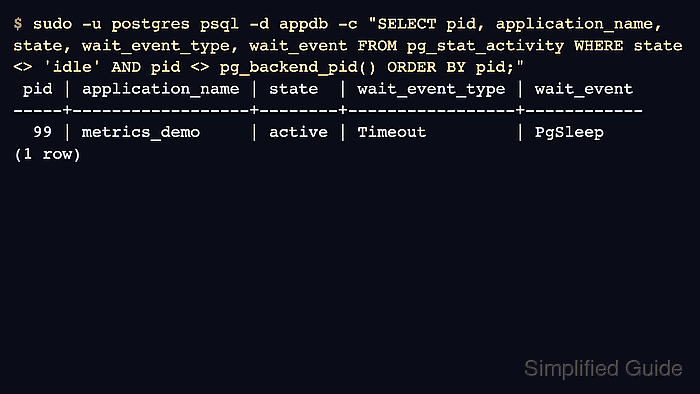
$ sudo -u postgres psql -d appdb -c "SELECT pid, application_name, state, wait_event_type, wait_event FROM pg_stat_activity WHERE state <> 'idle' AND pid <> pg_backend_pid() ORDER BY pid;"
 pid | application_name | state  | wait_event_type | wait_event
-----+------------------+--------+-----------------+------------
  99 | metrics_demo     | active | Timeout         | PgSleep
(1 row)
wait_event_type and wait_event show what the backend is waiting on. Blank wait fields usually mean the backend is running on CPU or is between wait reports.
- Summarize non-idle sessions by wait type.
$ sudo -u postgres psql -d appdb -c "SELECT COALESCE(wait_event_type, 'CPU') AS wait_type, COALESCE(wait_event, 'On CPU') AS wait_event, count(*) AS sessions FROM pg_stat_activity WHERE state <> 'idle' AND pid <> pg_backend_pid() GROUP BY 1,2 ORDER BY sessions DESC, wait_type, wait_event;"
 wait_type | wait_event | sessions
-----------+------------+----------
 Timeout   | PgSleep    |        1
(1 row)
Many Lock rows point toward blocked transactions, while Client waits usually mean the backend is waiting for the client to send or receive data.
- Check database-level workload counters.
$ sudo -u postgres psql -d appdb -c "SELECT datname, xact_commit, xact_rollback, blks_hit, blks_read, round(blks_hit*100.0/nullif(blks_hit+blks_read,0),2) AS cache_hit_pct, temp_files, pg_size_pretty(temp_bytes) AS temp_bytes FROM pg_stat_database WHERE datname = current_database();"
 datname | xact_commit | xact_rollback | blks_hit | blks_read | cache_hit_pct | temp_files | temp_bytes
---------+-------------+---------------+----------+-----------+---------------+------------+------------
 appdb   |          21 |             0 |     5110 |       266 |         95.05 |          0 | 0 bytes
(1 row)
Watch these values as deltas. A rising xact_rollback count, falling cache_hit_pct, or growing temp_bytes points to different causes than a single high query time.
- Review I/O activity by backend type.
$ sudo -u postgres psql -d appdb -c "SELECT backend_type, object, context, reads, writes, fsyncs, round(read_time::numeric,2) AS read_ms, round(write_time::numeric,2) AS write_ms FROM pg_stat_io WHERE reads + writes + fsyncs > 0 ORDER BY reads + writes + fsyncs DESC LIMIT 10;"
    backend_type     |  object  | context | reads | writes | fsyncs | read_ms | write_ms
---------------------+----------+---------+-------+--------+--------+---------+----------
 standalone backend  | relation | normal  |   479 |   1038 |      0 |    0.00 |     0.00
 standalone backend  | wal      | normal  |     3 |    760 |      0 |    0.00 |     0.00
 client backend      | relation | normal  |   337 |      0 |      0 |    5.46 |     0.00
 client backend      | wal      | normal  |     0 |     43 |     10 |    0.00 |     0.93
 startup             | wal      | normal  |     4 |      0 |      0 |    0.03 |     0.00
 checkpointer        | wal      | normal  |     0 |      1 |      1 |    0.00 |     0.01
 autovacuum launcher | relation | normal  |     1 |      0 |      0 |    0.76 |     0.00
(7 rows)
pg_stat_io is available in PostgreSQL 16 and newer. Timing columns stay at zero unless track_io_timing and track_wal_io_timing are enabled for the relevant I/O classes.
- Show blocked sessions and their blocker PIDs.
$ sudo -u postgres psql -d appdb -c "SELECT a.pid AS blocked_pid, pg_blocking_pids(a.pid) AS blocker_pids, date_trunc('second', now() - a.query_start) AS blocked_age, a.wait_event_type, a.wait_event, left(a.query, 80) AS blocked_query FROM pg_stat_activity AS a WHERE cardinality(pg_blocking_pids(a.pid)) > 0 ORDER BY blocked_age DESC LIMIT 10;"
 blocked_pid | blocker_pids | blocked_age | wait_event_type |  wait_event   |                   blocked_query
-------------+--------------+-------------+-----------------+---------------+----------------------------------------------------
         148 | {141}        | 00:00:00    | Lock            | transactionid | UPDATE orders SET status = 'blocked' WHERE id = 1;
(1 row)
Use the returned blocker_pids with pg_stat_activity to inspect the blocking session before deciding whether to wait, cancel, or terminate anything.
- Inspect table row churn and autovacuum activity.
$ sudo -u postgres psql -d appdb -c "SELECT relname, n_live_tup, n_dead_tup, last_autovacuum, last_autoanalyze FROM pg_stat_user_tables ORDER BY n_dead_tup DESC, relname LIMIT 10;"
 relname | n_live_tup | n_dead_tup | last_autovacuum | last_autoanalyze
---------+------------+------------+-----------------+------------------
 events  |        140 |         30 |                 |
 orders  |          4 |          0 |                 |
(2 rows)
n_live_tup and n_dead_tup are estimates, but a rising dead-tuple count with old vacuum timestamps is a strong signal to review autovacuum settings.
Related: How to tune autovacuum in PostgreSQL
- Compare active connections with max_connections.
$ sudo -u postgres psql -d appdb -c "SELECT current_setting('max_connections')::int AS max_connections, count(*) AS current_connections, round(count(*)*100.0/current_setting('max_connections')::int,2) AS pct_used FROM pg_stat_activity;"
 max_connections | current_connections | pct_used
-----------------+---------------------+----------
             100 |                  12 |    12.00
(1 row)
Leave headroom for administrative access, background workers, and connection-pool bursts instead of treating 100.00 as the first warning point.