How to save a TLS server certificate using OpenSSL
TLS certificate evidence is most trustworthy when it comes from the listener clients actually reach. A renewed file in a deployment directory or control panel can still differ from the certificate chosen by a proxy, CDN edge, or virtual host during the TLS handshake.
The openssl s_client command opens the TLS connection, and -servername sends Server Name Indication, or SNI, so a shared address can select the right certificate. Piping the handshake output through openssl x509 keeps the saved file as a clean PEM certificate instead of a full client transcript.
The openssl x509 parser writes the first certificate it reads, which is normally the served leaf certificate. For issuer-chain work, inspect the server-sent list separately and build a clean bundle before verification because -showcerts output is not the same as a trusted chain.
Steps to save a TLS server certificate using OpenSSL:
- Identify the TLS host, port, SNI name, and output filename.
Use the DNS name clients request as -servername. The -connect target may be the same name, an IP address, or a load balancer name, but a missing or wrong SNI value can capture a default certificate.
- Save the served leaf certificate as a PEM file.
$ openssl s_client -connect server.example.com:443 -servername server.example.com -no-interactive </dev/null 2>/dev/null | openssl x509 -outform PEM > server.example.com.pem
-no-interactive and </dev/null keep s_client from waiting for typed input. 2>/dev/null hides handshake chatter on stderr; openssl x509 still fails if it cannot read a certificate.
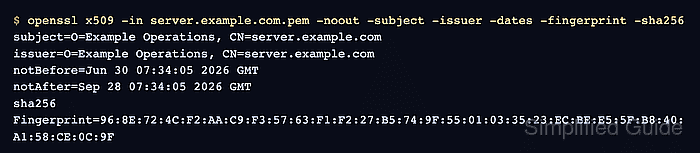
- Inspect the saved certificate identity, dates, and fingerprint.
$ openssl x509 -in server.example.com.pem -noout -subject -issuer -dates -fingerprint -sha256
subject=O=Example Operations, CN=server.example.com
issuer=O=Example Operations, CN=server.example.com
notBefore=Jun 30 07:34:05 2026 GMT
notAfter=Sep 28 07:34:05 2026 GMT
sha256 Fingerprint=96:8E:72:4C:F2:AA:C9:F3:57:63:F1:F2:27:B5:74:9F:55:01:03:35:23:EC:BE:E5:5F:B8:40:A1:58:CE:0C:9F
The fingerprint identifies the exact saved certificate bytes, which is safer than comparing only subject names across renewals or load-balanced listeners.
- Check that the saved certificate covers the expected DNS name.
$ openssl x509 -in server.example.com.pem -noout -checkhost server.example.com
Hostname server.example.com does match certificate
Modern TLS clients use Subject Alternative Name entries for host matching. A familiar CN is not enough when the SAN extension is missing or wrong.