TLS deployments often need one PEM file that presents the server certificate followed by the intermediate CA certificates that issued it. Building that bundle with OpenSSL keeps the certificate order visible before it is handed to a web server, proxy, appliance, or another operations team.
OpenSSL does not need to rewrite certificate data to build a simple PEM bundle. The web-server chain file is normally a concatenation of complete certificate blocks with the leaf certificate first, then each intermediate certificate from the closest issuer upward.
Keep the private key separate from the bundle and verify the file against the trust anchor clients are expected to trust. A bundle that parses as PEM can still fail when an intermediate is missing, the wrong issuer certificate is included, or the root certificate is added for a platform that expects only the served chain.
Steps to build an OpenSSL certificate chain bundle:
- Print the leaf certificate subject and issuer.
$ openssl x509 -in server.crt -noout -subject -issuer
subject=CN=server.example.com
issuer=CN=Example Intermediate CA
Use the service certificate as server.crt. The private key stays in its own key file and is not copied into the certificate chain bundle.
- Print the intermediate certificate subject and issuer.
$ openssl x509 -in intermediate-ca.crt -noout -subject -issuer
subject=CN=Example Intermediate CA
issuer=CN=Example Root CA
The intermediate subject should match the leaf issuer. If the CA supplied more than one intermediate, order them from the leaf issuer upward toward the root.
- Build the PEM bundle with the leaf certificate first.
$ cat server.crt intermediate-ca.crt > fullchain.pem
Most web servers and TLS proxies serve the leaf plus intermediates and omit the root CA. Include the root only when the receiving appliance, SDK, or certificate portal explicitly requires it.
- Print the certificate entries from the bundle.
$ openssl crl2pkcs7 -nocrl -certfile fullchain.pem | openssl pkcs7 -print_certs -noout
subject=CN=server.example.com
issuer=CN=Example Intermediate CA

subject=CN=Example Intermediate CA
issuer=CN=Example Root CA
The first entry should be the service certificate. Later entries should walk issuer by issuer toward the trusted root.
- Verify the bundle against the intended root certificate.
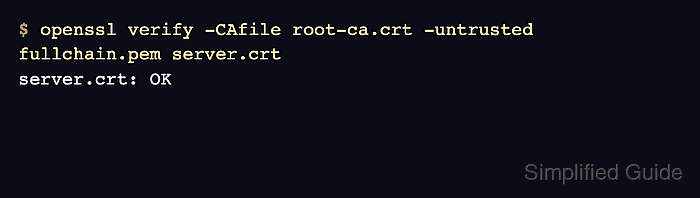
$ openssl verify -CAfile root-ca.crt -untrusted fullchain.pem server.crt
server.crt: OK
root-ca.crt is the trust anchor for the check, while fullchain.pem supplies untrusted certificates that help OpenSSL build the path. server.crt: OK means the leaf chained through the supplied bundle to the trusted root.