How to read a CSV file with NumPy
Delimited text is a common handoff between spreadsheets, sensors, and numerical programs. NumPy fits that boundary when every record has the same columns and the imported values need array operations rather than a dataframe layer.
The np.genfromtxt() function can take field names from the header while an explicit structured dtype keeps text, floating-point, and integer columns separate. A blank value in a floating-point field can become NaN without changing the types of the other columns.
A simple comma-delimited file should have one header row and a consistent number of fields. Files with embedded delimiters, multiline quoted fields, complex dates, or irregular records need a CSV-aware parser or a cleanup pass before their values enter the array.
Related: Write CSV data
Related: Convert array dtype
Related: Save and load NPY
Tool: Comma-Separated Values (CSV) Converter
Steps to read a CSV file with NumPy:
- Create a small CSV file with a header row and one blank temperature field.
- readings.csv
sensor,temp,humidity
A,21.5,45
B,,52
C,19.0,49
The blank temp field in row B supplies a missing floating-point value for the import check.
- Start the Python reader with the input path and structured dtype.
- csv-read.py
from pathlib import Path

import numpy as np

path = Path("readings.csv")
dtype = [("sensor", "U8"), ("temp", "f8"), ("humidity", "i8")]
The structured dtype preserves sensor labels as Unicode, temperatures as floating-point values, and humidity readings as integers.
- Add the NumPy loader below the dtype declaration.
data = np.genfromtxt(
    path,
    delimiter=",",
    names=True,
    dtype=dtype,
    encoding="utf-8",
    missing_values="",
    filling_values={"temp": np.nan},
)
names=True consumes the header as field names, while the column-specific fill value keeps the blank temperature numeric.
- Append the field checks after the loader call.
print("rows:", data.shape[0])
print("columns:", data.dtype.names)
print("temps:", data["temp"])
print("missing temp:", np.isnan(data["temp"][1]))
print("average temp:", np.nanmean(data["temp"]))
np.nanmean() excludes the missing temperature from the average while leaving the NaN visible in the imported field.
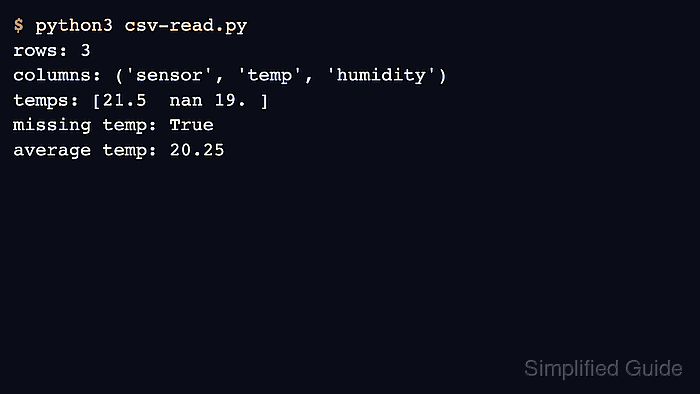
- Run the completed script to load readings.csv into a structured NumPy array.
$ python3 csv-read.py
rows: 3
columns: ('sensor', 'temp', 'humidity')
temps: [21.5  nan 19. ]
missing temp: True
average temp: 20.25
Three rows, the expected field names, a missing second temperature, and a mean of 20.25 confirm that the file crossed into typed fields without replacing the blank with a normal number.