Text-based data sources can leave measurements in a NumPy string array, where arithmetic and numeric comparisons do not use numeric semantics. A numeric dtype makes those values usable by NumPy calculations without changing the array's shape.
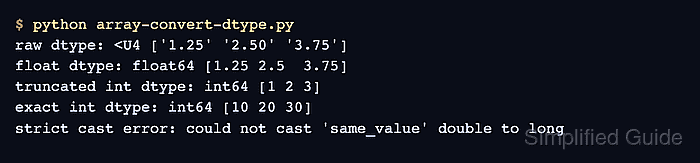
The ndarray.astype() method casts each element to the requested dtype and returns a converted array. Naming np.float64 explicitly gives the result a fixed 64-bit floating-point representation, while the source string array remains available for inspection.
Every source value must be valid decimal text for this conversion to succeed; an invalid token raises ValueError. Dtype and value assertions stop execution if the result differs from the expected floating-point array.
Related: Create an array
Related: Check views and copies
Related: Read CSV data
Steps to convert a NumPy array dtype:
- Create array-convert-dtype.py with decimal text stored in a NumPy array.
- array-convert-dtype.py
import numpy as np

raw = np.array(["12.5", "18.0", "21.75"])
- Append the float64 conversion to array-convert-dtype.py.
- array-convert-dtype.py
converted = raw.astype(np.float64)
astype() defaults to casting=“unsafe”. Narrowing a numeric dtype can therefore round, truncate, or overflow values, while the assertions in the next step detect changes for this decimal-string conversion.
- Append dtype and value assertions to array-convert-dtype.py.
- array-convert-dtype.py
assert converted.dtype == np.dtype("float64")
np.testing.assert_allclose(converted, [12.5, 18.0, 21.75])

print("source dtype:", raw.dtype)
print("converted dtype:", converted.dtype)
print("converted values:", converted)
- Run array-convert-dtype.py to verify the converted dtype and values.
$ python3 array-convert-dtype.py
source dtype: <U5
converted dtype: float64
converted values: [12.5  18.   21.75]

Mohd Shakir Zakaria is a cloud architect with deep roots in software development and open-source advocacy. Certified in AWS, Red Hat, VMware, ITIL, and Linux, he specializes in designing and managing robust cloud and on-premises infrastructures.


