How to restrict HTTP methods in Nginx
Restricting HTTP methods in Nginx stops unsupported verbs before they reach an application, which reduces scan noise and narrows the request paths a site must handle. That is useful for static sites, form handlers, and API locations that only need a small allow-list of methods.
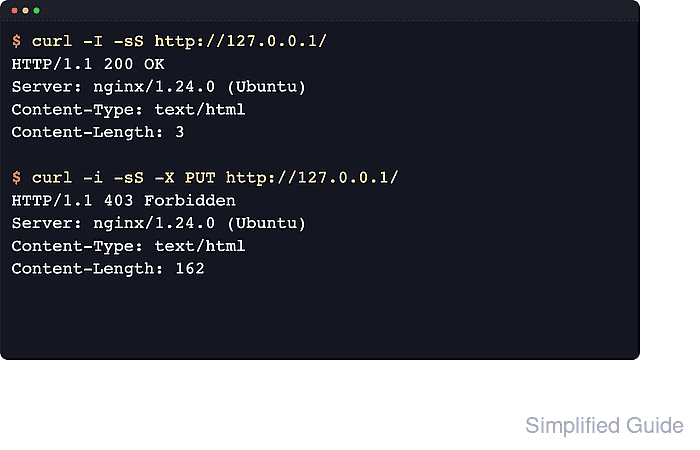
Nginx matches a request to a server and then a location. The limit_except directive works only inside a location block and applies access rules to methods that are not on the allow-list. When GET is allowed, Nginx also allows HEAD, so HEAD does not need to be listed separately.
Method filtering should stay close to the specific location that needs it, because a broad block can break logins, uploads, WebDAV-style clients, or browser CORS preflight requests. A deny all; rule inside limit_except rejects blocked verbs with 403 Forbidden, so this pattern is best when the goal is to stop the request at the Nginx edge rather than ask the application to generate a method-specific response.
Related: How to improve Nginx security
Related: How to configure CORS headers in Nginx
Steps to restrict HTTP methods in Nginx:
- Choose the exact location and method allow-list before editing so the rule does not block unrelated endpoints.
Common allow-lists: GET for static files, GET + POST for simple form handlers, and GET + POST + PUT + PATCH + DELETE for API locations. Add OPTIONS when the location must answer browser CORS preflight requests.
If GET is allowed, HEAD is allowed automatically.
- Open the active server block or snippet that defines the target location.
$ sudoedit /etc/nginx/sites-available/example.conf
Common packaged layouts load site files from /etc/nginx/sites-available and /etc/nginx/sites-enabled, while other installations use /etc/nginx/conf.d or edit /etc/nginx/nginx.conf directly.
- Add or update a location block so limit_except allows only the required methods.
location / {
    limit_except GET {
        deny all;
    }
}
The limit_except directive is valid only inside a location block.
Blocking POST breaks forms and many APIs. Blocking OPTIONS breaks browser CORS preflight.
- Save the configuration file.
- Test the updated Nginx configuration before reloading the service.
$ sudo nginx -t
nginx: the configuration file /etc/nginx/nginx.conf syntax is ok
nginx: configuration file /etc/nginx/nginx.conf test is successful
Related: How to test Nginx configuration
- Reload Nginx so the new rule takes effect.
$ sudo systemctl reload nginx
Use sudo nginx -s reload when systemd is not managing the service.
Related: How to manage the Nginx service
- Send a HEAD request to confirm the allowed method still succeeds.
$ curl -I -sS http://127.0.0.1/
HTTP/1.1 200 OK
Server: nginx/1.28.3 (Ubuntu)
Date: Sat, 06 Jun 2026 11:42:30 GMT
Content-Type: text/html
Content-Length: 3
Last-Modified: Sat, 06 Jun 2026 11:42:30 GMT
Connection: keep-alive
ETag: "6a2407a6-3"
Accept-Ranges: bytes
Use the real site hostname or a matching Host header when the target virtual host is not the default listener.
- Send a blocked method request to confirm Nginx stops it with 403 Forbidden.
$ curl -i -sS -X PUT http://127.0.0.1/
HTTP/1.1 403 Forbidden
Server: nginx/1.28.3 (Ubuntu)
Date: Sat, 06 Jun 2026 11:42:30 GMT
Content-Type: text/html
Content-Length: 162
Connection: keep-alive

<html>
<head><title>403 Forbidden</title></head>
<body>
<center><h1>403 Forbidden</h1></center>
<hr><center>nginx/1.28.3 (Ubuntu)</center>
</body>
</html>
With deny all; inside limit_except, Nginx rejects the blocked method before it reaches the application.
Tool: API Testing Tool