How to increase file descriptor limits for Nginx
Busy Nginx servers can hit the open-files ceiling long before CPU or bandwidth becomes the real bottleneck. Raising the file descriptor limit gives the workers enough headroom for client sockets, upstream sockets, log files, and cache files so traffic spikes do not collapse into too many open files errors.
In Nginx, worker_connections sets the per-worker connection ceiling, but the official documentation notes that this count includes proxied upstream connections and still cannot exceed the current open-files limit. The worker_rlimit_nofile directive raises the worker-side RLIMIT_NOFILE value, while systemd LimitNOFILE controls the maximum limit the service can inherit when nginx starts.
Choose a target that matches your traffic pattern instead of jumping straight to the kernel maximum. Keep the value at or below /proc/sys/fs/nr_open/, leave headroom above worker_connections for logs and upstream sockets, and expect to restart nginx after changing the service limit because the new inherited ceiling applies only to newly started processes.
Related: How to tune worker_connections in Nginx
Related: How to improve Nginx performance
Steps to increase file descriptor limits for Nginx:
- Pick the target open-files limit for nginx.
65535 is a common starting point for busy sites, but the right value depends on concurrency, keepalive usage, upstream proxying, and how many other files each worker keeps open.
- Check the kernel per-process ceiling before choosing the final value.
$ cat /proc/sys/fs/nr_open
1048576
LimitNOFILE and worker_rlimit_nofile cannot exceed this kernel limit.
- Check the current service-level open-files limit for nginx.
$ sudo systemctl show -p LimitNOFILE nginx
LimitNOFILE=1024
This is the maximum limit the service can pass to newly started nginx processes; if it already exceeds your target, you only need to align worker_rlimit_nofile with it.
- Check the current nginx worker settings before editing.
$ sudo nginx -T
nginx: the configuration file /etc/nginx/nginx.conf syntax is ok
nginx: configuration file /etc/nginx/nginx.conf test is successful
# configuration file /etc/nginx/nginx.conf:
user www-data;
worker_processes auto;
##### snipped #####
events {
    worker_connections 1024;
}
If no worker_rlimit_nofile line appears in the main context, the workers are using the inherited process limit.
- Open a dedicated systemd drop-in for the nginx service.
$ sudo systemctl edit --drop-in=limits.conf nginx
This writes /etc/systemd/system/nginx.service.d/limits.conf and reloads the unit definition automatically when you save and exit.
- Set LimitNOFILE under the Service section in the drop-in file.
[Service]
LimitNOFILE=65535
A value above /proc/sys/fs/nr_open/ can prevent nginx.service from starting.
- Open the main Nginx configuration file.
$ sudoedit /etc/nginx/nginx.conf
Most Linux packages keep the main file here and include additional snippets from directories such as /etc/nginx/conf.d/ and sometimes /etc/nginx/sites-enabled/.
- Set worker_rlimit_nofile in the main context to the same value or lower.
worker_processes auto;
worker_rlimit_nofile 65535;
Keep worker_rlimit_nofile at or below the service LimitNOFILE value.
- Keep worker_connections below the per-worker open-files limit.
events {
    worker_connections 16384;
}
Nginx counts proxied upstream sockets too, so the open-files limit must leave room above the raw client connection count.
- Test the updated Nginx configuration before restarting the service.
$ sudo nginx -t
nginx: the configuration file /etc/nginx/nginx.conf syntax is ok
nginx: configuration file /etc/nginx/nginx.conf test is successful
Related: How to test Nginx configuration
- Restart the nginx service so the new systemd and Nginx limits take effect together.
$ sudo systemctl restart nginx
A restart replaces the running master and worker processes, so plan this change for a maintenance window on busy hosts.
Related: How to manage the Nginx service
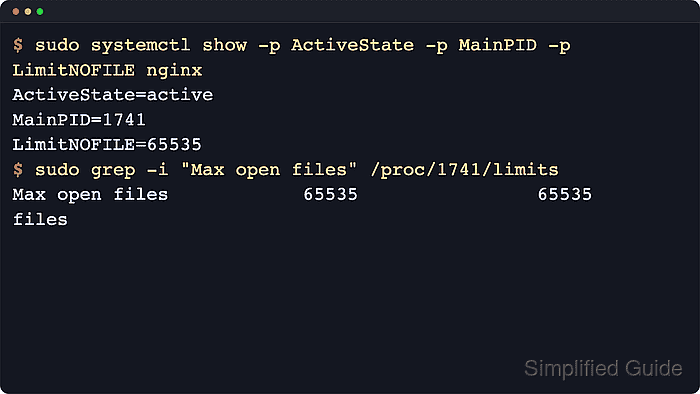
- Confirm that systemd reports the new limit and a running main process.
$ sudo systemctl show -p ActiveState -p MainPID -p LimitNOFILE nginx
ActiveState=active
MainPID=1741
LimitNOFILE=65535
Related: How to manage the Nginx service
- List the running nginx processes and choose one worker PID.
$ ps -o pid,ppid,comm,args -C nginx
  PID  PPID COMMAND         COMMAND
 1741     1 nginx           nginx: master process /usr/sbin/nginx -g daemon on; master_process on;
 1742  1741 nginx           nginx: worker process
 1743  1741 nginx           nginx: worker process
- Verify that the worker process uses the higher open-files limit.
$ sudo grep -i "Max open files" /proc/1742/limits
Max open files            65535                65535                files