How to enable keepalive in Nginx
Client keep-alive lets a browser, API client, or load balancer reuse one HTTP connection for multiple requests instead of opening a new TCP or TLS connection for every object. On a default Nginx build it is already enabled, but an explicit non-zero keepalive policy makes the behavior clear and restores reuse when an older config has disabled it.
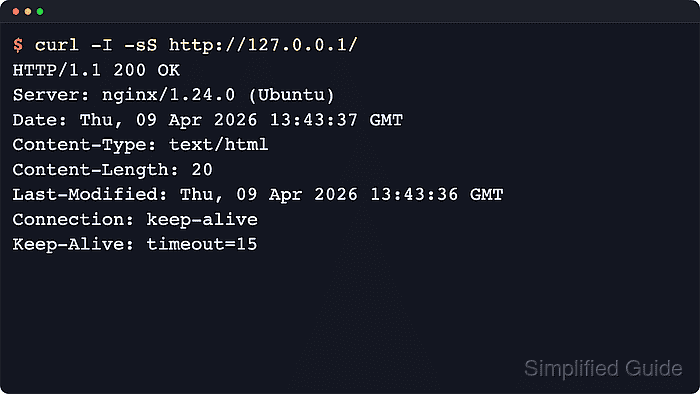
Nginx controls client-side persistent connections with keepalive_timeout, keepalive_requests, and keepalive_time. The timeout controls how long an idle client connection can stay open, the request limit periodically recycles connections to free memory, and the total lifetime cap closes a connection after a later request once the limit is reached.
Examples below use a packaged Linux layout where /etc/nginx/nginx.conf includes /etc/nginx/conf.d/*.conf inside the http block. Reverse-proxy reuse to backend servers is a separate upstream keepalive setting; current upstream Nginx enables upstream keepalive by default starting in 1.29.7, while older packaged builds may still need explicit proxy-side directives.
Related: How to improve Nginx performance
Related: How to tune worker_connections in Nginx
Related: How to configure Nginx as a reverse proxy
Steps to enable keepalive in Nginx:
- Inspect the loaded Nginx configuration and include paths.
$ sudo nginx -T
nginx: the configuration file /etc/nginx/nginx.conf syntax is ok
nginx: configuration file /etc/nginx/nginx.conf test is successful
# configuration file /etc/nginx/nginx.conf:
user www-data;
##### snipped #####
http {
    ##### snipped #####
    include /etc/nginx/conf.d/*.conf;
    include /etc/nginx/sites-enabled/*;
}
If the loaded output already contains keepalive_timeout, keepalive_requests, or keepalive_time, edit the file that already owns those settings instead of adding another directive at the same level.
- Open a dedicated keepalive include file.
$ sudoedit /etc/nginx/conf.d/keepalive.conf
If the active /etc/nginx/nginx.conf does not include /etc/nginx/conf.d/*.conf inside the http block, place the same directives in the loaded http block or in the specific server block that should own the policy.
- Add a non-zero keepalive policy.
keepalive_timeout 15s 15s;
keepalive_requests 1000;
keepalive_time 1h;
The first keepalive_timeout value controls the server-side idle timeout. The optional second value sets the older Keep-Alive: timeout= response header value for clients that use that header.
Do not use keepalive_timeout 0; unless the goal is to disable client keep-alive. Keep the timeout short enough that idle clients do not consume too many connection slots during traffic spikes.
- Test the Nginx configuration for syntax errors.
$ sudo nginx -t
nginx: the configuration file /etc/nginx/nginx.conf syntax is ok
nginx: configuration file /etc/nginx/nginx.conf test is successful
Related: How to test Nginx configuration
- Reload Nginx to apply the keepalive policy.
$ sudo nginx -s reload
On systemd hosts, sudo systemctl reload nginx is the equivalent service-manager command.
Related: How to manage the Nginx service
- Check the HTTP/1.1 response headers from the site.
$ curl -sSI --http1.1 http://127.0.0.1/
HTTP/1.1 200 OK
Server: nginx/1.28.3 (Ubuntu)
##### snipped #####
Connection: keep-alive
Connection: keep-alive confirms that the server is advertising a persistent client connection for the checked HTTP/1.1 response. Some clients and Nginx versions do not show a separate Keep-Alive: timeout= header on this request.
Tool: HTTP Header Checker
If the response shows Connection: close, search the loaded config for keepalive_timeout 0;, duplicate keepalive directives, an explicit Connection header rule, or a proxy in front of Nginx that closes the client-side connection.