How to check NFS server status in Linux
An NFS server can have export files on disk while the kernel service, export table, or mount discovery path is not ready for clients. A server-side status check shows whether the systemd unit is active, the kernel nfsd interface is exposed, and the intended export is loaded before client operators retry mounts.
Most systemd Linux servers manage the kernel NFS server through nfs-server.service. Current Ubuntu packages also provide nfs-kernel-server.service as an alias, while RHEL-family hosts use the same nfs-server.service unit name from nfs-utils.
Server-side commands confirm the host's own state. They do not prove that a remote client can cross the firewall, match an export selector, negotiate the intended NFS version, or access files with the expected UID/GID mapping.
Related: How to list NFS exports on a server
Related: How to reload NFS exports
Related: How to list NFS exports from a client
Steps to check NFS server status in Linux:
- Open a shell on the NFS server with an account that can use sudo.
- Check the main NFS server unit state.
$ sudo systemctl is-active nfs-server
active
Use nfs-kernel-server only when an older Debian or Ubuntu host exposes that name without the nfs-server alias.
- Review the detailed unit status when the short state is not enough.
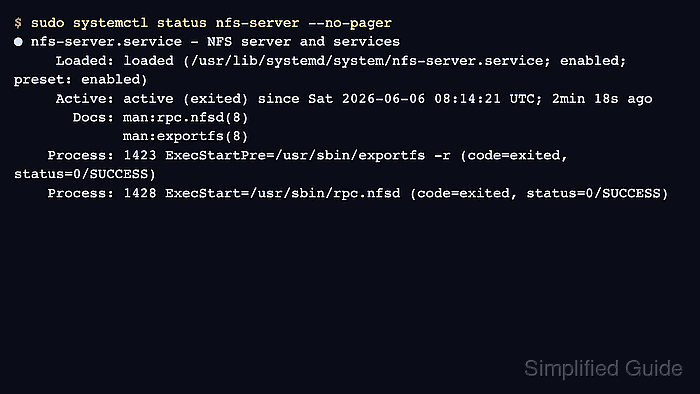
$ sudo systemctl status nfs-server --no-pager
● nfs-server.service - NFS server and services
     Loaded: loaded (/usr/lib/systemd/system/nfs-server.service; enabled; preset: enabled)
     Active: active (exited) since Sun 2026-07-05 07:42:10 UTC; 2min 18s ago
       Docs: man:rpc.nfsd(8)
             man:exportfs(8)
    Process: 1423 ExecStartPre=/usr/sbin/exportfs -r (code=exited, status=0/SUCCESS)
    Process: 1428 ExecStart=/usr/sbin/rpc.nfsd (code=exited, status=0/SUCCESS)
active (exited) can be normal for this unit because systemd starts kernel nfsd threads and helper daemons instead of keeping one foreground process.
If the unit is inactive or failed, inspect sudo journalctl -u nfs-server before asking clients to retry.
- Check that the kernel nfsd interface has running threads.
$ cat /proc/fs/nfsd/threads
16
A positive number means kernel nfsd worker threads are present. A missing file usually means the nfsd filesystem is not mounted or the server unit has not started.
- Check the enabled NFS protocol versions.
$ cat /proc/fs/nfsd/versions
+3 +4 +4.1 +4.2
A plus sign means the server accepts that protocol version, and a minus sign means that version is disabled.
- List the active export table.
$ sudo exportfs -v
/srv/nfs/projects
		192.0.2.0/24(sync,wdelay,hide,no_subtree_check,sec=sys,rw,root_squash,no_all_squash)
exportfs -v reads the loaded export table, not only the saved /etc/exports text. If the expected path or selector is missing, reload the exports after fixing the source file.
- Query the local mount discovery service when NFSv3 or mixed-version clients are in scope.
$ showmount --exports localhost
Export list for localhost:
/srv/nfs/projects 192.0.2.0/24
NFSv4-only servers may not expose the mount service that showmount queries. Use the server-side exportfs table and a real client mount test for final proof on strict NFSv4 servers.
- Check server request counters after a known client mount or file access.
$ nfsstat --server
Server rpc stats:
calls      badcalls   badfmt     badauth    badclnt
128        0          0          0          0

Server nfs v4:
null         compound
0         0% 128     100%
Nonzero calls after a client test show that the server answered NFS traffic. Zero counters on an idle server do not by themselves mean the export is broken.
Related: How to check NFS server performance