How to reload NFS exports
NFS servers keep a loaded export table separate from the files that define shares on disk. Reloading exports applies a changed path, client selector, or option set after editing /etc/exports or an .exports drop-in, without restarting NFS daemons for ordinary export-line changes.
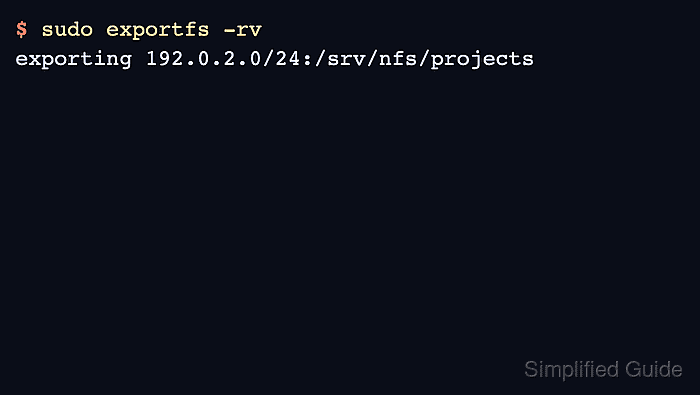
The exportfs command reads /etc/exports and files ending in .exports under /etc/exports.d. Its -r mode rebuilds /var/lib/nfs/etab from those saved files, removes entries that were deleted from the saved configuration, and refreshes the kernel export table where supported.
Use a reload when the export definition changed but the NFS server service settings did not. The post-reload check should show the intended directory, client selector, and option set in sudo exportfs -v before client mounts, firewall rules, or filesystem permissions are investigated.
Related: How to create an NFS export
Related: How to validate NFS export configuration
Related: How to list NFS exports on a server
Related: How to troubleshoot NFS permission denied errors
Steps to reload NFS exports with exportfs:
- Open a shell on the NFS server with an account that can use sudo.
- List the active export table before changing it.
$ sudo exportfs -v
/srv/nfs/projects
		192.0.2.0/24(sync,wdelay,hide,no_subtree_check,sec=sys,rw,root_squash,no_all_squash)
The active table can differ from the saved file when a previous edit was not reloaded or an export was added manually with exportfs.
Related: How to list NFS exports on a server
- Open the saved export definition.
$ sudoedit /etc/exports.d/projects.exports
Use /etc/exports for a small server with one shared export file. exportfs reads drop-ins under /etc/exports.d only when their names end in .exports.
- Save the updated export rule.
/srv/nfs/projects 192.0.2.0/24(ro,sync,no_subtree_check,root_squash)
Keep the client selector directly attached to its option list. 192.0.2.0/24(ro,sync) applies those options to that subnet, while 192.0.2.0/24 (ro,sync) changes how exports(5) parses the rule.
- Reload the active export table from the saved files.
$ sudo exportfs -rv
exporting 192.0.2.0/24:/srv/nfs/projects
Fix any reported path, selector, or option warning before checking clients. Use exportfs -r instead of exportfs -a after deleting or narrowing an export so removed entries are reconciled with the saved files.
- Verify that the loaded options changed in the active table.
$ sudo exportfs -v
/srv/nfs/projects
		192.0.2.0/24(sync,wdelay,hide,no_subtree_check,sec=sys,ro,root_squash,no_all_squash)
exportfs may show defaults such as wdelay, hide, sec=sys, and no_all_squash in addition to the options saved in the file.