How to check the NFS version for a mounted export
A mounted NFS export can use a different protocol version from the one expected in /etc/fstab, an automount map, or a server policy. Checking the live client mount shows whether the kernel is using NFSv3, NFSv4.0, NFSv4.1, or NFSv4.2 for the path that applications actually read and write.
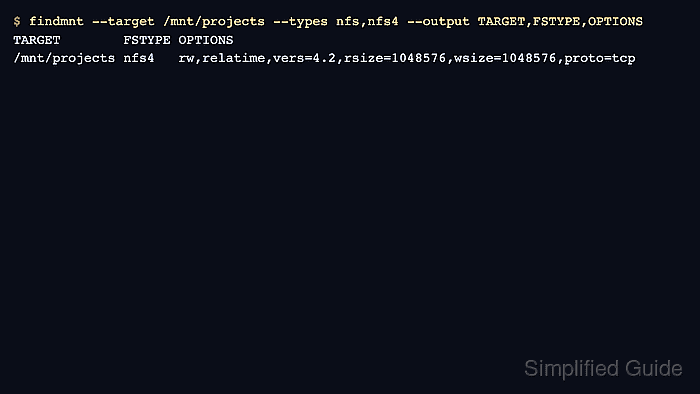
Linux records active mounts in the kernel mount table. findmnt can target a path below the mount point, restrict the result to nfs and nfs4 filesystems, and print the filesystem type with the negotiated mount options.
The nfs4 filesystem type identifies the NFSv4 family, while the explicit vers= or nfsvers= option identifies the major and minor protocol version when the client reports it. Run the check on the client namespace that owns the mount, because saved configuration is not proof of the version currently serving application I/O.
Steps to check the NFS version for a mounted export:
- Open a terminal on the Linux client that has the export mounted.
- Check the mounted path with findmnt.
$ findmnt --target /mnt/projects --types nfs,nfs4 --output TARGET,FSTYPE,OPTIONS
TARGET        FSTYPE OPTIONS
/mnt/projects nfs4   rw,relatime,vers=4.2,rsize=1048576,wsize=1048576,proto=tcp
Replace /mnt/projects with the mounted export path on the client. The vers=4.2 option is the negotiated protocol version for this active mount.
- Read the FSTYPE and OPTIONS columns together.
nfs usually indicates an NFSv3 mount, while nfs4 indicates the NFSv4 family. Use the explicit vers= or nfsvers= option when it appears because it can show the minor version, such as 4.1 or 4.2.
If findmnt returns no row, the path is not currently mounted as NFS in that client namespace. Check the actual mount point before changing /etc/fstab or server export settings.
- List mounted NFS exports when the exact mount point is uncertain.
$ findmnt --types nfs,nfs4 --output TARGET,SOURCE,FSTYPE,OPTIONS
TARGET        SOURCE                              FSTYPE OPTIONS
/mnt/projects files.example.net:/srv/nfs/projects nfs4   rw,relatime,vers=4.2,rsize=1048576,wsize=1048576,proto=tcp
/mnt/archive  files.example.net:/srv/nfs/archive  nfs    rw,relatime,vers=3,rsize=1048576,wsize=1048576,proto=tcp
Use the row whose TARGET matches the application path or mount point being checked.
- Cross-check the same mount with nfsstat.
$ nfsstat --mounts
/mnt/projects from files.example.net:/srv/nfs/projects
 Flags: rw,vers=4.2,rsize=1048576,wsize=1048576,proto=tcp,sec=sys,clientaddr=192.0.2.10,addr=192.0.2.40
On Ubuntu and Debian clients, nfsstat is installed with nfs-common. On RHEL, CentOS Stream, Fedora, and compatible systems, it is installed with nfs-utils.
Related: How to install an NFS client on Ubuntu
Related: How to install an NFS client on CentOS Stream, RHEL, and FedoraDo not treat a saved /etc/fstab entry as proof until the live mount table shows the expected vers= value. Remount the export with the intended client option or check the server protocol policy when the live value is wrong.