How to review internet-facing host exposure
Internet-facing servers need exposure reviews whenever DNS, firewall, or service changes move traffic toward a host. A focused review compares the public name, reachable TCP ports, and visible service banners with the services that are approved to answer from the internet.
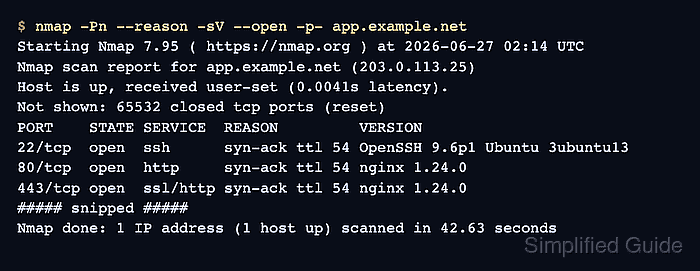
Run the external checks from a network outside the host's private segment so edge filtering, NAT, and host firewall rules are tested from the client side. dig confirms which public address a hostname publishes, and Nmap shows which services answer on the approved target.
Keep the target list limited to owned names and addresses with written scan scope. A host-local listener check helps explain why a port is visible or hidden, but the external scan is the internet exposure record because local sockets do not show upstream filtering.
Steps to review internet-facing host exposure:
- Record the approved target and expected internet services.
Target: app.example.net
Owner: Example Operations
Public address: 203.0.113.25
Expected internet services: 80/tcp, 443/tcp
Scan window: 2026-06-27 02:00-03:00 UTC
Do not scan names, subnets, or cloud accounts outside the written scope. Exposure reviews can trigger intrusion-detection alerts and may violate policy when the target is not owned or approved.
- Resolve the public address for the hostname.
$ dig +short app.example.net A
203.0.113.25
Query AAAA separately when the host has approved IPv6 exposure. A blank AAAA answer means DNS publishes no IPv6 address for that name, not that every IPv6 path to the server is blocked.
- Scan every TCP port on the approved host and show service banners for open ports.
$ nmap -Pn --reason -sV --open -p- app.example.net
Starting Nmap 7.95 ( https://nmap.org ) at 2026-06-27 02:14 UTC
Nmap scan report for app.example.net (203.0.113.25)
Host is up, received user-set (0.0041s latency).
Not shown: 65532 closed tcp ports (reset)
PORT    STATE SERVICE  REASON         VERSION
22/tcp  open  ssh      syn-ack ttl 54 OpenSSH 9.6p1 Ubuntu 3ubuntu13
80/tcp  open  http     syn-ack ttl 54 nginx 1.24.0
443/tcp open  ssl/http syn-ack ttl 54 nginx 1.24.0
##### snipped #####
Nmap done: 1 IP address (1 host up) scanned in 42.63 seconds
-Pn treats the target as online when ping or other discovery probes are blocked. -p- checks all TCP ports, and -sV asks Nmap to identify service banners on open ports.
Run a separate approved UDP review only for UDP services in scope; silently dropped UDP packets often produce inconclusive open|filtered results.
Related: How to scan a port range with Nmap
Related: How to detect service versions with Nmap
Related: How to scan UDP services with Nmap - Check listeners on the Linux host to explain exposed and hidden services.
$ sudo ss --tcp --udp --listening --processes --numeric
Netid State  Recv-Q Send-Q Local Address:Port Peer Address:Port Process
tcp   LISTEN 0      4096   0.0.0.0:22      0.0.0.0:*     users:(("sshd",pid=694,fd=3))
tcp   LISTEN 0      511    0.0.0.0:80      0.0.0.0:*     users:(("nginx",pid=812,fd=6))
tcp   LISTEN 0      511    0.0.0.0:443     0.0.0.0:*     users:(("nginx",pid=812,fd=7))
tcp   LISTEN 0      244    127.0.0.1:5432  0.0.0.0:*     users:(("postgres",pid=931,fd=5))
Listeners bound to 0.0.0.0, ::, or a public interface can become internet-reachable when upstream policy allows them. Loopback listeners such as 127.0.0.1:5432 are not directly exposed by the scan result shown above.
- Compare the external scan with the approved service list.
Expected and confirmed:
  80/tcp   http      nginx       expected public web service
  443/tcp  ssl/http  nginx       expected public web service

Finding:
  22/tcp   ssh       OpenSSH     visible from the internet; approval not found

Not exposed in this scan:
  5432/tcp postgresql local only  listener bound to 127.0.0.1
Treat an unexpected open management port as a remediation item, not as a scan curiosity. Restrict it at the edge firewall, host firewall, security group, or service binding unless an approved admin-access path exists.
- Save the review result with the owner and remediation decision.
Exposure review: app.example.net
Reviewed address: 203.0.113.25
Expected exposure: 80/tcp, 443/tcp
Unexpected exposure: 22/tcp
Owner decision: restrict 22/tcp to approved admin source ranges
Evidence kept: DNS answer, Nmap scan output, local listener snapshot
A missing expected port is also a finding. Check DNS, NAT, edge firewall policy, host firewall policy, and the application listener before closing the review.
Tool: Port Exposure Summary Checker