UDP services can expose resolvers, time servers, VPN endpoints, monitoring agents, and discovery protocols that a normal TCP scan never checks. Nmap uses -sU to send UDP probes to approved ports and report whether each target appears open, closed, filtered, or still ambiguous.
UDP does not use a connection handshake, so silence is harder to interpret than it is on TCP. A response from a UDP service proves open, an ICMP port-unreachable reply proves closed, and no response after retries usually appears as open|filtered because a listener, firewall, or dropped packet can look the same.
Run UDP checks against a narrow host and port list from the written scan scope. The scan normally needs elevated packet privileges on Unix-like systems, and broad UDP ranges can take much longer than comparable TCP scans because Nmap has to wait for missing replies.
Related: How to install Nmap on Ubuntu or Debian
Related: How to scan an authorized host with Nmap
Related: How to scan a port range with Nmap
Related: How to detect service versions with Nmap
Related: How to save Nmap scan output
Steps to scan UDP services with Nmap:
- Confirm the target host and UDP service ports are inside the approved scan scope.
Do not scan Internet hosts, customer systems, neighboring subnets, or shared infrastructure unless the written authorization includes those targets and UDP ports.
- Write the approved UDP port expression in Nmap syntax.
Use comma-separated ports such as 53,123,161 for named UDP services, or a hyphenated range only when the approval covers every port in that span.
Tool: Port List Checker - Run the UDP scan against the approved host.
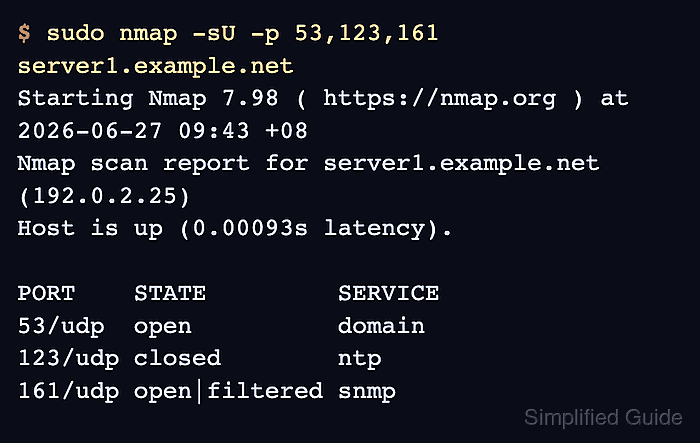
$ sudo nmap -sU -p 53,123,161 server1.example.net
Starting Nmap 7.98 ( https://nmap.org ) at 2026-06-27 09:43 +08
Nmap scan report for server1.example.net (192.0.2.25)
Host is up (0.00093s latency).

PORT    STATE         SERVICE
53/udp  open          domain
123/udp closed        ntp
161/udp open|filtered snmp

Nmap done: 1 IP address (1 host up) scanned in 1.34 seconds
Replace server1.example.net and the -p list with the authorized target and UDP ports. Use sudo on Unix-like systems when -sU needs raw-packet privileges.
- Read the UDP port states from the table.
open means a UDP response came back, closed means the host returned an ICMP port-unreachable response, and open|filtered means Nmap did not receive enough information to separate a silent listener from packet filtering.
- Retry unresolved UDP ports with service detection when more probing is allowed.
$ sudo nmap -sU -sV -p 53,161 server1.example.net
Starting Nmap 7.98 ( https://nmap.org ) at 2026-06-27 09:47 +08
Nmap scan report for server1.example.net (192.0.2.25)
Host is up (0.000095s latency).

PORT    STATE         SERVICE VERSION
53/udp  open          domain  dnsmasq 2.92
161/udp open|filtered snmp

Service detection performed. Please report any incorrect results at https://nmap.org/submit/ .
Nmap done: 1 IP address (1 host up) scanned in 107.70 seconds
-sV sends service probes after port discovery. If a UDP service responds, Nmap can identify it more clearly; if the state remains open|filtered, keep the result as unresolved instead of calling it confirmed open.
Related: How to detect service versions with Nmap - Verify the result matches the approved host count, port list, and expected UDP service inventory.
The summary should stay on the intended host count, and every unexpected open or open|filtered row needs an owner, firewall check, packet capture, or saved handoff result before widening the scan.
Related: How to save Nmap scan output

Mohd Shakir Zakaria is a cloud architect with deep roots in software development and open-source advocacy. Certified in AWS, Red Hat, VMware, ITIL, and Linux, he specializes in designing and managing robust cloud and on-premises infrastructures.


