How to force IPv4 or IPv6 with Netcat
Dual-stack hostnames can hide whether a Netcat test used IPv4 or IPv6. Force the address family when DNS answers, service bindings, or firewall rules differ between A and AAAA paths, so the connection result names the network stack being tested.
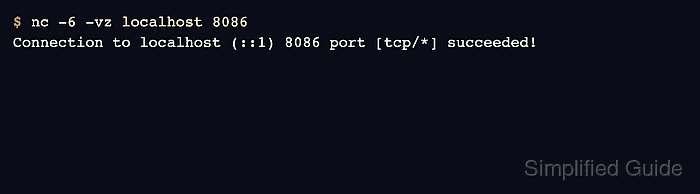
OpenBSD Netcat and Nmap Ncat support -4 for IPv4-only connections and -6 for IPv6-only connections. Pair the family flag with -v for address output and -z when the check should open the TCP connection without sending application data.
The sample output uses loopback listeners to make the selected family visible. Replace localhost and the sample ports with the service hostname and port under test; a failure after forcing one family means that exact family did not reach a listener, even if the other family succeeds.
Related: How to test a TCP port with Netcat
Related: How to create a TCP listener with Netcat
Steps to force IPv4 or IPv6 with Netcat:
- Choose the hostname and TCP port that need an address-family-specific check. Use a hostname when DNS selection is the question, or use a literal address when the bind or firewall rule is already known.
- Force an IPv4 connection with -4 and keep verbose output enabled so the selected address appears in the result.
$ nc -4 -vz localhost 8084
Connection to localhost (127.0.0.1) 8084 port [tcp/*] succeeded!
-4 limits resolution and connection attempts to IPv4. The 127.0.0.1 address in parentheses proves that the check used IPv4.
- Force an IPv6 connection with -6 when the IPv6 path, AAAA record, or IPv6 bind needs its own result.
$ nc -6 -vz localhost 8086
Connection to localhost (::1) 8086 port [tcp/*] succeeded!
-6 limits resolution and connection attempts to IPv6. The ::1 address in parentheses proves that the check used IPv6.
- Compare the failing side directly when one family works and the other still times out or refuses connections.
$ nc -6 -vz localhost 8084
nc: connect to localhost (::1) port 8084 (tcp) failed: Connection refused
A refused connection after -6 means Netcat reached the IPv6 address but no listener accepted that port. A DNS error, route error, timeout, or firewall drop produces a different failure signal, so keep the exact output with the ticket or handoff.
- Use the same family flag without -z when the test requires sending a protocol line or reading a banner after the connection opens.
$ nc -4 localhost 8084
Keep -v when the selected address must stay visible in the transcript, but omit -z for interactive checks because zero-I/O mode closes after the TCP connect attempt.
- Switch to OpenBSD Netcat or Nmap Ncat if the installed nc reports that -4 or -6 is invalid.
Some legacy Netcat builds use a smaller option set. ncat uses the same -4 and -6 family flags for this check.
Related: How to install Netcat on Ubuntu
Related: How to install Ncat on Ubuntu