Banner grabs help identify a known TCP service when a port accepts connections but the application layer is still uncertain. A short Netcat session can show the greeting sent by protocols such as SMTP, FTP, and SSH before using a heavier scanner, login client, or protocol-specific test.
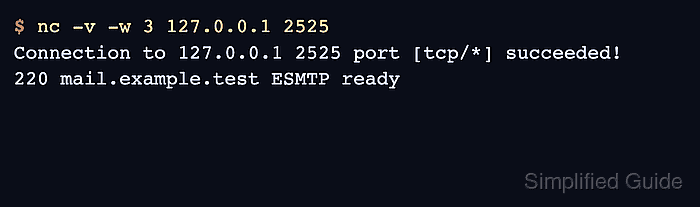
OpenBSD nc prints the TCP connection result with -v and exits after the -w idle timeout if no more data arrives. The timeout matters because some services keep the socket open after sending a greeting, while others send nothing until the client sends a valid protocol request.
The examples below use OpenBSD Netcat from netcat-openbsd on Ubuntu 26.04 with local loopback services for repeatable output. Replace 127.0.0.1 and the port number with the service being checked, and use a TLS-capable client such as Ncat or OpenSSL when the service expects TLS before any plaintext banner appears.
Related: How to test a TCP port with Netcat
Related: How to debug an HTTP request with Netcat
Related: How to connect to a TLS service with Ncat
Tool: Netcat Command Generator
Steps to grab a service banner with Netcat:
- Connect to the target host and port with verbose output and a short idle timeout.
$ nc -v -w 3 127.0.0.1 2525
Connection to 127.0.0.1 2525 port [tcp/*] succeeded!
220 mail.example.test ESMTP ready
Replace 127.0.0.1 and 2525 with the host and port being checked. The Connection succeeded line proves the TCP connection opened; the following line is the service banner.
- Read the banner as a protocol clue, not as a complete security inventory. The example above identifies an SMTP-style service greeting, but production services often hide versions, customize greetings, or sit behind proxies that do not expose the backend software name.
Use the banner to decide the next protocol-specific check, then confirm the service behavior with the right client or request format.
- Check a quiet service without treating silence as failure.
$ nc -v -w 2 127.0.0.1 2526
Connection to 127.0.0.1 2526 port [tcp/*] succeeded!
This output means the TCP connection opened but the service did not send an unsolicited greeting before the idle timeout. HTTP is a common example because the server normally waits for the client request first.
- Send the smallest valid protocol request only when the service requires client input.
$ printf 'EHLO workstation.example.test\r\nQUIT\r\n' | nc -N -w 3 127.0.0.1 2527
250 example.test accepted
printf sends explicit CRLF line endings, and -N closes the network socket after the input ends. Use only commands that make sense for the protocol being checked, and avoid sending login credentials or state-changing commands during a banner check.
- Switch tools when TLS is required before the application protocol starts.
Plain nc cannot read a banner that is hidden behind a TLS handshake. Use Ncat with SSL support or openssl s_client for HTTPS, SMTPS, IMAPS, and other TLS-first services.

Mohd Shakir Zakaria is a cloud architect with deep roots in software development and open-source advocacy. Certified in AWS, Red Hat, VMware, ITIL, and Linux, he specializes in designing and managing robust cloud and on-premises infrastructures.


