How to receive NRDP passive checks in Nagios Core
Passive monitoring in Nagios Core lets a remote script report a service state when polling from the monitoring server is blocked or unnecessary. NRDP provides an HTTP receiver for that handoff, so a trusted sender can post a passive result and let Nagios Core process it like any other check result.
On Debian and Ubuntu package installs, NRDP runs as a small PHP application under Apache and writes accepted external commands to /var/lib/nagios4/rw/nagios.cmd. The passive service must already exist in the running object configuration, because Nagios Core ignores passive results for unknown host and service names.
The receiver token is administrative because the submitcmd endpoint can write external commands. Keep /nrdp/ behind HTTPS, restrict source addresses or add Apache authentication, and use a token dedicated to the passive sender rather than a shared human password.
Steps to receive NRDP passive checks in Nagios Core:
- Install the Apache, PHP, curl, and certificate packages NRDP needs.
$ sudo apt update && sudo apt install --assume-yes apache2 libapache2-mod-php php-xml curl ca-certificates
- Download the NRDP release archive.
$ curl --fail --location --output /tmp/nrdp-2.0.6.tar.gz \
  https://github.com/NagiosEnterprises/nrdp/archive/refs/tags/2.0.6.tar.gz
Use the latest stable tag from NagiosEnterprises/nrdp when a newer release is available.
- Extract the NRDP archive.
$ tar -xzf /tmp/nrdp-2.0.6.tar.gz -C /tmp
- Create the NRDP installation directory.
$ sudo install -d -o nagios -g nagios -m 0755 /usr/local/nrdp
- Copy the NRDP server and client files into place.
$ sudo cp -R /tmp/nrdp-2.0.6/clients /tmp/nrdp-2.0.6/server \
  /tmp/nrdp-2.0.6/LICENSE.md /tmp/nrdp-2.0.6/CHANGES.md \
  /usr/local/nrdp/
- Set ownership on the NRDP files.
$ sudo chown -R nagios:nagios /usr/local/nrdp
- Open the NRDP server configuration.
$ sudoedit /usr/local/nrdp/server/config.inc.php
- Configure the receiver token, HTTPS requirement, command group, and command file path.
- config.inc.php
<?php
$cfg["authorized_tokens"] = array(
    "strong-nrdp-token"
);
$cfg["external_commands_deny_tokens"] = array();
$cfg["require_https"] = true;
$cfg["require_basic_auth"] = false;
$cfg["valid_basic_auth_users"] = array(
    "nrdpuser"
);
$cfg["nagios_command_group"] = "nagios";
$cfg["command_file"] = "/var/lib/nagios4/rw/nagios.cmd";
$cfg["check_results_dir"] = "/var/lib/nagios4/spool/checkresults";
$cfg["disable_external_commands"] = false;
$cfg["allow_old_results"] = false;
$cfg["hide_display_page"] = true;
$cfg["debug"] = false;
$cfg["debug_log"] = "/usr/local/nrdp/server/debug.log";
Do not reuse strong-nrdp-token. A token accepted by submitcmd can submit external commands, so expose /nrdp/ only through HTTPS and trusted network or authentication controls.
- Add the Apache worker user to the Nagios Core command group.
$ sudo usermod --append --groups nagios www-data
Source installs often use a nagcmd group instead. Match nagios_command_group to the group that owns the external command file.
- Open the Apache alias configuration for NRDP.
$ sudoedit /etc/apache2/conf-available/nrdp.conf
- Add the /nrdp/ alias.
- nrdp.conf
Alias /nrdp "/usr/local/nrdp/server"

<Directory "/usr/local/nrdp/server">
    Options None
    AllowOverride None
    Require all granted
</Directory>
- Enable the Apache alias configuration.
$ sudo a2enconf nrdp
Enabling conf nrdp.
To activate the new configuration, you need to run:
  service apache2 reload
- Test the Apache configuration.
$ sudo apache2ctl configtest
Syntax OK
- Restart Apache to load the alias and refresh www-data group membership.
$ sudo systemctl restart apache2
A reload may not replace every existing worker process after a group-membership change.
- Check that the NRDP endpoint is handled by PHP.
$ curl --fail --silent --show-error https://monitor.example.net/nrdp/
<?xml version="1.0" encoding="utf-8"?>
<result>
    <status>-1</status>
    <message>NO TOKEN</message>
</result>
NO TOKEN means the endpoint loaded and rejected a request without an authorized token.
- Confirm that Nagios Core accepts external commands and passive service results.
$ sudo grep -E '^(check_external_commands|command_file|accept_passive_service_checks)=' /etc/nagios4/nagios.cfg
check_external_commands=1
command_file=/var/lib/nagios4/rw/nagios.cmd
accept_passive_service_checks=1
Enable external commands before testing NRDP if check_external_commands is 0.
Related: How to enable external commands in Nagios Core - Check the external command file permissions.
$ sudo ls -ld /var/lib/nagios4/rw /var/lib/nagios4/rw/nagios.cmd
drwxrwsr-x 1 nagios nagios 4096 Jun 25 00:30 /var/lib/nagios4/rw
prw-rw---- 1 nagios nagios    0 Jun 25 00:30 /var/lib/nagios4/rw/nagios.cmd
The leading p on nagios.cmd means it is a FIFO. The group should match nagios_command_group in /usr/local/nrdp/server/config.inc.php.
- Create a passive receiver test object file.
$ sudoedit /etc/nagios4/conf.d/nrdp-receive-test.cfg
- Add a passive host and service for the NRDP smoke test.
- nrdp-receive-test.cfg
define command{
    command_name            check_passive_placeholder
    command_line            /bin/echo "Waiting for passive result"
}

define host{
    use                     linux-server
    host_name               web01.example.net
    alias                   Web 01 passive sender
    address                 192.0.2.10
    active_checks_enabled   0
    passive_checks_enabled  1
    check_command           check_passive_placeholder
}

define service{
    use                     generic-service
    host_name               web01.example.net
    service_description     NRDP Receive Test
    active_checks_enabled   0
    passive_checks_enabled  1
    check_freshness         0
    check_command           check_passive_placeholder
}
Replace the sample host and service with objects that match the remote sender before production. Nagios Core ignores passive results for undefined hosts or services.
- Validate the Nagios Core configuration.
$ sudo nagios4 -v /etc/nagios4/nagios.cfg
Nagios Core 4.4.6
##### snipped #####
Reading configuration data...
   Read main config file okay...
   Read object config files okay...
##### snipped #####
Total Warnings: 0
Total Errors:   0

Things look okay - No serious problems were detected during the pre-flight check
Use sudo /usr/local/nagios/bin/nagios -v /usr/local/nagios/etc/nagios.cfg on source installs that follow the upstream default layout.
Related: How to validate the Nagios Core configuration - Reload Nagios Core to load the passive test object.
$ sudo systemctl reload nagios4
Use the service name and control method from the local installation when Nagios Core was installed from source.
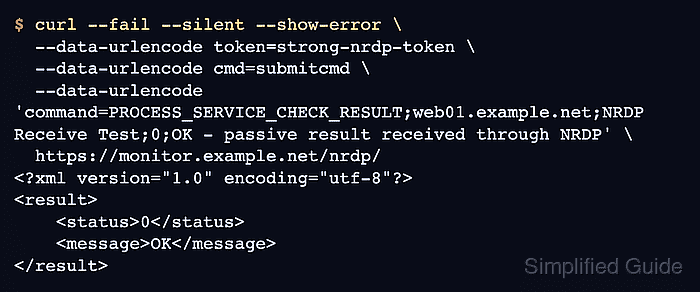
Related: How to manage the Nagios Core system service - Submit a passive service result through NRDP.
$ curl --fail --silent --show-error \ --data-urlencode token=strong-nrdp-token \ --data-urlencode cmd=submitcmd \ --data-urlencode 'command=PROCESS_SERVICE_CHECK_RESULT;web01.example.net;NRDP Receive Test;0;OK - passive result received through NRDP' \ https://monitor.example.net/nrdp/ <?xml version="1.0" encoding="utf-8"?> <result> <status>0</status> <message>OK</message> </result> - Confirm that Nagios Core processed the passive result.
$ curl --silent --show-error 'https://monitor.example.net/nagios4/cgi-bin/statusjson.cgi?query=service&hostname=web01.example.net&servicedescription=NRDP%20Receive%20Test'
{
  "format_version": 0,
  "result": {
    "type_text": "Success"
  },
  "data": {
    "service": {
      "host_name": "web01.example.net",
      "description": "NRDP Receive Test",
      "plugin_output": "OK - passive result received through NRDP",
      "has_been_checked": true,
      "check_type": 1,
      "accept_passive_checks": true
    }
  }
}
check_type 1 indicates a passive result. Use the local CGI URL and authentication method for the monitoring site.
Related: How to check Nagios Core logs