Nagios Core writes monitoring events to its main event log as the daemon starts, runs checks, receives external commands, sends notifications, and rotates log files. Reading that file helps identify when a host or service changed state and whether Nagios Core saw the action that should have produced the state.
Package installs on Debian and Ubuntu commonly point log_file to /var/log/nagios4/nagios.log. Source installs often use the /usr/local/nagios tree, so read the active nagios.cfg value instead of assuming the package layout.
Each event line starts with a bracketed Unix timestamp followed by an event class such as SERVICE ALERT, HOST NOTIFICATION, EXTERNAL COMMAND, or PASSIVE SERVICE CHECK. Search for the host, service, command name, or contact tied to the incident, then check the relevant logging option when the expected event type is missing.
Steps to check Nagios Core logs:
- Read the active log_file setting from the main configuration.
$ sudo grep '^log_file=' /etc/nagios4/nagios.cfg
log_file=/var/log/nagios4/nagios.log
Use the main config path for that install. Source installs commonly use /usr/local/nagios/etc/nagios.cfg and may point to /usr/local/nagios/var/nagios.log instead.
- Check the event log file and ownership.
$ sudo ls -l /var/log/nagios4/nagios.log
-rw-r--r-- 1 nagios nagios 1550 Jun 22 01:10 /var/log/nagios4/nagios.log
- Search for the affected host or service alert.
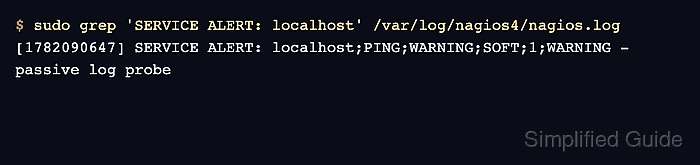
$ sudo grep 'SERVICE ALERT: localhost' /var/log/nagios4/nagios.log
[1782090647] SERVICE ALERT: localhost;PING;WARNING;SOFT;1;WARNING - passive log probe
The fields after SERVICE ALERT are host, service, state, state type, attempt, and plugin output. Replace localhost with the host name being investigated.
- Search for the matching external command when a passive result or CGI action was involved.
$ sudo grep 'PROCESS_SERVICE_CHECK_RESULT' /var/log/nagios4/nagios.log
[1782090647] EXTERNAL COMMAND: PROCESS_SERVICE_CHECK_RESULT;localhost;PING;1;WARNING - passive log probe
PROCESS_SERVICE_CHECK_RESULT entries show passive service results submitted through the external command path.
Related: How to enable external commands in Nagios Core
Related: How to submit a passive check result to Nagios Core - Read the log rotation method when the event is older than the current log.
$ sudo grep '^log_rotation_method=' /etc/nagios4/nagios.cfg
log_rotation_method=d
n disables rotation, while h, d, w, and m rotate hourly, daily, weekly, or monthly.
- Read the archive directory used for rotated event logs.
$ sudo grep '^log_archive_path=' /etc/nagios4/nagios.cfg
log_archive_path=/var/log/nagios4/archives
- List rotated Nagios Core log files before searching older events.
$ sudo ls -l /var/log/nagios4/archives
total 0
When files exist, search the dated archive that covers the incident window. The archive path is ignored when log_rotation_method is set to n.
- Check the relevant logging switch when an expected event type is absent.
$ sudo grep '^log_passive_checks=' /etc/nagios4/nagios.cfg
log_passive_checks=1
Use log_notifications for missing notification lines, log_service_retries or log_host_retries for missing soft retry lines, and log_external_commands for external command entries.
Related: How to troubleshoot Nagios Core notifications

Mohd Shakir Zakaria is a cloud architect with deep roots in software development and open-source advocacy. Certified in AWS, Red Hat, VMware, ITIL, and Linux, he specializes in designing and managing robust cloud and on-premises infrastructures.


