How to create a Nagios Core contact and contact group
Nagios Core routes alert recipients through contact objects and contact groups. A contact stores the person, mailbox, notification periods, and notification commands, while a contact group gives host and service definitions a stable recipient name that can stay the same when team membership changes.
On Ubuntu and Debian package installs, the main configuration reads packaged sample contacts from /etc/nagios4/objects/contacts.cfg and extra local snippets from /etc/nagios4/conf.d. Keeping new contact objects in a separate file under /etc/nagios4/conf.d makes validation and rollback easier than editing the packaged sample file directly.
The sample contact inherits generic-contact, so the packaged notification periods, options, and email notification commands remain active. The host or service notification period and state filters still decide whether Nagios sends a message for a given event. Replace the sample address with the real mailbox, attach the group to the host or service that should notify it, and run a controlled notification test after the configuration loads.
Steps to create a Nagios Core contact and contact group:
- Confirm that the local object directory is loaded by Nagios Core.
$ grep '^cfg_dir=/etc/nagios4/conf.d' /etc/nagios4/nagios.cfg
cfg_dir=/etc/nagios4/conf.d
Current Ubuntu and Debian packages include /etc/nagios4/conf.d by default. Add a cfg_dir or cfg_file entry first when your installation stores local objects somewhere else.
Related: How to add a Nagios Core object configuration directory - Create a local object file for the contact and group.
$ sudoedit /etc/nagios4/conf.d/ops-contact.cfg
- Add the contact and contact group definitions.
define contact {
    use                             generic-contact
    contact_name                    ops-primary
    alias                           Primary Operations Contact
    email                           ops-primary@example.net
}

define contactgroup {
    contactgroup_name               linux-admins
    alias                           Linux Administrators
    members                         ops-primary
}
generic-contact supplies the notification periods, notification options, and packaged email notification commands. Use the real mailbox or distribution list for email.
- Create or edit the monitored object that should notify the new group.
$ sudoedit /etc/nagios4/conf.d/web01-contact-target.cfg
Use the existing host or service file when the object is already defined. Nagios object names must stay unique across all loaded configuration files.
Related: How to add a host in Nagios Core
Related: How to add a service check in Nagios Core - Assign the contact group to the host or service.
define host {
    use                             linux-server
    host_name                       web01.example.net
    alias                           Web 01
    address                         192.0.2.10
    contact_groups                  linux-admins
}
contact_groups sets the recipient group for that object. Include any existing groups that should keep receiving alerts, and use the same directive inside a service definition when only one service should notify linux-admins.
- Validate the Nagios Core configuration.
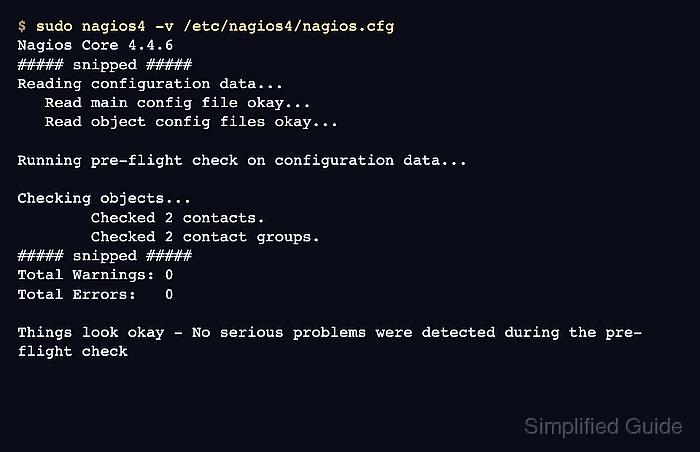
$ sudo nagios4 -v /etc/nagios4/nagios.cfg
Nagios Core 4.4.6
##### snipped #####
Reading configuration data...
   Read main config file okay...
   Read object config files okay...

Running pre-flight check on configuration data...

Checking objects...
	Checked 8 services.
	Checked 2 hosts.
	Checked 1 host groups.
	Checked 0 service groups.
	Checked 2 contacts.
	Checked 2 contact groups.
##### snipped #####
Total Warnings: 0
Total Errors:   0

Things look okay - No serious problems were detected during the pre-flight check
Zero errors confirm that ops-primary, linux-admins, and the object using contact_groups linux-admins all parse together.
Related: How to validate the Nagios Core configuration - Reload the nagios4 service to load the new object definitions.
$ sudo systemctl reload nagios4
Ubuntu and Debian package installs use the nagios4 unit. Use the local service name or source-install control script when Nagios Core was installed outside the package layout.
Related: How to manage the Nagios Core system service - Confirm that Nagios Core remains active after the reload.
$ sudo systemctl is-active nagios4
active
Check /var/log/nagios4/nagios.log or the journal if the service is not active after the reload.
Related: How to check Nagios Core logs - Trigger a controlled notification for the object that uses the new group.
The test should send to the mailbox behind ops-primary and record the notification against the host or service that references linux-admins.
Related: How to test Nagios Core notifications