How to list loaded kernel modules in Linux
Driver checks and kernel troubleshooting often start by confirming which loadable modules the running Linux kernel has active. Listing the module table shows whether a driver or subsystem was loaded separately, whether another module is using it, and which name to use before a later modprobe load or removal step.
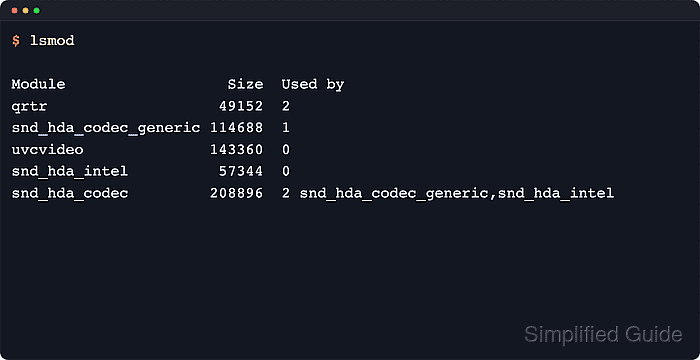
The lsmod command formats the live module list from /proc/modules. Its columns show the module name, size in bytes, and a Used by field that starts with the reference count and can include dependent module names.
The list reflects the currently running kernel, not every module package installed under /lib/modules. Containers usually show the host kernel's module table, minimal images may need the kmod package before lsmod exists, and features built directly into the kernel can appear under /sys/module without showing up as loadable entries in lsmod.
Related: How to load a kernel module in Linux
Related: How to unload a kernel module in Linux
Related: How to show hardware information in Linux
Steps to list loaded kernel modules in Linux:
- List the loaded module table with lsmod.
$ lsmod
Module                  Size  Used by
bridge                421888  1 br_netfilter
dummy                  12288  0
nf_tables             380928  2 nft_ct,nft_chain_nat
xfs                  2293760  1
##### snipped #####
The first column is the module name. Size is the module footprint in bytes, and Used by begins with the current reference count.
- Read /proc/modules when you need the raw records behind lsmod.
$ cat /proc/modules
bridge 421888 1 br_netfilter, Live 0x0000000000000000
dummy 12288 0 - Live 0x0000000000000000
nf_tables 380928 2 nft_ct,nft_chain_nat, Live 0x0000000000000000
xfs 2293760 1 - Live 0x0000000000000000
##### snipped #####
lsmod reads this file and formats the same loaded-module set into columns.
- Check dependent modules when the Used by field names them.
$ ls /sys/module/bridge/holders
br_netfilter
Each entry under /sys/module/<module>/holders is another module currently holding a reference to that module.
- Inspect sysfs for a kernel feature that does not appear in lsmod.
$ ls /sys/module/loop
parameters
uevent
A directory under /sys/module can also exist for a feature built into the kernel image. Use lsmod to confirm whether the name is loaded as a separate module.