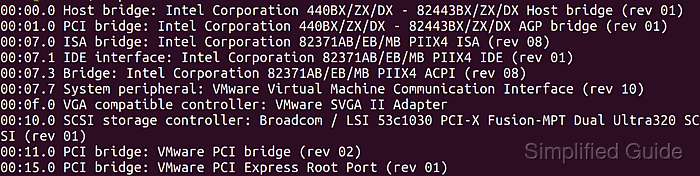
Access to accurate hardware information in Linux simplifies capacity planning, troubleshooting, and hardware compatibility checks. Clear visibility into installed components such as CPUs, memory modules, storage devices, and controllers avoids guesswork when diagnosing issues or deciding on upgrades.

Command line utilities such as lshw, lspci, lsusb, lscpu, lsmem, and lsblk query the kernel, firmware, and device buses to describe hardware that is currently detected. These tools combine information from firmware interfaces like DMI and ACPI with the virtual filesystems under /proc and /sys, producing structured text output that can be filtered, searched, and logged.

Many of these tools require sudo because firmware tables and low level device attributes are only readable by privileged users, and their output can include sensitive details such as serial numbers, asset tags, and UUIDs. Output is safest stored locally and sanitized before sharing externally, especially when examining production systems or virtual machines hosted on platforms such as VMware or KVM.

Steps to check hardware information in Linux:

  1. Open the terminal.

    Use an account with sudo privileges so utilities that read firmware tables and low level device attributes can run successfully.

  2. Use lshw to display all installed hardware.
    $ sudo lshw
    linux-lab
        description: Computer
        width: 64 bits
        capabilities: smp tagged_addr_disabled
      *-core
           description: Motherboard
           physical id: 0
         *-cpu:0
              description: CPU
              product: cpu
              physical id: 0
              bus info: cpu@0
              capabilities: fp asimd evtstrm aes pmull sha1 sha2 crc32 atomics fphp asimdhp cpuid asimdrdm jscvt fcma lrcpc dcpop sha3 asimddp sha512 asimdfhm dit uscat ilrcpc flagm sb paca pacg dcpodp flagm2 frint
         *-cpu:1
              description: CPU
              product: cpu
              physical id: 1
              bus info: cpu@1
              capabilities: fp asimd evtstrm aes pmull sha1 sha2 crc32 atomics fphp asimdhp cpuid asimdrdm jscvt fcma lrcpc dcpop sha3 asimddp sha512 asimdfhm dit uscat ilrcpc flagm sb paca pacg dcpodp flagm2 frint
    ##### snipped #####

    Use lshw for a comprehensive overview of all hardware components, including CPU, memory, and storage devices.

    More options for lshw:

    $ lshw --help
    Hardware Lister (lshw) - 
    usage: lshw [-format] [-options ...]
           lshw -version
    
      -version        print program version ()
    
    format can be
      -html           output hardware tree as HTML
      -xml            output hardware tree as XML
      -json           output hardware tree as a JSON object
      -short          output hardware paths
      -businfo        output bus information
    
    options can be
      -class CLASS    only show a certain class of hardware
      -C CLASS        same as '-class CLASS'
      -c CLASS        same as '-class CLASS'
      -disable TEST   disable a test (like pci, isapnp, cpuid, etc. )
      -enable TEST    enable a test (like pci, isapnp, cpuid, etc. )
      -quiet          don't display status
      -sanitize       sanitize output (remove sensitive information like serial numbers, etc.)
      -numeric        output numeric IDs (for PCI, USB, etc.)
      -notime         exclude volatile attributes (timestamps) from output
  3. Run lspci to list connected PCI devices.
    $ lspci
    00:00.0 Host bridge: Apple Inc. Device 1a05
    00:01.0 Ethernet controller: Red Hat, Inc. Virtio 1.0 network device (rev 01)
    00:05.0 Communication controller: Red Hat, Inc. Virtio 1.0 console (rev 01)
    00:06.0 Mass storage controller: Red Hat, Inc. Virtio 1.0 block device (rev 01)
    00:07.0 Mass storage controller: Red Hat, Inc. Virtio 1.0 block device (rev 01)
    00:08.0 Mass storage controller: Red Hat, Inc. Virtio file system (rev 01)
    00:09.0 Mass storage controller: Red Hat, Inc. Virtio file system (rev 01)
    00:0a.0 Mass storage controller: Red Hat, Inc. Virtio file system (rev 01)
    ##### snipped #####

    Use lspci to view PCI devices such as network cards, sound cards, and GPUs.

    More options for lspci:

    $ lspci --help
    lspci: invalid option -- '-'
    Usage: lspci [<switches>]
    
    Basic display modes:
    -mm   Produce machine-readable output (single -m for an obsolete format)
    -t    Show bus tree
    
    Display options:
    -v    Be verbose (-vv or -vvv for higher verbosity)
    -k    Show kernel drivers handling each device
    -x    Show hex-dump of the standard part of the config space
    -xxx    Show hex-dump of the whole config space (dangerous; root only)
    -xxxx   Show hex-dump of the 4096-byte extended config space (root only)
    -b    Bus-centric view (addresses and IRQ's as seen by the bus)
    -D    Always show domain numbers
    -P    Display bridge path in addition to bus and device number
    -PP   Display bus path in addition to bus and device number
    
    Resolving of device ID's to names:
    -n    Show numeric ID's
    -nn   Show both textual and numeric ID's (names & numbers)
    -q    Query the PCI ID database for unknown ID's via DNS
    -qq   As above, but re-query locally cached entries
    -Q    Query the PCI ID database for all ID's via DNS
    
    Selection of devices:
    -s [[[[<domain>]:]<bus>]:][<slot>][.[<func>]] Show only devices in selected slots
    -d [<vendor>]:[<device>][:<class>]    Show only devices with specified ID's
    
    Other options:
    -i <file> Use specified ID database instead of /usr/share/misc/pci.ids.gz
    -p <file> Look up kernel modules in a given file instead of default modules.pcimap
    -M    Enable `bus mapping' mode (dangerous; root only)
    
    PCI access options:
    -A <method> Use the specified PCI access method (see `-A help' for a list)
    -O <par>=<val>  Set PCI access parameter (see `-O help' for a list)
    -G    Enable PCI access debugging
    -H <mode> Use direct hardware access (<mode> = 1 or 2)
    -F <file> Read PCI configuration dump from a given file
  4. Use lsusb to list connected USB devices.
    $ lsusb
    Bus 001 Device 001: ID 1d6b:0002 Linux Foundation 2.0 root hub
    Bus 002 Device 001: ID 1d6b:0003 Linux Foundation 3.0 root hub

    More options for lsusb:

    $ lsusb --help
    Usage: lsusb [options]...
    List USB devices
      -v, --verbose
          Increase verbosity (show descriptors)
      -s [[bus]:][devnum]
          Show only devices with specified device and/or
          bus numbers (in decimal)
      -d vendor:[product]
          Show only devices with the specified vendor and
          product ID numbers (in hexadecimal)
      -D device
          Selects which device lsusb will examine
      -t, --tree
          Dump the physical USB device hierarchy as a tree
      -V, --version
          Show version of program
      -h, --help
          Show usage and help
  5. Use lscpu to view CPU architecture details.
    $ lscpu
    Architecture:                            aarch64
    CPU op-mode(s):                          64-bit
    Byte Order:                              Little Endian
    CPU(s):                                  10
    On-line CPU(s) list:                     0-9
    Vendor ID:                               Apple
    Model name:                              -
    Model:                                   0
    Thread(s) per core:                      1
    Core(s) per cluster:                     10
    Socket(s):                               -
    Cluster(s):                              1
    Stepping:                                0x0
    BogoMIPS:                                48.00
    Flags:                                   fp asimd evtstrm aes pmull sha1 sha2 crc32 atomics fphp asimdhp cpuid asimdrdm jscvt fcma lrcpc dcpop sha3 asimddp sha512 asimdfhm dit uscat ilrcpc flagm sb paca pacg dcpodp flagm2 frint
    Vulnerability Gather data sampling:      Not affected
    Vulnerability Indirect target selection: Not affected
    Vulnerability Itlb multihit:             Not affected
    Vulnerability L1tf:                      Not affected
    Vulnerability Mds:                       Not affected
    ##### snipped #####

rr pge mca cmov pat pse36 clflush mmx fxsr sse

                                sse2 ss syscall nx pdpe1gb rdtscp lm constant
                               _tsc arch_perfmon nopl xtopology tsc_reliable 
                               nonstop_tsc cpuid pni pclmulqdq ssse3 fma cx16
                                pcid sse4_1 sse4_2 x2apic movbe popcnt tsc_de
                               adline_timer aes xsave avx f16c rdrand hypervi
                               sor lahf_lm abm 3dnowprefetch cpuid_fault invp
                               cid_single ssbd ibrs ibpb stibp ibrs_enhanced 
                               fsgsbase tsc_adjust bmi1 avx2 smep bmi2 invpci
                               d rdseed adx smap clflushopt xsaveopt xsavec x
                               getbv1 xsaves arat md_clear flush_l1d arch_cap
                               abilities</code> <WRAP info>The //lscpu// command shows detailed CPU information such as architecture, core count, and supported features.</WRAP> <WRAP info>More options for //lscpu//:<code>$ lscpu --help

Usage: lscpu [options]

Display information about the CPU architecture.

Options: -a, –all print both online and offline CPUs (default for -e) -b, –online print online CPUs only (default for -p) -B, –bytes print sizes in bytes rather than in human readable format -C, –caches[=<list>] info about caches in extended readable format -c, –offline print offline CPUs only -J, –json use JSON for default or extended format -e, –extended[=<list>] print out an extended readable format -p, –parse[=<list>] print out a parsable format -s, –sysroot <dir> use specified directory as system root -x, –hex print hexadecimal masks rather than lists of CPUs -y, –physical print physical instead of logical IDs

  1. -output-all print all available columns for -e, -p or -C

-h, –help display this help -V, –version display version

Available output columns for -e or -p:

         CPU  logical CPU number
        CORE  logical core number
      SOCKET  logical socket number
        NODE  logical NUMA node number
        BOOK  logical book number
      DRAWER  logical drawer number
       CACHE  shows how caches are shared between CPUs
POLARIZATION  CPU dispatching mode on virtual hardware
     ADDRESS  physical address of a CPU
  CONFIGURED  shows if the hypervisor has allocated the CPU
      ONLINE  shows if Linux currently makes use of the CPU
      MAXMHZ  shows the maximum MHz of the CPU
      MINMHZ  shows the minimum MHz of the CPU

Available output columns for -C:

    ALL-SIZE  size of all system caches
       LEVEL  cache level
        NAME  cache name
    ONE-SIZE  size of one cache
        TYPE  cache type
        WAYS  ways of associativity

For more details see lscpu(1).</code></WRAP>

  1. Use lsmem to check memory status and details.
    $ lsmem
    RANGE                                 SIZE  STATE REMOVABLE BLOCK
    0x0000000000000000-0x00000000bfffffff   3G online       yes  0-23
    0x0000000100000000-0x000000013fffffff   1G online       yes 32-39
    
    Memory block size:       128M
    Total online memory:       4G
    Total offline memory:      0B

    The lsmem command provides a view of available memory blocks and their status.

    More options for lsmem:

    $ lsmem --help
    
    Usage:
     lsmem [options]
    
    List the ranges of available memory with their online status.
    
    Options:
     -J, --json           use JSON output format
     -P, --pairs          use key="value" output format
     -a, --all            list each individual memory block
     -b, --bytes          print SIZE in bytes rather than in human readable format
     -n, --noheadings     don't print headings
     -o, --output <list>  output columns
         --output-all     output all columns
     -r, --raw            use raw output format
     -S, --split <list>   split ranges by specified columns
     -s, --sysroot <dir>  use the specified directory as system root
         --summary[=when] print summary information (never,always or only)
    
     -h, --help           display this help
     -V, --version        display version
    
    Available output columns:
          RANGE  start and end address of the memory range
           SIZE  size of the memory range
          STATE  online status of the memory range
      REMOVABLE  memory is removable
          BLOCK  memory block number or blocks range
           NODE  numa node of memory
          ZONES  valid zones for the memory range
    
    For more details see lsmem(1).
  2. Run lsblk to list available block storage devices.
    $ lsblk 
    NAME   MAJ:MIN RM   SIZE RO TYPE MOUNTPOINT
    loop0    7:0    0 135.8M  1 loop /snap/chromium/1461
    loop1    7:1    0 135.7M  1 loop /snap/chromium/1466
    loop2    7:2    0  55.4M  1 loop /snap/core18/1932
    loop3    7:3    0 162.9M  1 loop /snap/gnome-3-28-1804/145
    loop4    7:4    0    51M  1 loop /snap/snap-store/498
    loop5    7:5    0  31.1M  1 loop /snap/snapd/10707
    loop6    7:6    0  31.1M  1 loop /snap/snapd/10492
    loop7    7:7    0    51M  1 loop /snap/snap-store/518
    loop8    7:8    0 161.4M  1 loop /snap/gnome-3-28-1804/128
    loop9    7:9    0  55.4M  1 loop /snap/core18/1944
    loop10   7:10   0  62.1M  1 loop /snap/gtk-common-themes/1506
    loop11   7:11   0   219M  1 loop /snap/gnome-3-34-1804/66
    loop12   7:12   0 217.9M  1 loop /snap/gnome-3-34-1804/60
    loop13   7:13   0  64.8M  1 loop /snap/gtk-common-themes/1514
    sda      8:0    0    20G  0 disk 
    ├─sda1   8:1    0   512M  0 part /boot/efi
    ├─sda2   8:2    0     1K  0 part 
    └─sda5   8:5    0  19.5G  0 part /
    sr0     11:0    1  1024M  0 rom

    The lsblk command shows block storage devices, including partitions and mounted filesystems.

    More options for lsblk:

    $ lsblk --help
    
    Usage:
     lsblk [options] [<device> ...]
    
    List information about block devices.
    
    Options:
     -D, --discard        print discard capabilities
     -E, --dedup <column> de-duplicate output by <column>
     -I, --include <list> show only devices with specified major numbers
     -J, --json           use JSON output format
     -O, --output-all     output all columns
     -P, --pairs          use key="value" output format
     -S, --scsi           output info about SCSI devices
     -T, --tree[=<column>] use tree format output
     -a, --all            print all devices
     -b, --bytes          print SIZE in bytes rather than in human readable format
     -d, --nodeps         don't print slaves or holders
     -e, --exclude <list> exclude devices by major number (default: RAM disks)
     -f, --fs             output info about filesystems
     -i, --ascii          use ascii characters only
     -l, --list           use list format output
     -M, --merge          group parents of sub-trees (usable for RAIDs, Multi-path)
     -m, --perms          output info about permissions
     -n, --noheadings     don't print headings
     -o, --output <list>  output columns
     -p, --paths          print complete device path
     -r, --raw            use raw output format
     -s, --inverse        inverse dependencies
     -t, --topology       output info about topology
     -z, --zoned          print zone model
     -x, --sort <column>  sort output by <column>
         --sysroot <dir>  use specified directory as system root
    
     -h, --help           display this help
     -V, --version        display version
    
    Available output columns:
            NAME  device name
           KNAME  internal kernel device name
            PATH  path to the device node
         MAJ:MIN  major:minor device number
         FSAVAIL  filesystem size available
          FSSIZE  filesystem size
          FSTYPE  filesystem type
          FSUSED  filesystem size used
          FSUSE%  filesystem use percentage
      MOUNTPOINT  where the device is mounted
           LABEL  filesystem LABEL
            UUID  filesystem UUID
          PTUUID  partition table identifier (usually UUID)
          PTTYPE  partition table type
        PARTTYPE  partition type UUID
       PARTLABEL  partition LABEL
        PARTUUID  partition UUID
       PARTFLAGS  partition flags
              RA  read-ahead of the device
              RO  read-only device
              RM  removable device
         HOTPLUG  removable or hotplug device (usb, pcmcia, ...)
           MODEL  device identifier
          SERIAL  disk serial number
            SIZE  size of the device
           STATE  state of the device
           OWNER  user name
           GROUP  group name
            MODE  device node permissions
       ALIGNMENT  alignment offset
          MIN-IO  minimum I/O size
          OPT-IO  optimal I/O size
         PHY-SEC  physical sector size
         LOG-SEC  logical sector size
            ROTA  rotational device
           SCHED  I/O scheduler name
         RQ-SIZE  request queue size
            TYPE  device type
        DISC-ALN  discard alignment offset
       DISC-GRAN  discard granularity
        DISC-MAX  discard max bytes
       DISC-ZERO  discard zeroes data
           WSAME  write same max bytes
             WWN  unique storage identifier
            RAND  adds randomness
          PKNAME  internal parent kernel device name
            HCTL  Host:Channel:Target:Lun for SCSI
            TRAN  device transport type
      SUBSYSTEMS  de-duplicated chain of subsystems
             REV  device revision
          VENDOR  device vendor
           ZONED  zone model
    
    For more details see lsblk(8).
  3. Browse the /dev directory for available special or device files.
    $ ls /dev
    agpgart          loop12        snapshot  tty34  tty9       uhid
    autofs           loop13        snd       tty35  ttyprintk  uinput
    block            loop14        sr0       tty36  ttyS0      urandom
    bsg              loop2         stderr    tty37  ttyS1      userio
    btrfs-control    loop3         stdin     tty38  ttyS10     vcs
    bus              loop4         stdout    tty39  ttyS11     vcs1
    cdrom            loop5         tty       tty4   ttyS12     vcs2
    cdrw             loop6         tty0      tty40  ttyS13     vcs3
    char             loop7         tty1      tty41  ttyS14     vcs4
    console          loop8         tty10     tty42  ttyS15     vcs5
    core             loop9         tty11     tty43  ttyS16     vcs6
    cpu_dma_latency  loop-control  tty12     tty44  ttyS17     vcsa
    cuse             mapper        tty13     tty45  ttyS18     vcsa1
    disk             mcelog        tty14     tty46  ttyS19     vcsa2
    dma_heap         mem           tty15     tty47  ttyS2      vcsa3
    dri              mqueue        tty16     tty48  ttyS20     vcsa4
    dvd              net           tty17     tty49  ttyS21     vcsa5
    ecryptfs         null          tty18     tty5   ttyS22     vcsa6
    fb0              nvram         tty19     tty50  ttyS23     vcsu
    fd               port          tty2      tty51  ttyS24     vcsu1
    full             ppp           tty20     tty52  ttyS25     vcsu2
    fuse             psaux         tty21     tty53  ttyS26     vcsu3
    hidraw0          ptmx          tty22     tty54  ttyS27     vcsu4
    hpet             pts           tty23     tty55  ttyS28     vcsu5
    hugepages        random        tty24     tty56  ttyS29     vcsu6
    hwrng            rfkill        tty25     tty57  ttyS3      vfio
    initctl          rtc           tty26     tty58  ttyS30     vga_arbiter
    input            rtc0          tty27     tty59  ttyS31     vhci
    kmsg             sda           tty28     tty6   ttyS4      vhost-net
    lightnvm         sda1          tty29     tty60  ttyS5      vhost-vsock
    log              sda2          tty3      tty61  ttyS6      vmci
    loop0            sda5          tty30     tty62  ttyS7      vsock
    loop1            sg0           tty31     tty63  ttyS8      zero
    loop10           sg1           tty32     tty7   ttyS9      zfs
    loop11           shm           tty33     tty8   udmabuf
  4. Use dmidecode to view BIOS and system information.
    $ sudo dmidecode
    # dmidecode 3.2
    Getting SMBIOS data from sysfs.
    SMBIOS 2.7 present.
    620 structures occupying 29060 bytes.
    Table at 0x000E0010.
    
    Handle 0x0000, DMI type 0, 24 bytes
    BIOS Information
      Vendor: Phoenix Technologies LTD
      Version: 6.00
      Release Date: 07/22/2020
      Address: 0xEA480
      Runtime Size: 88960 bytes
      ROM Size: 64 kB
      Characteristics:
        ISA is supported
        PCI is supported
        PC Card (PCMCIA) is supported
        PNP is supported
        APM is supported
        BIOS is upgradeable
        BIOS shadowing is allowed
        ESCD support is available
        Boot from CD is supported
        Selectable boot is supported
        EDD is supported
        Print screen service is supported (int 5h)
        8042 keyboard services are supported (int 9h)
        Serial services are supported (int 14h)
        Printer services are supported (int 17h)
        CGA/mono video services are supported (int 10h)
        ACPI is supported
        Smart battery is supported
        BIOS boot specification is supported
        Function key-initiated network boot is supported
        Targeted content distribution is supported
      BIOS Revision: 4.6
      Firmware Revision: 0.0
    
    Handle 0x0001, DMI type 1, 27 bytes
    System Information
      Manufacturer: VMware, Inc.
      Product Name: VMware Virtual Platform
      Version: None
      Serial Number: VMware-56 4d 6d 49 cc cb 86 de-d4 ca fa ad 4b cf 54 30
      UUID: 496d4d56-cbcc-de86-d4ca-faad4bcf5430
      Wake-up Type: Power Switch
      SKU Number: Not Specified
      Family: Not Specified
    ##### snipped #####

    More options for dmidecode:

    $ dmidecode --help
    Usage: dmidecode [OPTIONS]
    Options are:
     -d, --dev-mem FILE     Read memory from device FILE (default: /dev/mem)
     -h, --help             Display this help text and exit
     -q, --quiet            Less verbose output
     -s, --string KEYWORD   Only display the value of the given DMI string
     -t, --type TYPE        Only display the entries of given type
     -H, --handle HANDLE    Only display the entry of given handle
     -u, --dump             Do not decode the entries
         --dump-bin FILE    Dump the DMI data to a binary file
         --from-dump FILE   Read the DMI data from a binary file
         --no-sysfs         Do not attempt to read DMI data from sysfs files
         --oem-string N     Only display the value of the given OEM string
     -V, --version          Display the version and exit
  5. Explore sysfs for hardware devices and related kernel information.
    $ cat /sys/class/power_supply/ACAD/type 
    Mains

    sysfs under /sys exposes kernel devices and their attributes in a structured directory tree grouped by class and bus.

  6. Inspect the /proc and /sys directories for additional hardware details.
    $ cat /proc/meminfo
    MemTotal:        4000788 kB
    MemFree:         2435468 kB
    MemAvailable:    2901532 kB
    Buffers:           50048 kB
    Cached:           585872 kB
    SwapCached:            0 kB
    Active:           803460 kB
    Inactive:         345520 kB
    Active(anon):     514404 kB
    Inactive(anon):      768 kB
    Active(file):     289056 kB
    Inactive(file):   344752 kB
    Unevictable:          16 kB
    Mlocked:              16 kB
    SwapTotal:        945416 kB
    SwapFree:         945416 kB
    Dirty:               232 kB
    Writeback:             0 kB
    AnonPages:        513136 kB
    Mapped:           243012 kB
    Shmem:              2116 kB
    KReclaimable:      73988 kB
    Slab:             187708 kB
    SReclaimable:      73988 kB
    SUnreclaim:       113720 kB
    KernelStack:       10144 kB
    PageTables:        10984 kB
    NFS_Unstable:          0 kB
    Bounce:                0 kB
    WritebackTmp:          0 kB
    CommitLimit:     2945808 kB
    Committed_AS:    3216804 kB
    VmallocTotal:   34359738367 kB
    VmallocUsed:       24172 kB
    VmallocChunk:          0 kB
    Percpu:            94720 kB
    HardwareCorrupted:     0 kB
    AnonHugePages:         0 kB
    ShmemHugePages:        0 kB
    ShmemPmdMapped:        0 kB
    FileHugePages:         0 kB
    FilePmdMapped:         0 kB
    HugePages_Total:       0
    HugePages_Free:        0
    HugePages_Rsvd:        0
    HugePages_Surp:        0
    Hugepagesize:       2048 kB
    Hugetlb:               0 kB
    DirectMap4k:      276288 kB
    DirectMap2M:     2869248 kB
    DirectMap1G:     3145728 kB

    The /proc and /sys directories contain real-time and persistent system and hardware data, which can be accessed using the cat command.

  7. Use dmesg to view kernel diagnostic messages for hardware related information.
    $ dmesg
    [    0.000000] Linux version 5.8.0-41-generic (buildd@lgw01-amd64-003) (gcc (Ubuntu 9.3.0-17ubuntu1~20.04) 9.3.0, GNU ld (GNU Binutils for Ubuntu) 2.34) #46~20.04.1-Ubuntu SMP Mon Jan 18 17:52:23 UTC 2021 (Ubuntu 5.8.0-41.46~20.04.1-generic 5.8.18)
    [    0.000000] Command line: BOOT_IMAGE=/boot/vmlinuz-5.8.0-41-generic root=UUID=8e7d73f3-e847-46a2-abcd-f505ec2a73f7 ro quiet splash
    [    0.000000] KERNEL supported cpus:
    [    0.000000]   Intel GenuineIntel
    [    0.000000]   AMD AuthenticAMD
    [    0.000000]   Hygon HygonGenuine
    [    0.000000]   Centaur CentaurHauls
    [    0.000000]   zhaoxin   Shanghai  
    [    0.000000] Disabled fast string operations
    [    0.000000] x86/fpu: Supporting XSAVE feature 0x001: 'x87 floating point registers'
    [    0.000000] x86/fpu: Supporting XSAVE feature 0x002: 'SSE registers'
    [    0.000000] x86/fpu: Supporting XSAVE feature 0x004: 'AVX registers'
    [    0.000000] x86/fpu: xstate_offset[2]:  576, xstate_sizes[2]:  256
    [    0.000000] x86/fpu: Enabled xstate features 0x7, context size is 832 bytes, using 'compacted' format.
    [    0.000000] BIOS-provided physical RAM map:
    [    0.000000] BIOS-e820: [mem 0x0000000000000000-0x000000000009e7ff] usable
    [    0.000000] BIOS-e820: [mem 0x000000000009e800-0x000000000009ffff] reserved
    [    0.000000] BIOS-e820: [mem 0x00000000000dc000-0x00000000000fffff] reserved
    [    0.000000] BIOS-e820: [mem 0x0000000000100000-0x00000000bfecffff] usable
    [    0.000000] BIOS-e820: [mem 0x00000000bfed0000-0x00000000bfefefff] ACPI data
    ##### snipped #####

    More options for dmesg:

    $ dmesg --help
    
    Usage:
     dmesg [options]
    
    Display or control the kernel ring buffer.
    
    Options:
     -C, --clear                 clear the kernel ring buffer
     -c, --read-clear            read and clear all messages
     -D, --console-off           disable printing messages to console
     -E, --console-on            enable printing messages to console
     -F, --file <file>           use the file instead of the kernel log buffer
     -f, --facility <list>       restrict output to defined facilities
     -H, --human                 human readable output
     -k, --kernel                display kernel messages
     -L, --color[=<when>]        colorize messages (auto, always or never)
                                   colors are enabled by default
     -l, --level <list>          restrict output to defined levels
     -n, --console-level <level> set level of messages printed to console
     -P, --nopager               do not pipe output into a pager
     -p, --force-prefix          force timestamp output on each line of multi-line messages
     -r, --raw                   print the raw message buffer
     -S, --syslog                force to use syslog(2) rather than /dev/kmsg
     -s, --buffer-size <size>    buffer size to query the kernel ring buffer
     -u, --userspace             display userspace messages
     -w, --follow                wait for new messages
     -x, --decode                decode facility and level to readable string
     -d, --show-delta            show time delta between printed messages
     -e, --reltime               show local time and time delta in readable format
     -T, --ctime                 show human-readable timestamp (may be inaccurate!)
     -t, --notime                don't show any timestamp with messages
         --time-format <format>  show timestamp using the given format:
                                   [delta|reltime|ctime|notime|iso]
    Suspending/resume will make ctime and iso timestamps inaccurate.
    
     -h, --help                  display this help
     -V, --version               display version
    
    Supported log facilities:
        kern - kernel messages
        user - random user-level messages
        mail - mail system
      daemon - system daemons
        auth - security/authorization messages
      syslog - messages generated internally by syslogd
         lpr - line printer subsystem
        news - network news subsystem
    
    Supported log levels (priorities):
       emerg - system is unusable
       alert - action must be taken immediately
        crit - critical conditions
         err - error conditions
        warn - warning conditions
      notice - normal but significant condition
        info - informational
       debug - debug-level messages
    
    For more details see dmesg(1).
Discuss the article:

Comment anonymously. Login not required.