How to fix disk errors in Linux
Disk errors in Linux become urgent when a writable filesystem remounts read-only, backups fail, or kernel logs show repeated I/O error lines for the same device. Repairing the wrong target can damage recoverable data, so the fix starts by mapping the failing mount to its filesystem device and parent disk.
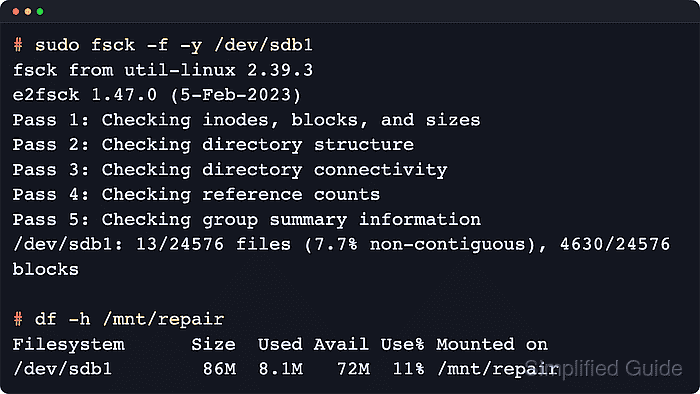
For ext2, ext3, and ext4 filesystems, fsck is the front end that calls the matching filesystem checker, and e2fsck performs the detailed ext-family repair. Run the repair against a filesystem device such as /dev/sdb1, not the whole disk; run firmware health checks such as smartctl against the parent disk such as /dev/sdb or /dev/nvme0n1.
Back up important data or take a block-level copy before writing repairs when the disk is still readable enough to copy. Repair busy root, boot, or application filesystems from rescue media or a maintenance window, and use filesystem-specific tooling for XFS and Btrfs instead of forcing an ext-style repair sequence onto a different on-disk format.
Steps to fix disk errors in Linux:
- Map the affected mount to its filesystem device and parent disk.
$ lsblk --fs
NAME   FSTYPE FSVER LABEL UUID                                 FSAVAIL FSUSE% MOUNTPOINTS
sdb
`-sdb1 ext4   1.0   data  064e84d3-b7e4-45d0-89ba-6b28df345687   52M     1% /srv/data
Run fsck or e2fsck against the filesystem device, such as /dev/sdb1. Run smartctl against the parent disk, such as /dev/sdb.
- Review current-boot kernel errors for the affected device.
$ sudo dmesg -T --level=err,warn
[Sat Jun 13 09:21:07 2026] blk_update_request: I/O error, dev sdb, sector 4128760 op 0x0:(READ) flags 0x80700 phys_seg 1 prio class 0
[Sat Jun 13 09:21:07 2026] Buffer I/O error on dev sdb1, logical block 515840, async page read
[Sat Jun 13 09:21:08 2026] EXT4-fs error (device sdb1): ext4_find_entry: inode #2: comm backup: reading directory lblock 0
On systemd hosts, sudo journalctl -k -p warning..alert -b shows the same class of kernel messages for the current boot.
- Unmount the affected filesystem before repairing it.
$ sudo umount /srv/data
If the damaged filesystem is /, /boot, or another busy production mount, stop here and continue from live or rescue media instead of forcing a repair on a mounted filesystem.
Related: How to unmount a disk in Linux
- Repair the unmounted ext filesystem metadata.
$ sudo fsck -f -y /dev/sdb1
fsck from util-linux 2.41.3
e2fsck 1.47.2 (1-Jan-2025)
Pass 1: Checking inodes, blocks, and sizes
Pass 2: Checking directory structure
Pass 3: Checking directory connectivity
Pass 4: Checking reference counts
Pass 5: Checking group summary information
/dev/sdb1: 12/16384 files (8.3% non-contiguous), 2097/16384 blocks
-y writes every proposed repair without prompting. Use an offline backup or image first when the device contains important data and is still readable enough to copy.
- Check the parent disk health after the filesystem repair.
$ sudo smartctl --health --attributes /dev/sdb
=== START OF READ SMART DATA SECTION ===
SMART overall-health self-assessment test result: PASSED

ID# ATTRIBUTE_NAME          VALUE WORST THRESH TYPE      UPDATED  WHEN_FAILED RAW_VALUE
  5 Reallocated_Sector_Ct  100   100   010    Pre-fail  Always       -       0
197 Current_Pending_Sector 100   100   000    Old_age   Always       -       0
198 Offline_Uncorrectable  100   100   000    Old_age   Offline      -       0
If smartctl reports a failing health result, growing reallocated sectors, or pending sectors, copy the data off the disk and replace the hardware instead of repeating filesystem repairs.
Some USB bridges, RAID controllers, cloud volumes, and guest-visible virtual disks expose no readable S.M.A.R.T. data from inside the running system.
Related: How to check disk health in Linux - Run a bad-block scan through e2fsck when I/O error messages continue after the first repair pass.
$ sudo e2fsck -c -f -y /dev/sdb1
e2fsck 1.47.2 (1-Jan-2025)
Checking for bad blocks (read-only test): done
/dev/sdb1: Updating bad block inode.
Pass 1: Checking inodes, blocks, and sizes
Pass 2: Checking directory structure
Pass 3: Checking directory connectivity
Pass 4: Checking reference counts
Pass 5: Checking group summary information

/dev/sdb1: ***** FILE SYSTEM WAS MODIFIED *****
/dev/sdb1: 12/16384 files (8.3% non-contiguous), 2097/16384 blocks
-c runs a read-only badblocks scan and records discovered bad blocks in the ext filesystem so they are not reused. Using -c twice switches to a non-destructive read-write media test that takes much longer and adds load to a disk that may already be failing.
- Mount the repaired filesystem at its normal mount point.
$ sudo mount /dev/sdb1 /srv/data
Use a temporary mount such as /mnt/repair instead when the normal service should stay stopped until separate application checks are complete.
- Confirm that the repaired filesystem is mounted read-write.
$ findmnt /srv/data
TARGET    SOURCE    FSTYPE OPTIONS
/srv/data /dev/sdb1 ext4   rw,relatime
- Check that the mounted filesystem can be read through normal tools.
$ df --human-readable /srv/data
Filesystem      Size  Used Avail Use% Mounted on
/dev/sdb1        56M  152K   52M   1% /srv/data
If the remount succeeds and fresh dmesg -T or journalctl -k -b output stays clear of I/O error, Buffer I/O error, and filesystem error lines, the volume can return to service.