How to inspect content blocks in LangChain
Model responses in LangChain can carry structured content beside the final text, including reasoning summaries, tool calls, and provider-specific extras. Reading standardized content blocks lets application code branch on the returned block type instead of parsing raw provider JSON.
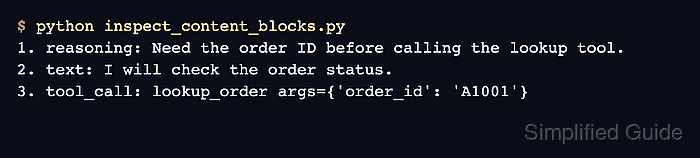
The AIMessage.content_blocks property returns a list of typed dictionaries. Each dictionary has a type value, so a small dispatcher can handle text, reasoning, and tool_call entries while leaving unknown block types visible for later review.
Use a local AIMessage fixture first when building the inspection code. After the branch logic prints the expected values, replace the fixture with the real response returned by model.invoke(), an agent call, or a stored message from an application trace.
Related: How to call a chat model in LangChain
Related: How to format chat messages in LangChain
Related: How to define a tool in LangChain
Steps to inspect LangChain content blocks:
- Open an activated Python project environment.
- Install LangChain if the project does not already use the current package.
$ python -m pip install -U langchain
content_blocks is part of the current LangChain message API. Install the provider package separately when the real response will come from OpenAI, Anthropic, Ollama, or another integration.
Related: How to install LangChain with pip - Create inspect_content_blocks.py with block-specific handling for reasoning, text, and tool calls.
- inspect_content_blocks.py
from langchain.messages import AIMessage


def format_block(block: dict) -> str:
    block_type = block.get("type", "unknown")

    if block_type == "reasoning":
        return f"reasoning: {block.get('reasoning', '')}"

    if block_type == "text":
        return f"text: {block.get('text', '')}"

    if block_type == "tool_call":
        return f"tool_call: {block.get('name')} args={block.get('args')}"

    return f"{block_type}: {block}"


response = AIMessage(
    content=[
        {
            "type": "reasoning",
            "id": "rs_demo",
            "reasoning": "Need the order ID before calling the lookup tool.",
        },
        {
            "type": "text",
            "text": "I will check the order status.",
            "id": "msg_demo",
        },
    ],
    tool_calls=[{
        "name": "lookup_order",
        "args": {"order_id": "A1001"},
        "id": "call_demo",
    }],
)

for position, block in enumerate(response.content_blocks, start=1):
    print(f"{position}. {format_block(block)}")
The fixture uses standard LangChain content blocks, not a live provider call. Keep the unknown fallback when adding more block types such as images, files, citations, or provider-specific extras.
- Run the script and confirm each returned block type is printed.
$ python inspect_content_blocks.py
1. reasoning: Need the order ID before calling the lookup tool.
2. text: I will check the order status.
3. tool_call: lookup_order args={'order_id': 'A1001'}
The tool_call row confirms that requested tool calls can be inspected with the same block dispatcher. When only tool requests matter, response.tool_calls remains available as a dedicated list on AIMessage.
- Replace the fixture assignment with the real message object in the application path being checked.
response = model.invoke(messages)
Do not persist raw provider responses when they may contain user prompts, retrieved documents, reasoning text, tool arguments, tokens, or account-specific metadata. Mask sensitive values before saving traces or screenshots.
- Re-run the script against the real response and keep one representative output with the application test record.
A working inspection pass should show the block types the application expects, and unexpected block types should remain visible through the fallback line instead of being silently dropped.