How to configure a thread group in JMeter
A JMeter Thread Group defines how many virtual users enter a test plan and how often they repeat the samplers below it. Setting the user count, ramp-up period, and loop count deliberately keeps a smoke or load run from starting more traffic than the target system is meant to receive.
The regular Thread Group is the parent for samplers, timers, assertions, and configuration elements that represent one user population. Its loop controller repeats the child tree for each virtual user, so a plan with three users and two loops records six samples when the child branch has one sampler.
Keep the first validation run small before moving to a production load profile. Duration-based runs use the same panel, but they need Specify Thread lifetime and a duration window; use a fixed loop count first when the goal is to prove the group starts the expected users and sample count.
Steps to configure a JMeter Thread Group:
- Open the test plan in the JMeter GUI.
- Select the Test Plan node.
- Add a regular group from Add → Threads (Users) → Thread Group.
- Name the group for the user population it represents.
Name: Checkout smoke users
- Set the user count.
Number of Threads (users): 3
This value becomes the maximum number of active virtual users after ramp-up completes.
- Set the ramp-up period.
Ramp-up Period (seconds): 3
JMeter starts the three users across the entered period instead of launching every user at the same instant.
- Set the loop count and leave Infinite cleared.
Loop Count: 2
Infinite: cleared
With one sampler under the group, three users and two loops should record six sampler rows.
- Keep Same user on each iteration selected for a normal repeated user flow.
Same user on each iteration: selected
- Leave Specify Thread lifetime cleared for a sample-count validation run.
Specify Thread lifetime: cleared
Use a scheduled duration when the run should stop by elapsed time instead of loop count.
Related: How to set a JMeter test duration - Add or keep the smoke-test sampler under the Thread Group.
Sampler label: checkout smoke sample
- Save a validation copy of the test plan.
thread-group-configure.jmx
- Run the saved plan in non-GUI mode with a fresh result file.
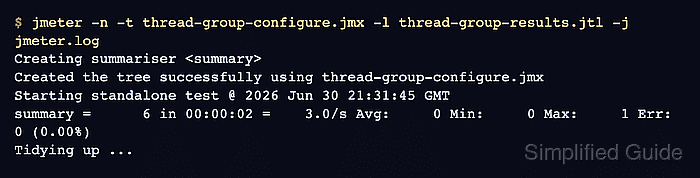
$ jmeter -n -t thread-group-configure.jmx -l thread-group-results.jtl -j jmeter.log
Creating summariser <summary>
Created the tree successfully using thread-group-configure.jmx
Starting standalone test @ 2026 Jun 30 21:31:45 GMT
Waiting for possible Shutdown/StopTestNow/HeapDump/ThreadDump message on port 4445
summary =      6 in 00:00:02 =    3.0/s Avg:     0 Min:     0 Max:     1 Err:     0 (0.00%)
Tidying up ...
... end of run
-n runs JMeter without the GUI, -t selects the saved plan, -l writes sampler results, and -j writes the run log.
Related: How to run a JMeter test from the command line - Check the process exit status.
$ echo $?
0
- Count the result-file rows.
$ wc -l thread-group-results.jtl
7 thread-group-results.jtl
The first row is the CSV header, so seven lines means six recorded samples.
- Inspect the result file for the expected virtual users and successful samples.
$ cat thread-group-results.jtl
timeStamp,elapsed,label,responseCode,responseMessage,threadName,dataType,success,failureMessage,bytes,sentBytes,grpThreads,allThreads,URL,Latency,IdleTime,Connect
1782855105272,1,checkout smoke sample,200,OK,Checkout smoke users 1-1,text,true,,259,0,1,1,null,0,0,0
1782855105278,0,checkout smoke sample,200,OK,Checkout smoke users 1-1,text,true,,259,0,1,1,null,0,0,0
1782855106254,0,checkout smoke sample,200,OK,Checkout smoke users 1-2,text,true,,259,0,1,1,null,0,0,0
1782855106254,1,checkout smoke sample,200,OK,Checkout smoke users 1-2,text,true,,259,0,1,1,null,0,0,0
1782855107254,1,checkout smoke sample,200,OK,Checkout smoke users 1-3,text,true,,259,0,1,1,null,0,0,0
1782855107255,0,checkout smoke sample,200,OK,Checkout smoke users 1-3,text,true,,259,0,1,1,null,0,0,0
The rows show users 1-1, 1-2, and 1-3, with two successful samples from each user.