How to troubleshoot failed samples in JMeter
Failed JMeter samples usually mean a sampler returned an error, an assertion rejected the response, or a test-plan value was missing at runtime. The failed result row is the first useful clue, because the sampler label, response code, success flag, and failure message show which part of the test deserves attention first.
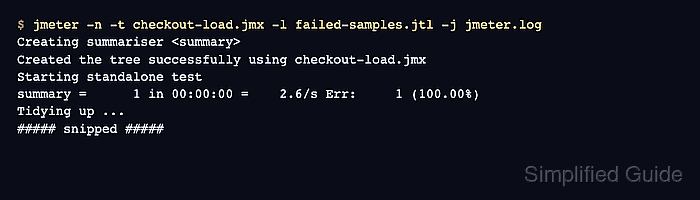
A short non-GUI reproduction is safer than digging through a full load run. It keeps the .jtl result file small, writes a fresh jmeter.log, and avoids the memory cost of visual listeners while the failure is still being isolated.
When the row says success=false with a normal HTTP response code, inspect assertions and extracted variables before blaming the target service. When the response code is an error or the log contains script exceptions, fix that layer first, then rerun the same small scenario until the failed count returns to zero.
Steps to troubleshoot failed JMeter samples:
- Preserve the failed run artifacts before rerunning the plan.
Result file: failed-samples.jtl
Log file: jmeter.log
Copy the original .jtl and jmeter.log out of a CI workspace before a retry overwrites them.
- Reproduce the failure with one thread or a small data slice.
$ jmeter -n -t checkout-load.jmx -l failed-samples.jtl -j jmeter.log
Creating summariser <summary>
Created the tree successfully using checkout-load.jmx
Starting standalone test
summary =      1 in 00:00:00 =    2.6/s Err:     1 (100.00%)
Tidying up ...
##### snipped #####
-l writes the sample result file, and -j writes the run log for script and client-side errors.
- Inspect the failed result row.
$ cat failed-samples.jtl
timeStamp,elapsed,label,responseCode,responseMessage,threadName,dataType,success,failureMessage,bytes,sentBytes,grpThreads,allThreads,URL,Latency,IdleTime,Connect
1782773867470,366,POST checkout confirm,200,OK,Checkout user 1-1,text,false,checkout response did not include orderId,49,0,1,1,null,0,0,0
The label identifies the sampler, responseCode and responseMessage identify the response layer, success shows whether JMeter marked the sample failed, and failureMessage carries assertion details when they were saved.
- Match the failed row to the likely failure layer.
responseCode=200
success=false
failureMessage=checkout response did not include orderId
A normal response code with an assertion message usually points to an assertion, extractor, correlation, or response-content mismatch. A 4xx or 5xx response points first to authentication, request data, headers, cookies, or the target service.
- Open the sampler in View Results Tree when the response body or request data is needed.
Use View Results Tree only for a debug-sized run. It stores detailed sample data in the GUI and can distort larger load tests.
- Check jmeter.log when the failed row points to a script, plugin, file, or variable problem.
$ cat jmeter.log
##### snipped #####
ERROR o.a.j.p.j.s.JSR223Sampler: Problem in JSR223 script POST checkout confirm, message: javax.script.ScriptException: java.lang.IllegalStateException: missing checkout variable order_token
javax.script.ScriptException: java.lang.IllegalStateException: missing checkout variable order_token
##### snipped #####
If the log only contains normal startup and shutdown messages, continue with the sampler response, assertion, extractor, and input data instead of chasing the launcher.
Related: How to change JMeter log levels
- Correct the failing layer in the test plan.
For this sample row, the response assertion expects orderId, so the fix is either to restore the checkout response field, change the assertion to the current contract, or repair the extractor that should create the expected value.
- Rerun the same small scenario after the correction.
$ jmeter -n -t checkout-load.jmx -l fixed-samples.jtl -j jmeter.log
Creating summariser <summary>
Created the tree successfully using checkout-load.jmx
Starting standalone test
summary =      1 in 00:00:00 =    2.6/s Err:     0 (0.00%)
Tidying up ...
##### snipped #####
- Confirm that the corrected result row is successful.
$ cat fixed-samples.jtl
timeStamp,elapsed,label,responseCode,responseMessage,threadName,dataType,success,failureMessage,bytes,sentBytes,grpThreads,allThreads,URL,Latency,IdleTime,Connect
1782773870206,362,POST checkout confirm,200,OK,Checkout user 1-1,text,true,,44,0,1,1,null,0,0,0
The same sampler label returning success=true with an empty failureMessage confirms that the original failed sample has been cleared for this reduced run.