How to troubleshoot blocked packets in iptables
Blocked packets in iptables usually appear as a service that is listening on the host but unreachable from the network. A timeout or immediate reject from the client side is not enough to prove the firewall is responsible; the useful signal is a matching rule counter, a blocking chain policy, or a temporary log entry that changes when the failed connection is repeated.
The filter table is the usual place to inspect first for a local service. Packets destined for local sockets traverse INPUT, routed packets traverse FORWARD, and locally generated packets traverse OUTPUT. Rule traversal stops when a matching rule jumps to a final target such as ACCEPT, DROP, or REJECT; if no rule decides the packet, the built-in chain policy decides what happens.
The example uses an IPv4 TCP service on port 8080. Use the same commands with the real service port, interface, source address, and original client test. On current Ubuntu systems, the iptables command may use the nftables backend, so inspect and change rules through the active firewall layer instead of mixing direct nft, ufw, Docker, and manual iptables edits without checking ownership.
Steps to troubleshoot blocked packets in iptables:
- Confirm that the service is listening on the host before changing firewall rules.
$ ss -ltn sport = :8080
State  Recv-Q Send-Q Local Address:Port Peer Address:Port
LISTEN 0      128          0.0.0.0:8080      0.0.0.0:*
If the service is not listening on the expected address and port, fix the service binding before changing iptables. A firewall rule cannot make a closed socket answer.
- Repeat the failing connection from the same client path that users report.
$ curl --connect-timeout 2 http://192.0.2.10:8080/
curl: (28) Connection timed out after 2001 milliseconds
Run the test from another host, container, or network segment that follows the failing path. A localhost test may bypass the same interface and chain that blocks remote clients.
- List the INPUT chain with numeric addresses, counters, and rule numbers.
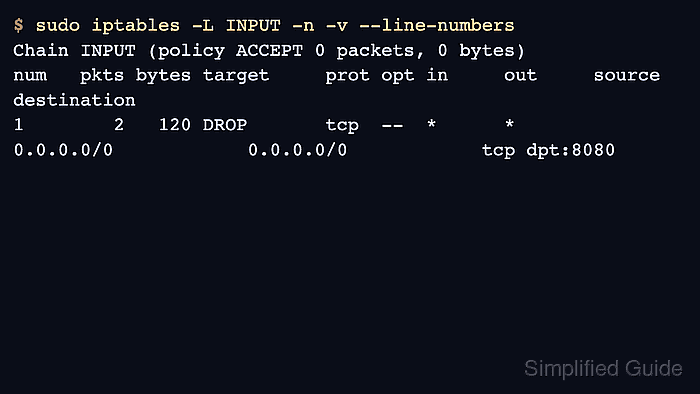
$ sudo iptables -L INPUT -n -v --line-numbers
Chain INPUT (policy ACCEPT 0 packets, 0 bytes)
num   pkts bytes target     prot opt in     out     source               destination
1        2   120 DROP       tcp  --  *      *       0.0.0.0/0            0.0.0.0/0            tcp dpt:8080
The pkts and bytes columns show whether packets have matched a rule. The line number is useful for a focused insert, delete, or replace operation after the matching rule is confirmed.
- Reset counters only when the current values are too noisy, then repeat one failed connection and list the chain again.
$ sudo iptables -Z INPUT

$ curl --connect-timeout 2 http://192.0.2.10:8080/
curl: (28) Connection timed out after 2001 milliseconds

$ sudo iptables -L INPUT -n -v --line-numbers
Chain INPUT (policy ACCEPT 0 packets, 0 bytes)
num   pkts bytes target     prot opt in     out     source               destination
1        2   120 DROP       tcp  --  *      *       0.0.0.0/0            0.0.0.0/0            tcp dpt:8080
Save the counter output first if the values are needed for incident notes or traffic accounting, because iptables -Z clears the selected counters.
- Check the chain policy when no rule counter explains the failure.
$ sudo iptables -L INPUT -n -v
Chain INPUT (policy DROP 4 packets, 240 bytes)
 pkts bytes target     prot opt in     out     source               destination
   18  1080 ACCEPT     tcp  --  *      *       0.0.0.0/0            0.0.0.0/0            tcp dpt:22
A DROP policy blocks packets that reach the end of the built-in chain without matching an earlier ACCEPT rule. In that case, add the required allow rule before relying on the policy counter alone.
- Place the intended allow rule before the blocking rule when the service should be reachable.
$ sudo iptables -I INPUT 1 -p tcp --dport 8080 -j ACCEPT

$ sudo iptables -L INPUT -n -v --line-numbers
Chain INPUT (policy ACCEPT 0 packets, 0 bytes)
num   pkts bytes target     prot opt in     out     source               destination
1        0     0 ACCEPT     tcp  --  *      *       0.0.0.0/0            0.0.0.0/0            tcp dpt:8080
2        2   120 DROP       tcp  --  *      *       0.0.0.0/0            0.0.0.0/0            tcp dpt:8080
Do not add a broad allow rule just to make the timeout disappear. Limit the rule by source, interface, or service owner when the exposed port should only be reachable from a smaller network.
Related: How to allow a port with iptables
Related: How to insert an iptables rule at a specific position
Related: How to delete an iptables rule - Retest the original client request and confirm that the allow rule counter increases.
$ curl --connect-timeout 2 http://192.0.2.10:8080/health
OK

$ sudo iptables -L INPUT -n -v --line-numbers
Chain INPUT (policy ACCEPT 0 packets, 0 bytes)
num   pkts bytes target     prot opt in     out     source               destination
1        1    60 ACCEPT     tcp  --  *      *       0.0.0.0/0            0.0.0.0/0            tcp dpt:8080
2        2   120 DROP       tcp  --  *      *       0.0.0.0/0            0.0.0.0/0            tcp dpt:8080
If counters still do not move, the packet may be hitting another table, a different chain such as FORWARD, an IPv6 path through ip6tables, a frontend such as ufw, or a platform rule owner such as Docker.
- Make the corrected rule durable through the host's existing firewall persistence method after the retest succeeds.
Runtime iptables edits can disappear after reboot or firewall reload. Save the rule only after confirming that the original blocked-packet symptom is gone and the new rule order matches the intended access policy.