How to test an InfluxDB 3 Core processing engine trigger
Testing an InfluxDB 3 Core processing engine trigger checks the Python plugin path and trigger input before live writes or schedules depend on it. A local test catches function signature errors, argument parsing mistakes, and unsafe plugin paths without waiting for the trigger to fire in production.
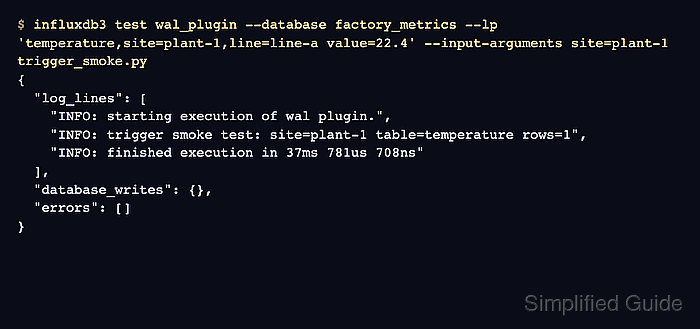
The influxdb3 test wal_plugin command sends sample line protocol to a process_writes() plugin on the running server. The plugin file must be available inside the server's configured plugin directory, and the test output reports log lines, buffered writes, and errors instead of committing the sample write.
Use the WAL test for table: or all_tables trigger specifications. Scheduled triggers use influxdb3 test schedule_plugin with the same database and token, plus a simulated schedule. A clean result has the expected plugin log line and an empty errors array.
Steps to test an InfluxDB 3 Core processing engine trigger:
- Set the InfluxDB 3 Core token for the current terminal.
$ export INFLUXDB3_AUTH_TOKEN='AUTH_TOKEN'
Use a token that can read the target database and run processing engine tests. Do not paste a real token into shared transcripts, screenshots, issue comments, or committed scripts.
- Confirm that the database used by the trigger exists.
$ influxdb3 show databases
+-----------------+
| iox::database   |
+-----------------+
| _internal       |
| factory_metrics |
+-----------------+
Create the database first when the target name is missing.
Related: How to create an InfluxDB 3 Core database - Place the plugin file in the server's configured plugin directory.
- trigger_smoke.py
def process_writes(influxdb3_local, table_batches, args=None):
    site = args.get("site", "unknown") if args else "unknown"
    for table_batch in table_batches:
        message = (
            f"trigger smoke test: site={site} "
            f"table={table_batch['table_name']} rows={len(table_batch['rows'])}"
        )
        influxdb3_local.info(message)


def process_scheduled_call(influxdb3_local, call_time, args=None):
    site = args.get("site", "unknown") if args else "unknown"
    influxdb3_local.info(
        f"scheduled smoke test: site={site} call_time={call_time}"
    )
Use the plugin file that the real trigger will run. This sample keeps both supported test entry points in one file so the WAL and scheduled examples can share the same plugin.
- Run the WAL plugin test with one line protocol point.
$ influxdb3 test wal_plugin \
  --database factory_metrics \
  --lp 'temperature,site=plant-1,line=line-a value=22.4' \
  --input-arguments site=plant-1 \
  trigger_smoke.py
{
  "log_lines": [
    "INFO: starting execution of wal plugin.",
    "INFO: trigger smoke test: site=plant-1 table=temperature rows=1",
    "INFO: finished execution in 37ms 781us 708ns"
  ],
  "database_writes": {},
  "errors": []
}
Pass the plugin filename relative to the configured plugin directory, such as trigger_smoke.py. An absolute path outside that boundary is rejected by the processing engine path check.
- Check the returned JSON for the expected plugin log line and an empty errors array.
database_writes lists lines the plugin would have written during the test. The test response returns those writes for review instead of committing them to the database.
- Use the scheduled plugin test when the trigger specification starts with every: or cron:.
$ influxdb3 test schedule_plugin \
  --database factory_metrics \
  --input-arguments site=plant-1 \
  --schedule '0 0 * * * ?' \
  trigger_smoke.py
{
  "trigger_time": "2026-06-20T05:00:00Z",
  "log_lines": [
    "INFO: starting execution with scheduled time 2026-06-20 05:00:00 UTC",
    "INFO: scheduled smoke test: site=plant-1 call_time=2026-06-20 05:00:00",
    "INFO: finished execution in 15ms 868us 208ns"
  ],
  "database_writes": {},
  "errors": []
}
Use comma-separated key=value pairs for multiple --input-arguments values, such as site=plant-1,line=line-a.
- Fix plugin errors before creating or enabling the trigger.
A test failure should be corrected in the Python file or input data first. Create or enable the trigger only after the matching test command returns the expected log output and errors remains empty.
Related: How to create a processing engine trigger in InfluxDB 3 Core