Creating an InfluxDB 3 Core admin token gives the influxdb3 CLI and HTTP API full administrative access to a Core server. The first admin token bootstraps a new instance, while a named admin token allows an operator to delegate full access without sharing the original operator token.
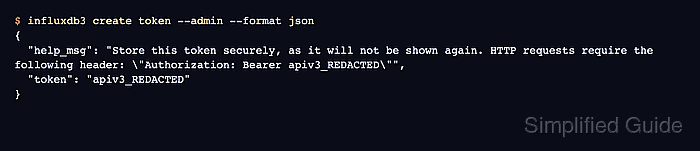
Core stores token metadata and token hashes, not a recoverable plaintext token. The raw token string appears only when it is created, so copy it directly into a secret manager or another protected handoff surface before closing the terminal.
Use the operator token named _admin for bootstrap and emergency administration, then create a named token such as ops-admin for day-to-day automation. A named admin token can have an expiry, can be listed by metadata, and can authenticate the same admin-only checks as the operator token.
Steps to create an InfluxDB 3 Core admin token:
- Set the Core server URL when it is not using the default local listener.
$ export INFLUXDB3_HOST_URL=http://localhost:8181
Skip this when the CLI should use http://127.0.0.1:8181. Use the TLS or proxy URL that clients should use for API requests.
- Create the first operator admin token on a new Core instance.
$ influxdb3 create token --admin --format json
{
  "help_msg": "Store this token securely, as it will not be shown again. HTTP requests require the following header: \"Authorization: Bearer apiv3_REDACTED\"",
  "token": "apiv3_REDACTED"
}
Store the real token value immediately. Core displays the plaintext token only once, and the _admin operator token grants full access to every action on the server.
- Save the operator token for the current terminal session.
$ export INFLUXDB3_AUTH_TOKEN='INFLUXDB_ADMIN_TOKEN'
Replace INFLUXDB_ADMIN_TOKEN with the token returned by the previous step. Keep raw tokens out of shared logs, screenshots, shell history, and committed scripts.
- Confirm Core stored the operator token metadata.
$ influxdb3 query --database _internal --format csv "SELECT name, permissions FROM system.tokens WHERE name = '_admin'"
name,permissions
_admin,*:*:*
The *:*:* permissions value identifies an admin token with access to all resources and actions.
- Create a named admin token for daily operations or automation.
$ influxdb3 create token --admin --name ops-admin --expiry 30d --format json
{
  "help_msg": "Store this token securely, as it will not be shown again. HTTP requests require the following header: \"Authorization: Bearer apiv3_REDACTED\"",
  "token": "apiv3_REDACTED"
}
The currently exported operator token authenticates this request. Change ops-admin and 30d to match the account name and expiry window used by your access process.
- Save the named admin token for the current terminal session.
$ export INFLUXDB3_AUTH_TOKEN='INFLUXDB_OPS_ADMIN_TOKEN'
Replace INFLUXDB_OPS_ADMIN_TOKEN with the named token returned by the previous step. Anyone with this token has full administrative access until the token expires or is revoked.
- Confirm the named token can query admin token metadata.
$ influxdb3 query --database _internal --format csv "SELECT name, permissions FROM system.tokens WHERE permissions = '*:*:*' ORDER BY name"
name,permissions
_admin,*:*:*
ops-admin,*:*:*
- Check API authentication with the named admin token.
$ curl --silent --request GET http://127.0.0.1:8181/health --header "Authorization: Bearer $INFLUXDB3_AUTH_TOKEN"
OK
An OK response proves the bearer token authenticates to the Core HTTP API.
Related: How to check InfluxDB server health

Mohd Shakir Zakaria is a cloud architect with deep roots in software development and open-source advocacy. Certified in AWS, Red Hat, VMware, ITIL, and Linux, he specializes in designing and managing robust cloud and on-premises infrastructures.


