Creating a Processing Engine trigger in InfluxDB 3 Core connects a Python plugin to a database event so the server can run code as data arrives. Use one when incoming measurements need a derived table, enrichment, or alert preparation before dashboards and downstream jobs query the data.
The influxdb3 create trigger command binds a plugin file to a database and a trigger specification. The sample trigger uses table:weather, a WAL trigger that runs after rows for the weather table flush from the write-ahead log. The --path and --upload options let the CLI upload a local plugin file into the server's configured plugin directory when the CLI can reach the server API.
Docker images and DEB/RPM packages enable the Processing Engine by default, while binary or source installs need a configured plugin directory. Use an admin token, validate the plugin against a noncritical database first, and create the trigger disabled when the uploaded file and catalog row should be inspected before live writes execute it.
Steps to create an InfluxDB 3 Core Processing Engine trigger:
- Set the admin token for the CLI session.
$ export INFLUXDB3_AUTH_TOKEN='INFLUXDB_ADMIN_TOKEN'
Use a token that can create databases, upload plugins, and create triggers. Keep raw tokens out of shared logs, screenshots, shell history, and committed scripts.
Related: How to create an InfluxDB 3 Core admin token - Create the local WAL plugin file.
- process_weather.py
def process_writes(influxdb3_local, table_batches, args=None):
    for table_batch in table_batches:
        table_name = table_batch['table_name']
        rows = table_batch['rows']
        influxdb3_local.info(f'processed {len(rows)} row(s) from {table_name}')
        if table_name == 'weather':
            for row in rows:
                room = row.get('room', 'unknown')
                value = row.get('temperature')
                line = LineBuilder('weather_processed')
                line.tag('room', str(room))
                line.string_field('source_table', table_name)
                line.float64_field('value', float(value))
                influxdb3_local.write(line)
process_writes receives write batches from a WAL trigger. LineBuilder is available inside the Processing Engine runtime and creates the derived line protocol row.
- Create the target database for the trigger test.
$ influxdb3 create database sensors
Database "sensors" created successfully
Use an existing database in production. The sample database keeps the plugin and trigger proof separate from live measurements.
Related: How to create an InfluxDB 3 Core database - Upload the plugin and create the trigger in a disabled state.
$ influxdb3 create trigger --database sensors --path ./process_weather.py --upload --trigger-spec table:weather --disabled weather_processor
Trigger weather_processor created successfully
--upload copies the local plugin file to the server plugin directory. --disabled saves the trigger without running it until the enable step.
- Confirm that the server loaded the plugin file.
$ influxdb3 show plugins --format csv
plugin_name,file_name,file_path,size_bytes,last_modified
weather_processor,process_weather.py,/var/lib/influxdb3/plugins/process_weather.py,689,1781929295214
- Inspect the saved trigger row before enabling it.
$ influxdb3 query --database sensors --format csv "SELECT trigger_name, trigger_specification, disabled FROM system.processing_engine_triggers WHERE trigger_name = 'weather_processor'"
trigger_name,trigger_specification,disabled
weather_processor,"{""single_table_wal_write"":{""table_name"":""weather""}}",true
The disabled value should be true because the trigger was created with --disabled.
- Enable the trigger.
$ influxdb3 enable trigger --database sensors weather_processor
Trigger weather_processor enabled successfully
- Confirm that the trigger is enabled.
$ influxdb3 query --database sensors --format csv "SELECT trigger_name, disabled FROM system.processing_engine_triggers WHERE trigger_name = 'weather_processor'"
trigger_name,disabled
weather_processor,false
- Write one point to the watched table.
$ influxdb3 write --database sensors 'weather,room=lab temperature=21.8'
927ms: 1 request (1.08 requests/sec), 1 lines (1 lines/s), 33B (35B/s)
The table:weather trigger runs when InfluxDB flushes written weather rows from the WAL. Wait a few seconds before querying the derived table if the row is not visible immediately.
Related: How to write line protocol with the influxdb3 CLI - Query the derived table written by the plugin.
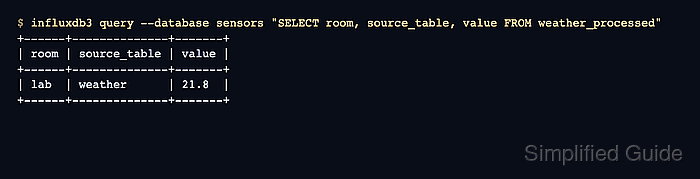
$ influxdb3 query --database sensors "SELECT room, source_table, value FROM weather_processed"
+------+--------------+-------+
| room | source_table | value |
+------+--------------+-------+
| lab  | weather      | 21.8  |
+------+--------------+-------+
A returned weather_processed row proves that the trigger executed the uploaded plugin after the write reached the weather table.
Related: How to run an SQL query in InfluxDB 3 Core

Mohd Shakir Zakaria is a cloud architect with deep roots in software development and open-source advocacy. Certified in AWS, Red Hat, VMware, ITIL, and Linux, he specializes in designing and managing robust cloud and on-premises infrastructures.


