How to update anchor peers in a Hyperledger Fabric channel
Updating Hyperledger Fabric anchor peers changes the gossip endpoint an organization publishes in a channel configuration. The change is useful after moving a peer, adding a new peer host, or replacing an endpoint that other organizations use to discover channel membership.
The current supported path is a channel configuration update built with configtxlator and submitted with peer channel update. The older configtxgen -outputAnchorPeersUpdate transaction output is deprecated, so start from the latest channel config block instead of a static configtx.yaml profile.
Only the organization that owns the AnchorPeers value normally signs an anchor-peer change under the default Fabric policies. A customized channel policy can require extra signatures, and the final check should fetch the new config block and read the AnchorPeers value from the committed channel state.
Steps to update Hyperledger Fabric channel anchor peers:
- Set the channel, orderer, peer, and anchor-peer variables for the organization admin.
$ export CHANNEL_NAME=channel1
$ export ORDERER_ADDRESS=orderer.example.com:7050
$ export ORDERER_CA=$PWD/organizations/ordererOrganizations/example.com/orderers/orderer.example.com/msp/tlscacerts/tlsca.example.com-cert.pem
$ export CORE_PEER_LOCALMSPID=Org1MSP
$ export CORE_PEER_MSPCONFIGPATH=$PWD/organizations/peerOrganizations/org1.example.com/users/Admin@org1.example.com/msp
$ export CORE_PEER_TLS_ROOTCERT_FILE=$PWD/organizations/peerOrganizations/org1.example.com/peers/peer0.org1.example.com/tls/ca.crt
$ export CORE_PEER_ADDRESS=peer0.org1.example.com:7051
$ export ANCHOR_PEER_HOST=peer0.org1.example.com
$ export ANCHOR_PEER_PORT=7051
Use the admin MSP for the organization whose anchor peers are being changed. For test-network-style access through localhost, add --ordererTLSHostnameOverride with the orderer certificate host name to the peer channel commands that contact the orderer.
- Create a working directory for the channel update artifacts.
$ mkdir -p channel-artifacts
- Fetch the latest config block for the channel.
$ peer channel fetch config channel-artifacts/config_block.pb \
  -o "$ORDERER_ADDRESS" \
  -c "$CHANNEL_NAME" \
  --tls \
  --cafile "$ORDERER_CA"
2026-06-21 05:42:10.100 UTC [channelCmd] InitCmdFactory -> INFO 001 Endorser and orderer connections initialized
2026-06-21 05:42:10.213 UTC [cli.common] readBlock -> INFO 002 Received block: 4
- Decode the config block into JSON.
$ configtxlator proto_decode \
  --input channel-artifacts/config_block.pb \
  --type common.Block \
  --output channel-artifacts/config_block.json
- Extract the channel config from the decoded block.
$ jq '.data.data[0].payload.data.config' \
  channel-artifacts/config_block.json > channel-artifacts/config.json
- Write the new anchor peer list into the organization's channel config.
$ jq --arg msp "$CORE_PEER_LOCALMSPID" \
  --arg host "$ANCHOR_PEER_HOST" \
  --argjson port "$ANCHOR_PEER_PORT" \
  '.channel_group.groups.Application.groups[$msp].values.AnchorPeers =
    ((.channel_group.groups.Application.groups[$msp].values.AnchorPeers
      // {"mod_policy":"Admins","version":"0","value":{}})
     | .value.anchor_peers = [{"host":$host,"port":$port}])' \
  channel-artifacts/config.json > channel-artifacts/modified_anchor_config.json
Fabric stores anchor_peers as the organization's full anchor peer list for the channel. Add every anchor peer that should remain before encoding the update.
- Review the modified anchor peer value.
$ jq '.channel_group.groups.Application.groups.Org1MSP.values.AnchorPeers.value.anchor_peers' \
  channel-artifacts/modified_anchor_config.json
[
  {
    "host": "peer0.org1.example.com",
    "port": 7051
  }
]
Replace Org1MSP with the MSP ID being changed when reviewing a different organization.
- Encode the original channel config as protobuf.
$ configtxlator proto_encode \
  --input channel-artifacts/config.json \
  --type common.Config \
  --output channel-artifacts/config.pb
- Encode the modified channel config as protobuf.
$ configtxlator proto_encode \
  --input channel-artifacts/modified_anchor_config.json \
  --type common.Config \
  --output channel-artifacts/modified_anchor_config.pb
- Compute the channel update delta.
$ configtxlator compute_update \
  --channel_id "$CHANNEL_NAME" \
  --original channel-artifacts/config.pb \
  --updated channel-artifacts/modified_anchor_config.pb \
  --output channel-artifacts/anchor_update.pb
- Decode the update delta into JSON.
$ configtxlator proto_decode \
  --input channel-artifacts/anchor_update.pb \
  --type common.ConfigUpdate \
  --output channel-artifacts/anchor_update.json
- Wrap the update delta in a channel envelope.
$ jq -n \
  --arg channel "$CHANNEL_NAME" \
  --slurpfile update channel-artifacts/anchor_update.json \
  '{payload:{header:{channel_header:{channel_id:$channel,type:2}},data:{config_update:$update[0]}}}' \
  > channel-artifacts/anchor_update_in_envelope.json
- Encode the channel update envelope as protobuf.
$ configtxlator proto_encode \
  --input channel-artifacts/anchor_update_in_envelope.json \
  --type common.Envelope \
  --output channel-artifacts/anchor_update_in_envelope.pb
- Submit the signed channel update to the orderer.
$ peer channel update \
  -f channel-artifacts/anchor_update_in_envelope.pb \
  -c "$CHANNEL_NAME" \
  -o "$ORDERER_ADDRESS" \
  --tls \
  --cafile "$ORDERER_CA"
2026-06-21 05:48:11.321 UTC [channelCmd] update -> INFO 001 Successfully submitted channel update
peer channel update signs the envelope with the active admin identity before submitting it. If the channel policy requires additional approvals, have the required admins run peer channel signconfigtx -f channel-artifacts/anchor_update_in_envelope.pb before the final submit.
- Fetch the committed config block after the update.
$ peer channel fetch config channel-artifacts/updated_config_block.pb \
  -o "$ORDERER_ADDRESS" \
  -c "$CHANNEL_NAME" \
  --tls \
  --cafile "$ORDERER_CA"
2026-06-21 05:49:02.435 UTC [channelCmd] InitCmdFactory -> INFO 001 Endorser and orderer connections initialized
2026-06-21 05:49:02.570 UTC [cli.common] readBlock -> INFO 002 Received block: 5
- Decode the committed config block.
$ configtxlator proto_decode \
  --input channel-artifacts/updated_config_block.pb \
  --type common.Block \
  --output channel-artifacts/updated_config_block.json
- Extract the committed channel config.
$ jq '.data.data[0].payload.data.config' \
  channel-artifacts/updated_config_block.json > channel-artifacts/updated_config.json
- Extract the committed organization values.
$ jq '.channel_group.groups.Application.groups.Org1MSP.values' \
  channel-artifacts/updated_config.json > channel-artifacts/updated_org_values.json
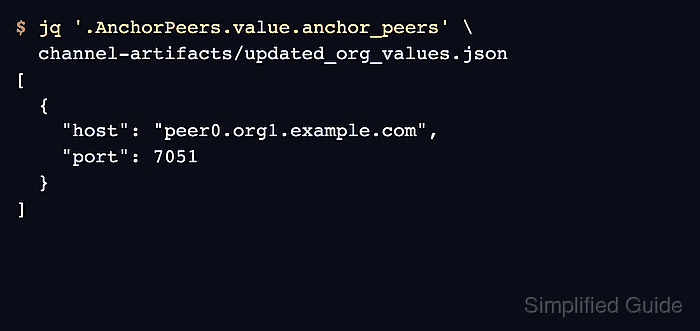
- Verify the committed anchor peer list for the organization.
$ jq '.AnchorPeers.value.anchor_peers' \
  channel-artifacts/updated_org_values.json
[
  {
    "host": "peer0.org1.example.com",
    "port": 7051
  }
]