How to convert DOCX files to Haystack documents
Word documents are common source files for support portals, policy libraries, and internal handbooks, but a Haystack indexing path works with Document objects rather than Word archive contents. DOCXToDocument handles that boundary by extracting text from .docx files and preserving metadata for later filtering or traceability.
The converter uses python-docx, so the optional dependency must be installed in the same Python environment as haystack-ai. A small smoke file is enough to confirm that headings, paragraph text, and source labels appear before the output is passed to a cleaner, splitter, writer, or retrieval pipeline.
A local file path with store_full_path=False keeps metadata free of host-specific absolute paths, and the converter's meta input adds collection labels beside the source filename. Review table_format and link_format only when the Word files rely on tables or hyperlinks, because the default paragraph extraction is usually the first behavior to prove.
Related: How to install Haystack with pip
Related: How to convert multiple file types in Haystack
Related: How to clean documents in Haystack
Steps to convert DOCX files to Haystack documents:
- Install the DOCX extraction dependency in the active Haystack Python environment.
$ python -m pip install python-docx
Collecting python-docx
##### snipped #####
Successfully installed lxml-6.1.1 python-docx-1.2.0
DOCXToDocument imports python-docx when the converter is created. Install it in the virtual environment or container that runs the Haystack pipeline.
- Create a sample Word document script for the smoke test.
- make_sample_docx.py
from pathlib import Path

from docx import Document


source = Path("support-policy.docx")

document = Document()
document.add_heading("Support policy handbook", level=1)
document.add_paragraph("Billing tickets stay in the support queue.")
document.add_paragraph("Escalations keep owner and source metadata.")
document.save(source)
Replace this fixture with a real .docx file when testing project content. Keep one representative heading and several paragraphs in the first check so extraction issues are visible.
- Generate the sample .docx file.
$ python make_sample_docx.py
- Create the DOCXToDocument converter script.
- convert_docx.py
from pathlib import Path
from textwrap import wrap

from haystack.components.converters import DOCXToDocument


source = Path("support-policy.docx")
converter = DOCXToDocument(store_full_path=False)
result = converter.run(
    sources=[source],
    meta={
        "collection": "support-handbook",
        "source_format": "docx",
    },
)

documents = result["documents"]
document = documents[0]

print(f"documents: {len(documents)}")
print("content:")
for line in wrap(document.content, width=54):
    print(line)
print("source:", document.meta["file_path"])
print("collection:", document.meta["collection"])
print("format:", document.meta["source_format"])
store_full_path=False keeps file_path as the filename instead of storing a local absolute path. The meta dictionary is added to every Document produced from the supplied source.
- Run the converter script.
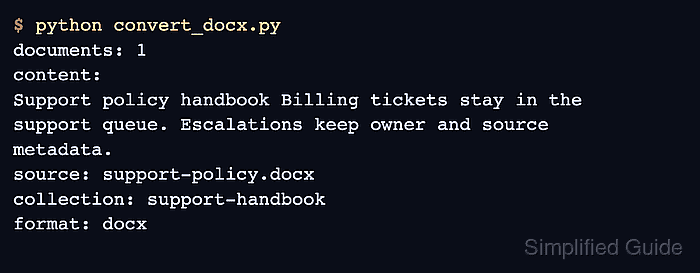
$ python convert_docx.py
documents: 1
content:
Support policy handbook Billing tickets stay in the
support queue. Escalations keep owner and source
metadata.
source: support-policy.docx
collection: support-handbook
format: docx
The output should show one Document, readable Word text, the source filename, and the metadata labels that downstream components can use.
- Remove the temporary smoke-test files after the converter behavior is confirmed.
$ rm convert_docx.py make_sample_docx.py support-policy.docx