How to reload HAProxy gracefully
Reloading HAProxy after a configuration change should replace the worker with the updated file while the listener keeps answering clients. The two common failure points are applying a file that no longer parses and treating a successful reload command as proof that client traffic still reaches the right backend.
Current Ubuntu and Debian packages run haproxy.service in master-worker mode with systemd notification support. The packaged reload path validates the configured file and sends SIGUSR2 to the main process, which makes the master parse the configuration and fork a new worker while the previous worker finishes existing work.
After the intended configuration file has already been changed, confirm the current listener, validate the same file loaded by the service, reload through systemctl, check service state, and send a real request through the frontend. The commands use /etc/haproxy/haproxy.cfg and the haproxy unit name; inspect systemctl cat haproxy first if the host uses source builds, container wrappers, or service overrides.
Steps to reload HAProxy gracefully:
- Open a terminal on the HAProxy host with an account that can use sudo. Confirm the service is running before applying the change.
$ systemctl is-active haproxy
active
If HAProxy is already inactive, do not treat reload as a recovery action. Inspect status and logs first because a reload only applies a new configuration to a running service.
- Send one request through the HAProxy listener before the reload so there is a baseline.
$ curl -sS -i http://127.0.0.1:8080/
HTTP/1.1 200 OK
x-reload-stage: before
content-length: 12

backend-app
Use the real service URL or a test hostname that reaches HAProxy, not a direct backend URL. The response should show a status code, header, body text, or another signal that proves the request passed through the listener affected by the change.
- Confirm which file the service loads when the host has overrides or a nonstandard install.
$ systemctl cat haproxy
# /usr/lib/systemd/system/haproxy.service
[Unit]
Description=HAProxy Load Balancer
##### snipped
[Service]
EnvironmentFile=-/etc/default/haproxy
Environment="CONFIG=/etc/haproxy/haproxy.cfg" "PIDFILE=/run/haproxy.pid" "EXTRAOPTS=-S /run/haproxy-master.sock"
ExecStart=/usr/sbin/haproxy -Ws -f $CONFIG -p $PIDFILE $EXTRAOPTS
ExecReload=/usr/sbin/haproxy -Ws -f $CONFIG -c $EXTRAOPTS
ExecReload=/bin/kill -USR2 $MAINPID
##### snipped
The important values are CONFIG and the reload action. If an override changes CONFIG or starts HAProxy with a different wrapper, validate and reload through that same service definition.
- Validate the complete configuration file before reloading the service.
$ sudo haproxy -c -V -f /etc/haproxy/haproxy.cfg
Configuration file is valid
-c checks the file and exits without replacing the running worker. -V prints the success line; automation should still use the command exit status.
- Stop if validation reports an alert. Fix the first reported file and line before reloading.
$ sudo haproxy -c -V -f /etc/haproxy/haproxy.cfg
[ALERT]    (2914) : config : parsing [/etc/haproxy/haproxy.cfg:18] : unknown keyword 'default_backned' in 'frontend' section; did you mean 'default_backend' maybe ?
[ALERT]    (2914) : config : Fatal errors found in configuration.
Do not run systemctl reload haproxy after a failed parse. The running process may continue on the old configuration, but the intended change was not applied.
- Reload HAProxy through systemd after validation passes.
$ sudo systemctl reload haproxy
Successful systemctl reload is usually silent. On the current packaged service, reload validates the configured file again and then signals the HAProxy master process. Use restart only when a reload is not supported or a hard service replacement is intentionally scheduled.
- Confirm the service is still active after the reload.
$ systemctl is-active haproxy
active
If the service is not active, inspect it before retrying. Repeated reloads can hide the first error that explains why the service changed state.
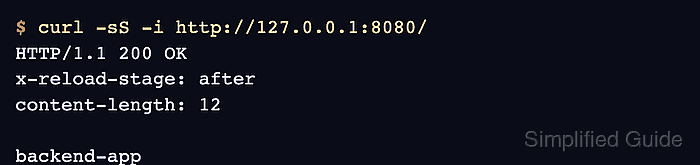
- Send the same frontend request again and confirm the expected post-reload signal appears.
$ curl -sS -i http://127.0.0.1:8080/
HTTP/1.1 200 OK
x-reload-stage: after
content-length: 12

backend-app
For a header, route, certificate, map, or backend-pool change, choose a request that exercises that exact change. A generic 200 OK from another frontend does not prove that the edited listener loaded the new configuration.
- Check the recent service log if the reload command failed or the post-reload request still shows the old behavior.
$ sudo journalctl -u haproxy --since "5 minutes ago" --no-pager
Jun 06 09:15:20 lb1 systemd[1]: Reloading haproxy.service - HAProxy Load Balancer...
Jun 06 09:15:20 lb1 haproxy[3184]: [NOTICE] New worker (3208) forked
Jun 06 09:15:20 lb1 systemd[1]: Reloaded haproxy.service - HAProxy Load Balancer.
For long-lived TCP sessions, WebSockets, or streaming clients, old workers can remain until existing work finishes. New requests should use the new worker, but runtime-only changes such as socket edits can be lost unless they are also saved in the configuration or server-state workflow.