An HAProxy runtime socket gives operators a local control channel for live state checks and supported runtime actions such as inspecting process information, checking CLI socket access, draining backend servers, and updating in-memory maps. Without that socket, the proxy can still serve traffic, but maintenance commands and automation that talk to the Runtime API have no local endpoint to reach.
The socket is enabled with a stats socket directive in the global section of the HAProxy configuration. A Unix socket under /run/haproxy keeps access local to the load balancer host, while mode, user, group, and level decide which local accounts can connect and what runtime commands they can issue.
Current Ubuntu packages often already ship a runtime socket line in /etc/haproxy/haproxy.cfg. Treat an existing line as the starting point, not something to duplicate, and tighten the owner, group, mode, or access level only when the operators and maintenance scripts that need the socket are clear. Runtime API changes made through the socket are in running memory; they do not rewrite /etc/haproxy/haproxy.cfg and can be lost on reload unless the configuration or a state-preservation workflow records them.
Steps to enable the HAProxy runtime socket:
- Open the HAProxy configuration file that the service loads. Ubuntu and Debian packages normally use /etc/haproxy/haproxy.cfg.
$ sudo vi /etc/haproxy/haproxy.cfg
If the host uses a service override, custom wrapper, or source-built HAProxy, inspect the service command first and edit the same file passed to haproxy -f. Related: How to reload HAProxy gracefully
- Add or update one stats socket line in the global section.
- /etc/haproxy/haproxy.cfg
global
    log /dev/log local0
    log /dev/log local1 notice
    chroot /var/lib/haproxy
    stats socket /run/haproxy/admin.sock user haproxy group haproxy mode 660 level admin
    stats timeout 30s
    user haproxy
    group haproxy
Use one runtime socket line unless different local users need different access levels. level user allows non-sensitive read commands, level operator allows broader read and limited non-sensitive changes, and level admin permits the full runtime command set.
Do not expose an admin runtime socket on a public TCP address. If a TCP socket is required for a local automation boundary, bind it to loopback, protect it with host firewall rules, and prefer the lowest level that supports the needed commands.
- Confirm that the runtime directory is managed on a package-based Ubuntu host.
$ cat /usr/lib/tmpfiles.d/haproxy.conf
d /run/haproxy 2775 haproxy haproxy -
The Ubuntu 26.04 package provides this tmpfiles rule, so /run/haproxy is recreated after boot on normal systemd hosts. For a manually started HAProxy process in a container or custom service, create the parent directory before starting HAProxy because HAProxy cannot bind a Unix socket inside a missing directory.
- Validate the full configuration file before touching the running service.
$ sudo haproxy -c -V -f /etc/haproxy/haproxy.cfg
Configuration file is valid
-c checks the file and exits before replacing the running process. -V prints the visible success message; scripts should still rely on the command exit status. Related: How to validate an HAProxy configuration file
- Reload HAProxy after validation succeeds.
$ sudo systemctl reload haproxy
Do not reload after a failed parse. Fix the reported file and line, then run the same haproxy -c -V -f command again.
Related: How to reload HAProxy gracefully
- Confirm that the socket file exists with the intended local permissions.
$ ls -l /run/haproxy/admin.sock
srw-rw---- 1 haproxy haproxy 0 Jun  6 01:24 /run/haproxy/admin.sock
The leading s marks a Unix socket. The 660 mode means only the owner and group can read and write the socket, which matches the user haproxy group haproxy mode 660 settings on the stats socket line.
- Install socat if the host does not already have a socket client, then confirm the package is present.
$ sudo apt install socat
Reading package lists... Done
##### snipped #####
Setting up socat (1.8.1.1-1) ...

$ dpkg-query -W socat
socat	1.8.1.1-1
socat sends the plain Runtime API command text to the Unix socket and prints the response in the terminal.
- Query HAProxy for the configured CLI sockets.
$ echo "show cli sockets" | sudo socat - UNIX-CONNECT:/run/haproxy/admin.sock
# socket lvl processes
unix@/run/haproxy/admin.sock admin all
The output confirms that the running process has a Unix Runtime API socket at /run/haproxy/admin.sock and that the connection uses the admin command level.
- Confirm the CLI access level for the current connection.
$ echo "show cli level" | sudo socat - UNIX-CONNECT:/run/haproxy/admin.sock
admin
Anyone who can connect to an admin socket can issue state-changing runtime commands. Add only trusted operators or automation accounts to the socket group, and use a lower access level for read-only monitoring where possible.
- Run a read-only runtime command to prove the socket answers HAProxy commands.
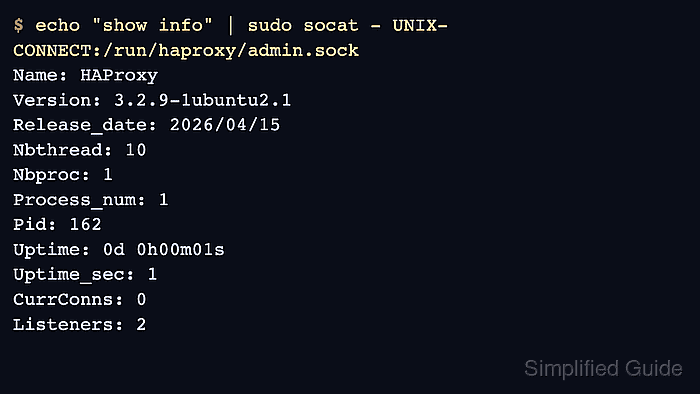
$ echo "show info" | sudo socat - UNIX-CONNECT:/run/haproxy/admin.sock
Name: HAProxy
Version: 3.2.9-1ubuntu2.1
Release_date: 2026/04/15
Nbthread: 10
Nbproc: 1
Process_num: 1
Pid: 162
Uptime: 0d 0h00m01s
Uptime_sec: 1
Memmax_MB: 0
PoolAlloc_MB: 0
PoolUsed_MB: 0
##### snipped #####
CurrStreams: 1
CumStreams: 3
BlockedTrafficWarnings: 0
Version, process ID, uptime, and stream fields prove the command reached the running HAProxy process, not only that the socket file exists.
- Use the socket as the prerequisite for later maintenance workflows, not as a substitute for saved configuration.
Runtime actions such as draining a backend server affect the running process. Save persistent intent in the HAProxy configuration, a server-state workflow, or deployment automation before expecting the same state to survive a reload or restart. Related: How to drain an HAProxy backend server for maintenance

Mohd Shakir Zakaria is a cloud architect with deep roots in software development and open-source advocacy. Certified in AWS, Red Hat, VMware, ITIL, and Linux, he specializes in designing and managing robust cloud and on-premises infrastructures.


