Installing HAProxy from Ubuntu repositories prepares a load-balancer host with the distribution-maintained binary, configuration file, service unit, log integration, and documentation paths in place. The package-managed path is the starting point when the host should receive Ubuntu security updates and later HAProxy changes should live under /etc/haproxy instead of a locally compiled tree.
The haproxy package installs /usr/sbin/haproxy, /etc/haproxy/haproxy.cfg, packaged error pages, rsyslog and logrotate snippets, and haproxy.service for systemd hosts. The packaged configuration can be parsed immediately with haproxy -c -V -f /etc/haproxy/haproxy.cfg, while the service manager prepares runtime paths such as /run/haproxy before the daemon starts.
A complete install check confirms the package version, verifies that the packaged configuration parses, and checks haproxy.service on an Ubuntu server where systemd is PID 1. Disposable containers can prove the package files and parser behavior, but they normally cannot prove service state because package start may be blocked by policy-rc.d and systemd is not managing the container.
Steps to install the HAProxy package on Ubuntu:
- Open a terminal on the Ubuntu host with sudo privileges.
- Refresh the package index.
$ sudo apt update
Get:1 http://security.ubuntu.com/ubuntu resolute-security InRelease [137 kB]
Get:2 http://archive.ubuntu.com/ubuntu resolute InRelease [136 kB]
##### snipped #####
Reading package lists... Done
Ubuntu's package index controls which HAProxy build apt can install from the enabled Ubuntu repositories.
- Install the Ubuntu haproxy package.
$ sudo apt install --assume-yes haproxy
Installing:
  haproxy

Installing dependencies:
  adduser  libjemalloc2  liblua5.4-0
##### snipped #####
Setting up haproxy (3.2.9-1ubuntu2.1) ...
The package version in the output can differ by Ubuntu release and enabled update pocket. The verified Ubuntu 26.04 package installed 3.2.9-1ubuntu2.1 from the Ubuntu repositories.
HAProxy Technologies also publishes separate performance packages such as haproxy-awslc from its own repository. Use that package source only when the host is meant to leave the stock Ubuntu haproxy package path.
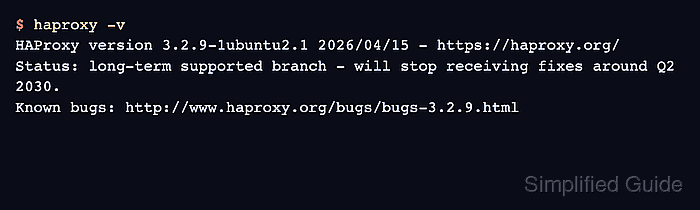
- Confirm that the installed binary reports its version.
$ haproxy -v
HAProxy version 3.2.9-1ubuntu2.1 2026/04/15 - https://haproxy.org/
Status: long-term supported branch - will stop receiving fixes around Q2 2030.
Known bugs: http://www.haproxy.org/bugs/bugs-3.2.9.html
##### snipped #####
The -v option proves that the command in the shell path is HAProxy and shows the exact packaged build that later configuration checks will use.
- Confirm the package record in dpkg.
$ dpkg-query -W haproxy
haproxy	3.2.9-1ubuntu2.1
dpkg records the installed package and version even when the service has not been started yet.
- Check the package-owned HAProxy paths.
$ dpkg -L haproxy
/.
/etc
/etc/default/haproxy
/etc/haproxy
/etc/haproxy/errors
/etc/haproxy/haproxy.cfg
##### snipped #####
/usr/lib/systemd/system/haproxy.service
/usr/sbin/haproxy
/usr/share/doc/haproxy/configuration.txt.gz
##### snipped #####
/var/lib/haproxy
/var/lib/haproxy/dev
The important install paths are /etc/haproxy/haproxy.cfg for the packaged configuration, /usr/sbin/haproxy for the daemon, and haproxy.service for systemd management.
- Validate the packaged configuration before making the first change.
$ sudo haproxy -c -V -f /etc/haproxy/haproxy.cfg
Configuration file is valid
-c checks the configuration and exits instead of starting a proxy process. -V prints the visible success message; automation should still use the command exit status.
- Start and enable HAProxy on a normal Ubuntu systemd host.
$ sudo systemctl enable --now haproxy
The package may already have attempted to start the service during installation. Running enable --now makes the boot state and current service state explicit.
- Confirm that the service is active.
$ systemctl is-active haproxy
active
If the service is not active, run sudo haproxy -c -V -f /etc/haproxy/haproxy.cfg and inspect sudo journalctl -u haproxy before editing unrelated settings.
In a minimal Docker or CI container, apt install may report policy-rc.d denied execution of start and systemctl may fail because systemd is not PID 1. Treat haproxy -v, dpkg-query -W, dpkg -L, and haproxy -c as package proof there, then verify systemctl is-active haproxy on the real Ubuntu server.
Related: How to reload HAProxy gracefully

Mohd Shakir Zakaria is a cloud architect with deep roots in software development and open-source advocacy. Certified in AWS, Red Hat, VMware, ITIL, and Linux, he specializes in designing and managing robust cloud and on-premises infrastructures.


