How to create a GlusterFS volume
Creating a GlusterFS volume is the handoff point where prepared brick directories become a named storage service that clients can mount. The volume layout must be chosen before data is written, because replica, arbiter, disperse, and brick-order decisions control where copies or parity live across the trusted storage pool.
The gluster volume create command stores the volume definition through glusterd from any node in the trusted pool. A three-way replicated volume named volume1 uses one brick on each of three storage nodes, then starts so brick processes come online.
Use empty brick directories on dedicated storage filesystems, not the operating system root filesystem. Name resolution and firewall rules must already allow the storage nodes to reach each other for glusterd management traffic and brick I/O; a volume that starts cleanly can still be unusable from clients when those paths are blocked.
Steps to create a GlusterFS volume:
- Check that the trusted storage pool peers are connected.
$ sudo gluster peer status
Number of Peers: 2

Hostname: node2
Uuid: 5a195c48-5334-4aac-83b2-ee71c3e9a6c1
State: Peer in Cluster (Connected)

Hostname: node3
Uuid: 95aa731f-367d-4fb7-8cf6-1f1a1caa1230
State: Peer in Cluster (Connected)
- Create the brick directory on each storage node.
$ sudo mkdir -p /srv/gluster/volume1/brick
Use an empty directory on a dedicated brick filesystem. GlusterFS can reject bricks on the system root filesystem, and forcing that layout can fill the operating system volume.
- Create the three-way replicated volume from a trusted-pool node.
$ sudo gluster volume create volume1 replica 3 transport tcp node1:/srv/gluster/volume1/brick node2:/srv/gluster/volume1/brick node3:/srv/gluster/volume1/brick
volume create: volume1: success: please start the volume to access data
List one brick from each failure domain in the replica set. A two-way replica can prompt for split-brain confirmation on current packages; use an arbiter or three-way replica when the volume must tolerate a partition without ambiguous writes.
- Start the new volume.
$ sudo gluster volume start volume1
volume start: volume1: success
- Verify that the volume shows Started.
$ sudo gluster volume info volume1

Volume Name: volume1
Type: Replicate
Volume ID: 35bc20d4-06d7-4946-860d-79050b719097
Status: Started
Snapshot Count: 0
Number of Bricks: 1 x 3 = 3
Transport-type: tcp
Bricks:
Brick1: node1:/srv/gluster/volume1/brick
Brick2: node2:/srv/gluster/volume1/brick
Brick3: node3:/srv/gluster/volume1/brick
Options Reconfigured:
cluster.granular-entry-heal: on
storage.fips-mode-rchecksum: on
transport.address-family: inet
nfs.disable: on
performance.client-io-threads: off
Some releases show fewer or more default options in this output. Confirm Status, Number of Bricks, Transport-type, and the brick list.
- Check that the brick processes are online.
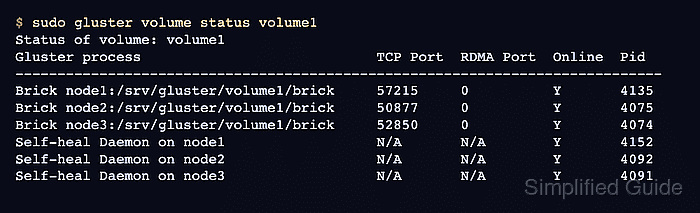
$ sudo gluster volume status volume1
Status of volume: volume1
Gluster process                            TCP Port  RDMA Port  Online  Pid
-----------------------------------------------------------------------------
Brick node1:/srv/gluster/volume1/brick     57215     0          Y       4135
Brick node2:/srv/gluster/volume1/brick     50877     0          Y       4075
Brick node3:/srv/gluster/volume1/brick     52850     0          Y       4074
Self-heal Daemon on node1                  N/A       N/A        Y       4152
Self-heal Daemon on node2                  N/A       N/A        Y       4092
Self-heal Daemon on node3                  N/A       N/A        Y       4091

Task Status of Volume volume1
-----------------------------------------------------------------------------
There are no active volume tasks
Related: How to check GlusterFS volume status
- Create a temporary mount point on a Linux client.
$ sudo mkdir -p /mnt/volume1
- Mount the new volume from the client.
$ sudo mount -t glusterfs node1:/volume1 /mnt/volume1
Install the distro's GlusterFS client package first when the client does not recognize the glusterfs filesystem type.
Related: How to mount a GlusterFS volume in Linux - Write a smoke-test file through the mounted volume.
$ sudo touch /mnt/volume1/volume-create-test.txt
- Verify that the smoke-test file is visible on the mounted volume.
$ ls -l /mnt/volume1/volume-create-test.txt
-rw-r--r-- 1 root root 0 Jun 16 10:30 /mnt/volume1/volume-create-test.txt
- Remove the smoke-test file.
$ sudo rm /mnt/volume1/volume-create-test.txt
- Unmount the temporary client mount.
$ sudo umount /mnt/volume1
- Remove the temporary mount point.
$ sudo rmdir /mnt/volume1