How to recover a lost Git commit with reflog
A Git commit can disappear from normal branch history after an accidental reset, a bad rebase, a deleted branch, or work committed while HEAD was detached. The commit object may still exist locally even when git log no longer shows it, and recovery starts by finding its hash before Git expires the reference log entry.
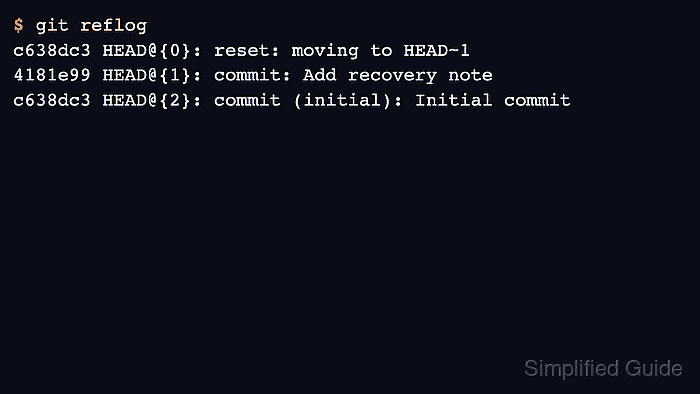
Git records recent movements of branch tips and HEAD in reflogs, including commits, resets, branch switches, rebases, and other ref updates. A reflog entry such as HEAD@{1} points to where HEAD was before a recent move, and the commit hash on that line can be inspected or used as a branch starting point.
Reflog recovery is local to the repository and time-limited; it does not recover files that were never committed, commits from a different clone, or objects removed after reflog expiry and garbage collection. Creating a new branch at the found hash names the commit again without moving the current branch.
Related: How to view Git commit history
Related: How to create and switch to a Git branch
Related: How to cherry-pick a Git commit
Related: How to stash uncommitted changes in Git
Steps to recover a lost Git commit with reflog:
- Open a terminal and change into the repository where the commit was created.
$ cd /home/user/project
- Check whether the working tree has uncommitted changes before making any recovery moves.
$ git status --short
No output from git status --short means there are no tracked or untracked changes in the working tree. If files are listed, stash or commit them before using commands that move branches.
- Show recent movements recorded for HEAD and find the commit line that matches the lost work.
$ git reflog
c638dc3 HEAD@{0}: reset: moving to HEAD~1
4181e99 HEAD@{1}: commit: Add recovery note
c638dc3 HEAD@{2}: commit (initial): Initial commit
Do not run git gc, git reflog expire, or commands that move branch tips while searching. Save the candidate hash first.
- Inspect the candidate commit before restoring it.
$ git show --stat 4181e99
commit 4181e9970d44c280ecd7cb10ef3e5db050c17adf
Author: Example User <user@example.net>
Date:   Fri Jun 5 20:22:45 2026 +0000

    Add recovery note

 notes.txt | 1 +
 1 file changed, 1 insertion(+)
Use the hash from the reflog line that describes the lost commit or the state immediately before the reset, rebase, or branch deletion.
- Create a new branch at the recovered commit hash.
$ git branch recovered-reflog 4181e99
git branch does not print output when the branch is created successfully.
- Switch to the recovered branch.
$ git switch recovered-reflog
Switched to branch 'recovered-reflog'
- Confirm that the recovered commit is visible at the tip of the branch.
$ git log --oneline -2
4181e99 Add recovery note
c638dc3 Initial commit
The commit is now protected by the recovered-reflog branch name. Merge, cherry-pick, or push it only after reviewing that the recovered branch contains the intended work.