How to ingest logs from Filebeat through Logstash into Elasticsearch
Sending Filebeat logs through Logstash gives log shippers a central processing hop before events reach Elasticsearch. It fits Elastic Stack deployments where many hosts should send file-based events to one pipeline that can enrich, route, and index the data consistently.
The handoff uses output.logstash in /etc/filebeat/filebeat.yml, a beats input on the Logstash host, and an elasticsearch output in the Logstash pipeline. Filebeat adds @metadata values such as beat and version, so Logstash can write daily indices like filebeat-9.4.2-2026.06.18 without hard-coding a Filebeat release.
When Filebeat sends through Logstash, Filebeat cannot automatically load Elasticsearch templates or module ingest pipelines through that output. Load index-management assets directly into Elasticsearch when Filebeat field mappings or dashboards matter, keep the Logstash output credential in the Logstash keystore, and use TLS settings on both network hops when shippers or clusters cross untrusted networks.
Steps to ingest logs from Filebeat through Logstash into Elasticsearch:
- Confirm the listener, destination, credential name, and index pattern for the pipeline.
Logstash listener: logstash.example.net:5044
Elasticsearch URL: https://elasticsearch.example.net:9200
Elasticsearch CA: /etc/logstash/certs/http_ca.crt
Logstash output user: logstash_internal
Logstash keystore key: LOGSTASH_INTERNAL_PASSWORD
Index pattern: %{[@metadata][beat]}-%{[@metadata][version]}-%{+YYYY.MM.dd}
The Logstash host needs network access to Elasticsearch, and each Filebeat host needs network access to the Logstash beats listener.
- Store the Elasticsearch output password in the Logstash keystore.
$ sudo /usr/share/logstash/bin/logstash-keystore --path.settings /etc/logstash add LOGSTASH_INTERNAL_PASSWORD
Enter value for LOGSTASH_INTERNAL_PASSWORD:
Added 'LOGSTASH_INTERNAL_PASSWORD' to the Logstash keystore.
The key name must match the ${LOGSTASH_INTERNAL_PASSWORD} placeholder used in the pipeline file.
Related: How to create a Logstash keystore
Related: How to add a secret to a Logstash keystore - Create a dedicated Logstash pipeline for Filebeat events.
input {
  beats {
    id => "filebeat_5044"
    port => 5044
  }
}

filter {
}

output {
  elasticsearch {
    hosts => ["https://elasticsearch.example.net:9200"]
    ssl_enabled => true
    ssl_certificate_authorities => ["/etc/logstash/certs/http_ca.crt"]
    user => "logstash_internal"
    password => "${LOGSTASH_INTERNAL_PASSWORD}"
    index => "%{[@metadata][beat]}-%{[@metadata][version]}-%{+YYYY.MM.dd}"
    action => "create"
    manage_template => false
    ilm_enabled => false
  }
}
manage_template ⇒ false keeps Logstash from installing a generic logstash-* template, and ilm_enabled ⇒ false keeps the explicit daily index pattern instead of switching to an ILM rollover alias.
- Test the Logstash pipeline configuration as the service user.
$ sudo -u logstash /usr/share/logstash/bin/logstash --path.settings /etc/logstash --path.data /tmp/logstash-filebeat-configtest --config.test_and_exit
Using bundled JDK: /usr/share/logstash/jdk
Configuration OK
[2026-06-18T20:20:12,680][INFO ][logstash.runner          ] Using config.test_and_exit mode. Config Validation Result: OK. Exiting Logstash
The temporary --path.data directory must be writable by the logstash user. This check validates pipeline syntax and plugin settings, not the live Elasticsearch credential or index privilege.
- Remove the temporary Logstash validation data path.
$ sudo rm -rf /tmp/logstash-filebeat-configtest
- Restart the Logstash service so the new pipeline is loaded.
$ sudo systemctl restart logstash.service
Restarting Logstash briefly pauses active pipelines while inputs reopen and outputs reconnect.
- Confirm the beats input is listening on TCP port 5044.
$ sudo ss -lntp 'sport = :5044'
State  Recv-Q Send-Q Local Address:Port Peer Address:Port Process
LISTEN 0      4096         0.0.0.0:5044      0.0.0.0:*     users:(("java",pid=24814,fd=244))
If the input is bound to a specific local address, the Local Address column should show that address instead of 0.0.0.0.
- Back up the active Filebeat configuration.
$ sudo cp /etc/filebeat/filebeat.yml /etc/filebeat/filebeat.yml.bak
- Enable the Logstash output in /etc/filebeat/filebeat.yml and disable the Elasticsearch output.
#output.elasticsearch:
#  hosts: ["https://elasticsearch.example.net:9200"]

output.logstash:
  hosts: ["logstash.example.net:5044"]
Only one output.* block can stay enabled. If both output.elasticsearch and output.logstash are active, Filebeat fails to start.
Add the matching ssl.* settings under output.logstash when the Logstash beats input uses TLS instead of plaintext transport.
Related: How to configure Filebeat output to Logstash - Confirm Filebeat has an enabled input that points at real log files.
filebeat.inputs:
  - type: filestream
    id: app-logs
    enabled: true
    paths:
      - /var/log/myapp/*.log
Use a stable id and avoid overlapping path globs across inputs. Current filestream inputs use fingerprint-based file identity by default, so very small test files may wait until they grow beyond the fingerprint length before harvesting starts.
Related: How to configure a filestream input in Filebeat - Test the Filebeat configuration.
$ sudo filebeat test config -c /etc/filebeat/filebeat.yml
Config OK
Related: How to test a Filebeat configuration
- Test the active Logstash output from the Filebeat host.
$ sudo filebeat test output -c /etc/filebeat/filebeat.yml
logstash: logstash.example.net:5044...
  connection...
    parse host... OK
    dns lookup... OK
    addresses: 192.0.2.25
    dial up... OK
  TLS... WARN secure connection disabled
  talk to server... OK
The secure connection disabled warning appears only for a plaintext beats listener. A TLS-enabled listener should show certificate verification and handshake details before talk to server… OK.
Related: How to test Filebeat output connectivity - Load Filebeat index-management assets directly into Elasticsearch when this index pattern needs Filebeat mappings.
$ sudo filebeat setup --index-management \
  -E output.logstash.enabled=false \
  -E 'output.elasticsearch.hosts=["https://elasticsearch.example.net:9200"]' \
  -E 'output.elasticsearch.ssl.certificate_authorities=["/etc/filebeat/certs/http_ca.crt"]' \
  -E output.elasticsearch.api_key="$FILEBEAT_SETUP_API_KEY"
Overwriting lifecycle policy is disabled. Set `setup.ilm.overwrite: true` to overwrite.
Index setup finished.
Run this from a host that can reach Elasticsearch. The -E options temporarily bypass the saved Logstash output for setup only.
Related: How to run Filebeat setup for templates and dashboards - Restart the Filebeat service so live events publish through Logstash.
$ sudo systemctl restart filebeat.service
- Generate or wait for a fresh log line in a harvested file.
For a filestream smoke test, use a normal application log file or a test file larger than the configured fingerprint length so Filebeat can identify and read it.
- Review recent Filebeat logs for the post-restart Logstash connection.
$ sudo journalctl --unit=filebeat --since "5 minutes ago" --no-pager
Jun 18 20:20:39 web-01 filebeat[2147]: {"log.level":"info","log.logger":"publisher_pipeline_output","message":"Connection to backoff(async(tcp://logstash.example.net:5044)) established","service.name":"filebeat","ecs.version":"1.6.0"}
The connection line confirms that the running service, not only the one-shot test command, reconnected to the configured Logstash output.
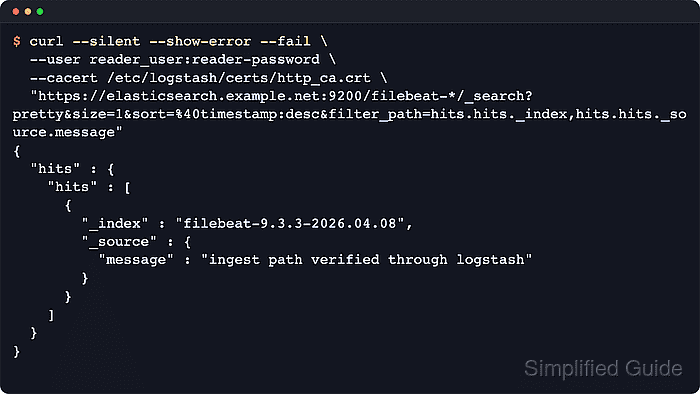
- Search Elasticsearch for a recent Filebeat event written by the Logstash pipeline.
$ curl --silent --show-error --fail \
  --user reader_user:reader-password \
  --cacert /etc/logstash/certs/http_ca.crt \
  "https://elasticsearch.example.net:9200/filebeat-*/_search?pretty&size=1&sort=%40timestamp:desc&filter_path=hits.hits._index,hits.hits._source.@timestamp,hits.hits._source.message"
{
  "hits" : {
    "hits" : [
      {
        "_index" : "filebeat-9.4.2-2026.06.18",
        "_source" : {
          "@timestamp" : "2026-06-18T20:20:29.498Z",
          "message" : "2026-06-18T10:00:07Z INFO service=payments status=200 message=\"filebeat to logstash smoke event\""
        }
      }
    ]
  }
}
A read-capable credential keeps the Logstash writer account limited to indexing. If the search stays empty, append a fresh line to a harvested file and check both journalctl –unit=filebeat and journalctl –unit=logstash for backoff, TLS, or bulk-indexing failures.