How to install a Fleet-managed Elastic Agent
Installing a Fleet-managed Elastic Agent adds a Linux host to Kibana Fleet so the host can receive an agent policy, collect telemetry, and report health back to the Elastic deployment. Use this path when Fleet Server is already reachable and the host should be managed from Kibana instead of a local standalone YAML file.
Fleet generates the install command from the selected agent policy and enrollment token. On Linux tar installations, the command installs the agent under /opt/Elastic/Agent, creates the elastic-agent service, and writes Fleet connection state into /opt/Elastic/Agent/fleet.enc.
Only one Elastic Agent can be installed on a host. Treat the enrollment token like a credential, add a CA file when Fleet Server uses a private certificate, and confirm both local status and the Fleet Agents table before using the host for policy rollout or integration testing.
Steps to install Elastic Agent and enroll it in Fleet:
- Open Kibana → Management → Fleet → Agents.
- Click Add agent.
- Select the policy that should manage the host.
Use a dedicated policy when a host group needs different integrations, rollout timing, or namespace settings.
Related: How to create an Elastic Agent policy in Fleet - Confirm Enroll in Fleet is selected.
- Select the Linux Tar tab for a Linux server.
- Copy the Fleet Server URL and enrollment token shown in the install command.
Enrollment tokens allow new agents to join the selected policy. Store them in a secure shell variable, secret manager, or deployment tool instead of chat, tickets, or shared notes.
- Download the Elastic Agent tar package shown by Fleet.
$ curl -L -O https://artifacts.elastic.co/downloads/beats/elastic-agent/elastic-agent-9.4.2-linux-x86_64.tar.gz
Fleet may show a different version, platform, or architecture for another host.
- Extract the package.
$ tar xzvf elastic-agent-9.4.2-linux-x86_64.tar.gz
elastic-agent-9.4.2-linux-x86_64/
elastic-agent-9.4.2-linux-x86_64/elastic-agent
##### snipped #####
- Enter the extracted directory.
$ cd elastic-agent-9.4.2-linux-x86_64
- Run the Fleet-managed install command.
$ sudo ./elastic-agent install --url=https://fleet.example.net:8220 --enrollment-token=AAEAAWVsYXN0aWMtZmxlZXQtZW5yb2xsOjEyMzQ1Njc4OTBhYmNkZWY=
Elastic Agent will be installed at /opt/Elastic/Agent and will run as a service. Do you want to continue? [Y/n]: y
Elastic Agent has been successfully installed.
Add --certificate-authorities=/path/to/ca.crt when Fleet Server uses a private CA. Use --non-interactive only after the command has been tested for unattended deployment.
- Check that the service is running.
$ systemctl status elastic-agent ● elastic-agent.service - Elastic Agent Loaded: loaded (/etc/systemd/system/elastic-agent.service; enabled; preset: enabled) Active: active (running) since Thu 2026-06-18 04:30:00 UTC; 1min ago ##### snipped ##### - Check the local agent status.
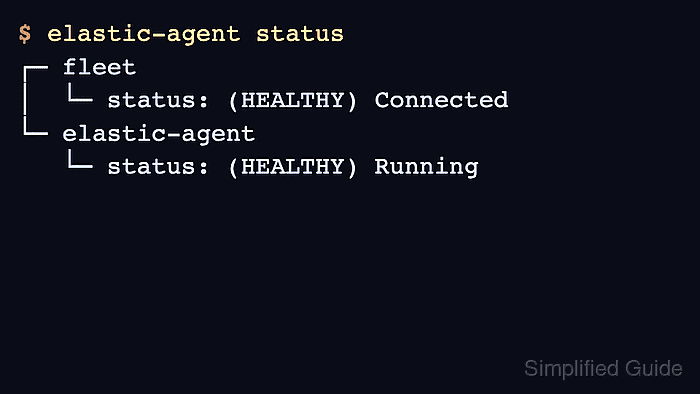
$ elastic-agent status
┌─ fleet
│  └─ status: (HEALTHY) Connected
└─ elastic-agent
   └─ status: (HEALTHY) Running
The default human output is short when the agent is healthy. Use elastic-agent status --output full when a component or unit needs detail.
- Return to Kibana → Management → Fleet → Agents.
- Search for the host name and confirm the row shows Healthy with the selected policy and recent Last activity.
Fleet can take about a minute to show a newly enrolled host after installation.
- Open the host details and confirm the policy revision and integrations match the selected policy.
A policy with the System integration should begin collecting host logs and metrics after the agent checks in.
Related: How to add the System integration to an Elastic Agent policy
Related: How to monitor Elastic Agent health in Fleet - Return to the download directory.
$ cd ..
- Remove the installer files.
$ rm -r elastic-agent-9.4.2-linux-x86_64 elastic-agent-9.4.2-linux-x86_64.tar.gz
This cleanup removes only the extracted installer and archive. The installed service remains under /opt/Elastic/Agent.