How to force a DRBD resync
Forcing a DRBD resync replaces one replica of a resource from a known-good peer when the stale copy must be rebuilt. Operators use it after choosing the authoritative data set, such as after a failed disk replacement, a stale secondary, or an operational decision to rebuild a peer from scratch.
The drbdadm invalidate-remote command marks a peer device out of sync from the node where the good data is available, so the peer is overwritten from the local copy. The inverse drbdadm invalidate command is used on the stale node when the local device should be overwritten by a peer instead.
A forced resync can discard the wrong data set if the source node is chosen incorrectly. Split-brain recovery, cluster-manager ownership, and mounted filesystems need separate handling before any invalidation command is run, because DRBD will follow the direction implied by the command instead of deciding which application data is newer.
Related: How to check DRBD resource status
Related: How to verify DRBD synchronization state
Related: How to recover DRBD split brain
Steps to force a DRBD resync:
- Check the resource from the node that should keep its data.
$ sudo drbdadm status wwwdata
wwwdata role:Primary
  disk:UpToDate
  node-b role:Secondary
    peer-disk:Outdated
Do not continue if another node might contain newer writes, if DRBD reports Split-Brain, or if a cluster manager still owns the resource state. Resolve ownership and data-source decisions before invalidating any device.
Related: How to check DRBD resource status
Related: How to recover DRBD split brain - Confirm that the peer connection is available.
$ sudo drbdadm cstate wwwdata:node-b
Connected
Replace wwwdata:node-b with the resource and peer connection that should receive the resync.
- Demote the replica that will be overwritten when it is still Primary.
$ sudo drbdadm secondary wwwdata
Run this on the target node, not on the source node. The command fails while the replicated device is mounted or opened by an application.
- Force the peer device to resync from the local node.
$ sudo drbdadm invalidate-remote wwwdata:node-b/0
This marks the peer volume 0 out of sync and overwrites it from the local node. If the local node is the stale copy, run sudo drbdadm invalidate wwwdata:node-a/0 on the stale node instead.
- Watch the resync progress from the source node.
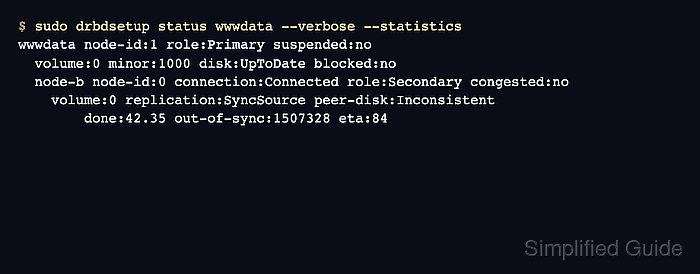
$ sudo drbdsetup status wwwdata --verbose --statistics
wwwdata node-id:1 role:Primary suspended:no
  volume:0 minor:1000 disk:UpToDate blocked:no
  node-b node-id:0 connection:Connected role:Secondary congested:no
    volume:0 replication:SyncSource peer-disk:Inconsistent
        done:42.35 out-of-sync:1507328 eta:84
SyncSource means the local node is sending data. The target node shows SyncTarget while it receives the replacement copy.
- Verify that both copies are synchronized.
$ sudo drbdadm status wwwdata wwwdata role:Primary disk:UpToDate node-b role:Secondary peer-disk:UpToDate - Confirm that detailed replication counters are clear.
$ sudo drbdsetup status wwwdata --verbose --statistics
wwwdata node-id:1 role:Primary suspended:no
  volume:0 minor:1000 disk:UpToDate blocked:no
  node-b node-id:0 connection:Connected role:Secondary congested:no
    volume:0 replication:Established peer-disk:UpToDate
        resync-suspended:no out-of-sync:0 pending:0 unacked:0
The out-of-sync:0 counter confirms that DRBD has no remaining unsynchronized blocks for the selected peer volume.