How to save Detox result bundles
Saving a Detox result bundle keeps device logs, screenshots, videos, and startup output from a mobile end-to-end run in one directory that a CI job can upload after the simulator or emulator shuts down. The saved directory lets developers inspect failed flows without rerunning the same device session.
The Detox artifacts system writes run evidence under a configurable root directory. The project config controls default plugins, while detox test can override the bundle path for a single run with --artifacts-location.
Use a clean bundle path for each CI job. A path ending with a slash tells Detox to write directly into that directory; a path without the trailing slash lets Detox add a configuration-and-timestamp subdirectory to reduce accidental overwrites.
Related: How to run Detox tests
Related: How to save Detox test artifacts
Related: How to run Detox tests in GitHub Actions
Steps to save Detox result bundles:
- Set the artifact plugins in .detoxrc.js.
- .detoxrc.js
/** @type {Detox.DetoxConfig} */
module.exports = {
  artifacts: {
    rootDir: 'artifacts/detox/',
    plugins: {
      log: 'all',
      screenshot: 'all',
      video: 'all'
    }
  },
  // devices, apps, and configurations stay in the same file
};
Recording video for every test can make CI artifacts large. Use the failing preset for screenshot or video after confirming failure-only evidence is enough for your team.
- Run Detox with a deterministic bundle directory.
$ npx detox test --configuration ios.sim.release --artifacts-location artifacts/detox/
PASS e2e/login.test.js
PASS e2e/settings.test.js

Test Suites: 2 passed, 2 total
Tests:       7 passed, 7 total
The trailing slash keeps the files directly under artifacts/detox/ so a CI upload step can target one stable directory.
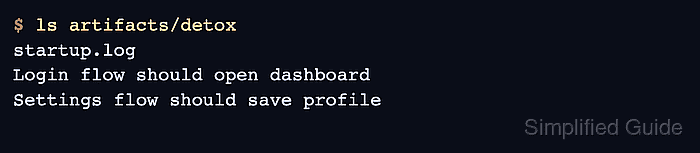
- List the saved bundle root.
$ ls artifacts/detox
startup.log
Login flow should open dashboard
Settings flow should save profile
- Inspect one test folder for the saved files.
$ ls "artifacts/detox/Login flow should open dashboard"
afterEach.png
beforeEach.png
test.log
test.mp4
Folder names come from the test summary, so long suite names can produce long paths in the bundle.
- Create a single archive when the CI system expects one uploaded file.
$ tar --create --gzip --file detox-result-bundle.tgz artifacts/detox
Skip the archive when the CI service can upload artifacts/detox/ as a directory.
- Verify the archive contains the Detox files.
$ tar --list --file detox-result-bundle.tgz
artifacts/detox/
artifacts/detox/startup.log
artifacts/detox/Login flow should open dashboard/
artifacts/detox/Login flow should open dashboard/test.log
artifacts/detox/Login flow should open dashboard/test.mp4
##### snipped #####