How to run Detox tests with a different locale
Running Detox tests with a different locale checks whether an iOS app shows translated copy, formats region-sensitive values, and opens the expected screen during an end-to-end run. It is useful before releasing a new translation or changing copy that depends on the device language.
Detox 20.x exposes languageAndLocale on device.launchApp() for iOS simulator launches. A focused Jest spec can relaunch the app once per locale and assert a stable screen element that changes with the selected language.
The languageAndLocale launch parameter is iOS-only. Android locale coverage needs an app-side test setting, launch argument, or dedicated build hook instead of this Detox parameter, so keep the iOS locale smoke test separate from any Android localization path.
Related: How to write a first Detox test
Related: How to run Detox tests locally
Related: How to use launch arguments in Detox tests
Steps to run iOS Detox tests with a different locale:
- Choose the iOS Detox configuration and locale values to cover.
Use locale identifiers your app supports, such as es-MX, fr-FR, or pt-BR. Keep unsupported locales out of the smoke test so failures point to the app screen instead of missing translation data.
- Expose one localized screen assertion with a stable testID.
- HomeScreen.tsx
import React from 'react';
import { Text, View } from 'react-native';
import { t } from './i18n';

export function HomeScreen() {
  return (
    <View testID="home-screen">
      <Text testID="welcome-title">{t('welcome.title')}</Text>
    </View>
  );
}
Use by.id() for the element lookup and assert the translated text separately. That keeps selector stability independent from the language under test.
- Create a locale-focused Detox spec.
- e2e/locale.e2e.js
const localeCases = [
  ['es-MX', 'Bienvenido'],
  ['fr-FR', 'Bienvenue'],
];

describe.each(localeCases)('localized launch %s', (locale, expectedTitle) => {
  beforeAll(async () => {
    await device.launchApp({
      newInstance: true,
      languageAndLocale: {
        language: locale,
        locale,
      },
    });
  });

  it('shows localized welcome text', async () => {
    await expect(element(by.id('welcome-title')))
      .toHaveText(expectedTitle);
  });
});
newInstance: true terminates the previous app process before launching with the next locale. Add resetAppState: true only when stored app preferences override the simulator locale.
Related: How to write a first Detox test
- Start Metro in a second terminal when the selected React Native configuration is a debug build.
$ npm start
> my-app@1.0.0 start
> react-native start

Welcome to Metro
Leave Metro running while Detox installs and launches the debug app. Release configurations and native-only apps may not need this process.
- Run the focused locale spec with the iOS simulator configuration.
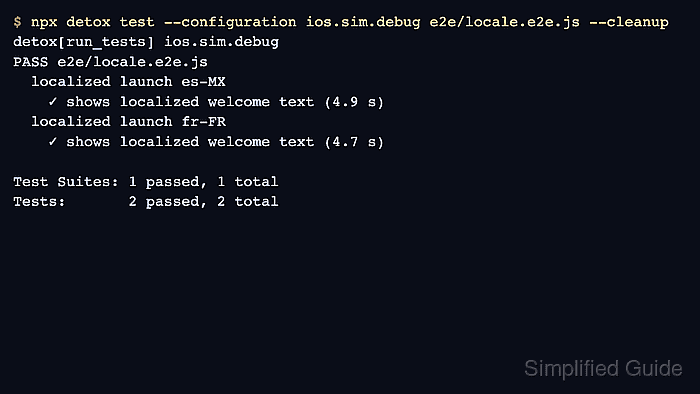
$ npx detox test --configuration ios.sim.debug e2e/locale.e2e.js --cleanup
detox[run_tests] ios.sim.debug
PASS e2e/locale.e2e.js
  localized launch es-MX
    ✓ shows localized welcome text (4.9 s)
  localized launch fr-FR
    ✓ shows localized welcome text (4.7 s)

Test Suites: 1 passed, 1 total
Tests:       2 passed, 2 total
Replace ios.sim.debug with the project configuration that targets an iOS simulator. --cleanup shuts down the simulator after the run, which keeps a locale smoke test separate from later reuse checks.
Related: How to run Detox tests locally - Check the app locale path before changing the assertion when a translated test fails.
FAIL e2e/locale.e2e.js
  localized launch fr-FR
    ✕ shows localized welcome text

Expected element by.id("welcome-title") to have text:
  Bienvenue
Received:
  Welcome
If the received text stays in the default language, confirm the app reads the iOS system locale at launch and does not override it with a persisted in-app language setting.