How to write a first Detox test
Writing a first Detox test turns a configured mobile project into one passing end-to-end check. The test should launch the app, operate one stable UI element, and assert the screen state that proves the app responded.
Detox test files usually live under e2e/ and run through the Jest runner created by detox init. The test uses Detox globals such as device, element(), by.id(), and expect() from the runner environment, so the file belongs in the existing Detox project rather than in a standalone script.
Use one small smoke test before adding login, navigation, or network setup. A passing focused run against the new file proves that the selector, action, assertion, app build, and selected simulator or emulator configuration agree.
Related: How to set up Detox in a React Native project
Related: How to stabilize selectors in Detox tests
Related: How to run Detox tests locally
Steps to write a first Detox test:
- Open the project root that contains the Detox configuration and e2e/ folder.
- Confirm the local configuration name that will run the test.
- .detoxrc.js
module.exports = {
  configurations: {
    'ios.sim.debug': {
      device: 'simulator',
      app: 'ios.debug',
    },
  },
};
Use the configuration key from the project, such as ios.sim.debug or android.emu.debug. The selected app entry must already build and produce the binary path Detox installs.
Related: How to set up Detox in a React Native project - Expose one tap target and one result state with stable testID props.
- HomeScreen.jsx
export function HomeScreen() {
  const [opened, setOpened] = React.useState(false);

  return (
    <View testID="HOME.SCREEN">
      <TouchableOpacity
        testID="HOME.OPEN_BUTTON"
        onPress={() => setOpened(true)}
      >
        <Text>Open</Text>
      </TouchableOpacity>

      {opened ? <Text testID="HOME.RESULT_TEXT">Ready</Text> : null}
    </View>
  );
}
Prefer by.id() selectors for controls that the test operates. Visible text is better kept for assertions that intentionally check displayed copy.
Related: How to stabilize selectors in Detox tests - Create the first focused Detox test file.
- e2e/smoke.test.js
describe('smoke', () => {
  beforeEach(async () => {
    await device.launchApp({ newInstance: true });
  });

  it('opens Home from the primary action', async () => {
    await expect(element(by.id('HOME.SCREEN'))).toBeVisible();
    await element(by.id('HOME.OPEN_BUTTON')).tap();
    await expect(element(by.id('HOME.RESULT_TEXT'))).toBeVisible();
  });
});
device.launchApp({ newInstance: true }) starts each run from a fresh app instance. Detox synchronizes after actions, so do not add sleeps after tap() unless a separate asynchronous condition really needs an explicit wait.
- Start Metro in a second terminal when the selected React Native configuration is a debug build.
$ npm start
> my-app@1.0.0 start
> react-native start

Welcome to Metro
Leave Metro running while Detox installs and launches the debug app. A release configuration or a native-only app may not need this process.
- Run only the new Detox test file.
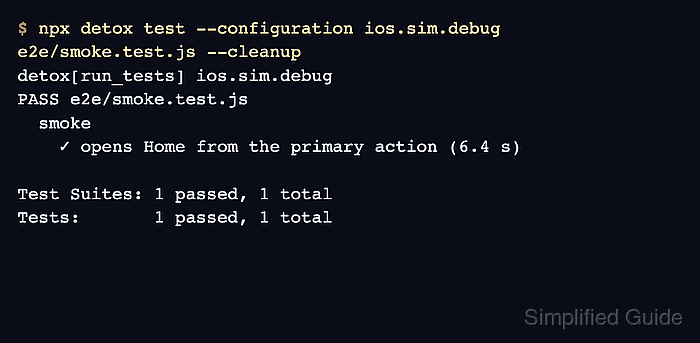
$ npx detox test --configuration ios.sim.debug e2e/smoke.test.js --cleanup
detox[run_tests] ios.sim.debug
PASS e2e/smoke.test.js
  smoke
    ✓ opens Home from the primary action (6.4 s)

Test Suites: 1 passed, 1 total
Tests:       1 passed, 1 total
Replace ios.sim.debug with the matching configuration key. --cleanup shuts down the simulator after the run, which keeps the first pass separate from later retry or reuse checks.
Related: How to run Detox tests locally - Fix missing-selector failures in the app before adding waits or retries.
Test Failed: No elements found for matcher: by.id("HOME.OPEN_BUTTON")When the app screen is visible but Detox cannot find the ID, confirm that testID reaches the native element rendered on screen. Add explicit waits only after the selector exists and the UI state genuinely appears later.