How to upload files with cURL
File uploads are common in release pipelines, attachment APIs, document intake systems, and browser-backed admin tools. When an endpoint expects multipart/form-data, cURL can send the same style of request directly from the terminal and keep the upload repeatable in scripts or CI jobs.
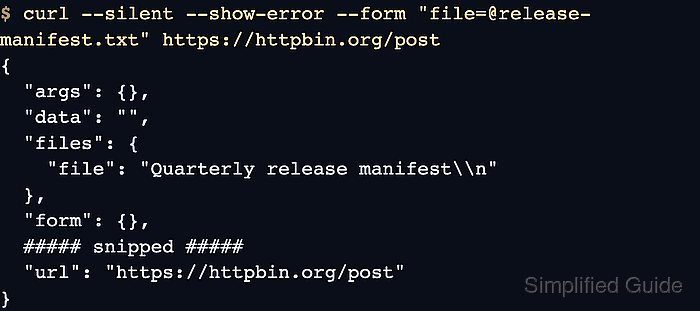
In cURL, each --form option becomes one multipart section. Prefix the local path with @ to send that part as a file upload, keep the field name before the equals sign aligned with the API contract, and append ;type=... when the server validates the part MIME type.
Most failures come from using the wrong field name, sending a raw request body to an endpoint that expects multipart form data, or treating a text field as a file part. Use --form only for browser-style file uploads; raw-body APIs belong to --data-binary, while remote transfer targets such as FTP, SFTP, or PUT uploads use different cURL modes.
Steps to upload files with cURL:
- Create the local file that will be uploaded.
$ printf 'Quarterly release manifest\n' > release-manifest.txt
Replace release-manifest.txt with the real local path when the file lives outside the current working directory.
- Send the file as one multipart form field.
$ curl --silent --show-error --form "file=@release-manifest.txt" https://httpbin.org/post
{
  "args": {},
  "data": "",
  "files": {
    "file": "Quarterly release manifest\n"
  },
  "form": {},
  ##### snipped #####
  "url": "https://httpbin.org/post"
}
The field name is the text before the equals sign. Append ;filename=release-manifest.txt;type=text/plain when the endpoint validates the uploaded filename or MIME type.
- Add text fields in the same request when the API expects metadata beside the uploaded file.
$ curl --silent --show-error --form "artifact=@release-manifest.txt" --form "artifact_type=release-manifest" https://httpbin.org/post
{
  "args": {},
  "data": "",
  "files": {
    "artifact": "Quarterly release manifest\n"
  },
  "form": {
    "artifact_type": "release-manifest"
  },
  ##### snipped #####
  "url": "https://httpbin.org/post"
}
Use --form-string instead of --form when a literal text value might begin with @ or < or include ;type=.
- Save the response body and print the HTTP status in one run when the upload needs a machine-readable handoff.
$ curl --silent --show-error --form "file=@release-manifest.txt" --output response.json --write-out "HTTP %{response_code}\n" https://httpbin.org/post
HTTP 200
A successful multipart upload should show a 2xx status and a response body that names the expected file field.
Related: Fail on HTTP errors in cURL
Related: Capture response metrics with cURL write-out - Switch to a different upload mode when the endpoint does not accept multipart/form-data.
Do not replace --form with --data, --data-binary, or --upload-file unless the server contract explicitly expects a raw request body or a remote transfer target instead of a browser-style form upload.
Related: Send a file as one raw request body
Related: Upload files to FTP or SFTP with cURL